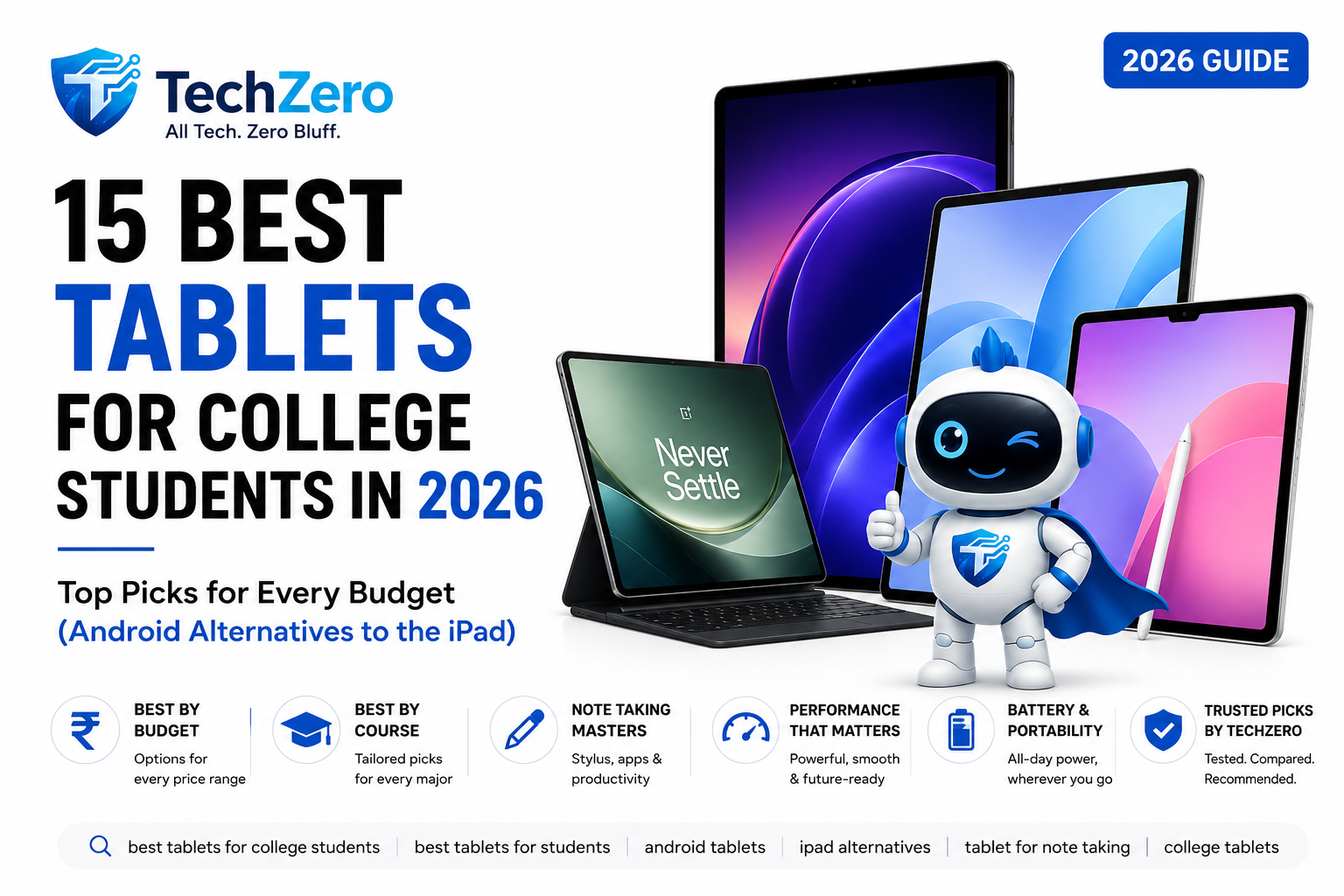
15 Best Tablets for College Students in 2026 (Best Android & iPad Alternatives)

📌 TL;DR — 30-Second Quick Buying Guide
The rising cost of iPads has made premium Android tablets a compelling choice for students in 2026. From budget-friendly note-taking devices to flagship productivity tablets, here are the best iPad alternatives for every degree, budget, and study workflow.
| Category Award | Current Gen Winner (2026) | Smart Saver (Previous-Gen Pick) | Best Major / Workflow | Total Setup Cost Range | Quick Action |
| ⭐ Best Overall Android | OnePlus Pad 4 | OnePlus Pad 3 | Multitasking, CS, Power Users | ₹42,000 – ₹64,999 | 🛒 Check Deal |
| 💰 Best Note-Taking Value | Samsung Galaxy Tab S10 FE | Samsung Galaxy Tab S10 Lite | MBBS, Medical, STEM, Bio | ₹33,000 – ₹92,999 (S-Pen Inc.) | 🛒 Check Deal |
| 💵 Best Mid-Range Value | Xiaomi Pad 8 | Xiaomi Pad 7 / Pad 6 | General Studies, Media, Commerce | ₹28,000 – ₹38,999 | 🛒 Check Deal |
| 📝 Best Under ₹25,000 | Redmi Pad 2 Pro | Redmi Pad Pro | Law, BA LLB, Reading, Basic Notes | ₹24,999 – ₹29,999 | 🛒 Check Deal |
| 💻 Best Laptop Replacement | Surface Pro 12 / Pro 11 | Surface Pro 10 / Go 4 | Coding, Business, CAD, Windows Apps | ₹75,000 – ₹95,000+ | 🛒 Check Deal |
| 🎨 Best for Digital Artists | Honor MagicPad 4* | Honor MagicPad 2* | Design, B.Des, Video Editing, OLED | * Not available in INDIA | 🛒 Check Deal |
| 🔋 Best Battery & Reading | OnePlus Pad Go 2 | OnePlus Pad Lite | Heavy Reading, E-Books, UPSC Prep | ₹18,000 – ₹30,999 | 🛒 Check Deal |
🎓 Quick Reference: Best Tablet by Academic Course
| Course / Degree Major | Primary Needs | Top Recommended Category Pick | Key Reason |
| B.Tech / Computer Science | Multi-window, Termux/Linux, high RAM, external screen output | OnePlus Pad 4 (Value: Pad 2) | Flagship platform + Open Canvas multi-app engine. |
| MBBS / Dental / Nursing | Heavy PDF annotation, high-res anatomy diagrams, water resistance | Samsung Galaxy Tab S10 FE (Value: S9 FE) | IP68 rated, free pressure-sensitive zero-charging S-Pen in box. |
| BA LLB / Law / Humanities | Thousands of pages of case law, low eye strain, long document typing | Lenovo Tab M11 / Onyx Boox Note Air 4 | Bundled pen, PC mode typing, or E-Ink paper display. |
| BBA / MBA / Commerce | Wide Excel spreadsheets, PowerPoint presentations, online meetings | Lenovo Tab Plus / Lenovo IdeaTab Pro | Large 3K screen real estate for side-by-side data & 8-speaker audio. |
| UPSC & Civil Services | 10+ hours daily reading, NCERT PDFs, newspaper markup, long battery | OnePlus Pad Go 2 (Value: Pad Go) | 7:5 paper aspect ratio reduces eye fatigue and scrolling. |
| B.Des / Animation / Fine Arts | DCI-P3 color accuracy, low pen latency, high pressure sensitivity | Honor MagicPad 4 (Value: MagicPad 2) | Ultra-smooth 3K OLED screen with 4096-level pressure stylus. |
📊 Comprehensive Master Comparison Matrix
| # | Category / Workflow Slot | Current Pick (🟢) | Previous-Gen Pick (🟡) | Stylus Status | After-Sales Tier | Future-Proof Score | Live Price Check |
| 1 | Best Entry Budget (< ₹17k) | Redmi Pad 2 | Redmi Pad SE | Optional 3rd Party | 🟢 Tier 1 | 76/100 | 🛒 Amazon | 🛒 Flipkart |
| 2 | Best Budget Note-Taker | Lenovo Tab M11 | Lenovo Tab K11 | In Box (Tab Pen) | 🟢 Tier 1 | 78/100 | 🛒 Amazon | 🛒 Lenovo |
| 3 | Best Mid-Range Workhorse | Xiaomi Pad 8 | Xiaomi Pad 7 / Pad 6 | Optional (Smart Pen) | 🟢 Tier 1 | 91/100 | 🛒 Amazon | 🛒 Mi Store |
| 4 | Best Big-Screen Classroom | Honor MagicPad 4 / Pad 9 | Honor Pad 8 | Optional (Choice Pen) | 🟡 Tier 2 | 83/100 | 🛒 Amazon | 🛒 Flipkart |
| 5 | Best Ergonomic PDF Reader | OnePlus Pad Go 2 | OnePlus Pad Go | Optional Stylus | 🟡 Tier 2 | 84/100 | 🛒 Amazon | 🛒 OnePlus |
| 6 | Flagship Android Productivity | OnePlus Pad 4 | OnePlus Pad 2 | Optional (Stylo) | 🟡 Tier 2 | 98/100 | 🛒 Amazon | 🛒 OnePlus |
| 7 | Best STEM / Medical FE | Samsung Tab S10 FE | Samsung Tab S9 FE | In Box (S-Pen) | 🟢 Tier 1 | 93/100 | 🛒 Amazon | 🛒 Samsung |
| 8 | Widescreen MBA Specialist | Lenovo Tab Plus / IdeaTab Pro | Lenovo Tab P12 | In Box (Tab Pen) | 🟢 Tier 1 | 85/100 | 🛒 Amazon | 🛒 Lenovo |
| 9 | Apple Baseline Anchor | iPad 11th Gen (A16) | iPad 10th Gen | Optional (Pencil) | 🟢 Tier 1 | 80/100 | 🛒 Amazon | 🛒 Imagine |
| 10 | Compact Performance/Gaming | iQOO Pad 2 | iQOO Pad (Gen 1) | Optional Stylus | 🟡 Tier 2 | 88/100 | 🛒 Amazon | 🛒 Flipkart |
| 11 | Premium Android OLED | Samsung Tab S11 | Samsung Tab S10 / S9 | In Box (S-Pen) | 🟢 Tier 1 | 97/100 | 🛒 Amazon | 🛒 Samsung |
| 12 | Media & Visual Creator | Honor MagicPad 4 | Honor MagicPad 2 | Optional (Magic Pencil) | 🟡 Tier 2 | 92/100 | 🛒 Amazon | 🛒 Flipkart |
| 13 | Complete Laptop Replacement | Surface Pro 12 / Pro 11 | Surface Pro 10 / Go 4 | Optional (Slim Pen 2) | 🔴 Tier 3 | 95/100 | 🛒 Amazon | 🛒 Reliance |
| 14 | Large Studio Canvas | Samsung Tab S11 Ultra | Samsung Tab S10 Ultra | In Box (S-Pen) | 🟢 Tier 1 | 96/100 | 🛒 Amazon | 🛒 Samsung |
| 15 | E-Ink Research Notebook | Onyx Boox Note Air 4 | Onyx Boox Note Air 3 | In Box (Stylus) | 🔴 Tier 3 | 88/100 | 🛒 Amazon | 🛒 Boox |
PART 1 — The 2026 Pricing Reality: Why Students Are Skipping the iPad
For over a decade, recommending a tablet to a college student was simple: “Just buy the base iPad.” In 2026, that advice is financially out of touch for most middle-class households.
Between base price increases, accessories sold separately, and non-expandable storage limits, stepping into Apple’s ecosystem has become a significant financial investment:
- The Base Storage Trap: Base iPads often start with non-expandable storage caps (64GB or 128GB). Storing medical PDFs, recorded lecture files, and offline textbooks fills up space quickly.
- The “Apple Pencil Tax”: An official Apple Pencil costs between ₹8,000 and ₹11,900. On competitor tablets like Samsung’s Galaxy Tab FE series or Lenovo’s Tab series, a high-precision stylus is bundled directly inside the box for ₹0 extra.
- The Keyboard Markup: Official Smart or Magic Keyboards cost between ₹15,000 and ₹29,000—nearly as much as a standalone mid-range laptop or Android tablet.
🟦 TechZero Reality Check: Total Setup Cost Math
- iPad Entry Setup: iPad 11th Gen A16 (Market Price: ₹34,900–₹39,900) + Apple Pencil (₹8,500) + Keyboard Folio (₹14,000) = ₹57,400 to ₹62,400 Total.
- Android Mid-Range Setup: Samsung Tab S10 FE (Market Price: ₹33,000–₹35,000) + S-Pen (₹0 Included) + Quality Bluetooth Keyboard (₹2,500) = ₹35,500 to ₹37,500 Total.
- 💰 Real Student Savings: ₹22,000 to ₹25,000 (Over 40% Cheaper) for essentially identical note-taking and PDF reading capabilities.
PART 2 — Who Should Buy a Laptop Instead?
At TechZero, we refuse to push tablets on students who genuinely need a traditional PC. A tablet—even with a keyboard dock—is NOT the right choice for everyone.
🟥 Avoid This If… (Buy a Laptop Instead)
Do NOT buy an Android tablet if your degree requires running specialized desktop software:
- Mechanical / Civil / Electrical Engineering: AutoCAD, SolidWorks, CATIA, ANSYS, MATLAB
- Computer Science / Heavy Dev: Docker containers, local VMs, Xcode, local Android Studio builds
- Data Science & AI/ML: CUDA local GPU computing, complex PyTorch environments
- Architecture 3D: Revit, Rhino 3D, V-Ray Rendering
- Advanced Finance: Microsoft Excel with heavy VBA Macros, PowerPivot, and financial plugins
🟩 Smart Buy Tip (Choose a Tablet If…)
A tablet is the superior tool if 80%+ of your academic life consists of:
- Annotating 100MB+ PDF slides, research papers, and case law files
- Taking handwritten digital notes with instant handwriting search
- Split-screen reading alongside Google Docs, MS Word, or Notion
- Attending online lectures while sketching anatomy diagrams or math formulas
PART 3 — AI Features for Students: What Actually Matters?
In 2026, every tablet manufacturer claims to offer “AI.” Here is a standardized breakdown of which software tools genuinely assist with college studies:
- 🔍 Circle to Search: High Utility. Highlight complex medical terms, math formulas, or architecture images directly on lecture slides to fetch web explanations instantly.
- 🎙️ AI Transcription: High Utility. Converts 2-hour audio lectures into written notes, complete with speaker separation.
- 📄 AI Summarization: High Utility. Condenses 50-page research PDFs into key bullet points instantly.
- 🧮 AI Math Solver: Medium Utility. Solves handwritten calculus equations directly inside notes apps.
- 📝 AI Notes Assistant: Medium Utility. Auto-formats messy handwritten scribbles into clean bulleted study guides.
- 🌍 Live Translate: High Utility for literature/international studies. Translates foreign research papers in real time.
PART 4 — TechZero Future-Proof Metric & Service Reality in India
TechZero Future-Proof Score Metric
We evaluate tablets out of 100 based on a 3-to-4-year degree cycle:
- OS & Security Support (25%): Minimum 3 years of OS + 4 years of security patches expected.
- Processor Headroom (25%): Tested against resource demands of multi-window academic workflows.
- Memory & Storage (20%): 8GB RAM baseline + MicroSD expansion or fast UFS 3.1/4.0 internal storage.
- Accessory Ecosystem (15%): Availability of native pressure-sensitive active pens and magnetic docks.
- After-Sales Network (15%): Service availability and repair costs in India.
Service & Repair Reality in India
- 🟢 Tier 1 (Widespread Network): Samsung, Xiaomi/Redmi, Lenovo. Service centers available across Tier-1, Tier-2, and Tier-3 cities. Average screen repair turnaround: 2–5 days.
- 🟡 Tier 2 (Metropolitan Hubs): OnePlus, Honor, iQOO. Service hubs in Tier-1 metros and state capitals. Mail-in repair required for smaller towns.
- 🔴 Tier 3 (Specialized Hubs): Microsoft Surface, Onyx Boox. Specialized repair centers; repairs require shipping to central hubs in Delhi/Mumbai/Bengaluru.
PART 5 — Category-First Reviews: The 15 Best Student Tablet Options
Category 1: Best Entry Budget Tablet (< ₹17,000)
Designed as an accessible digital notebook and reading device for students keeping setup costs as low as possible.
┌────────────────────────────────────────────────────────────────────────┐
│ 🟨 TECHZERO EVALUATION: ENTRY BUDGET CATEGORY                         │
│ • Score: 76/100  | Updates: 2028 (Android 16) | Expansion: MicroSD (1TB)│
│ • Service: 🟢 Tier 1 (Xiaomi) | AI Suite: ❌ Basic Search Only          │
└────────────────────────────────────────────────────────────────────────┘
- 🟢 Current Generation Pick:Redmi Pad 2 (Current Market Price: ₹16,999)
- Why Buy: Solid battery endurance (11+ hours of PDF reading/video), upgraded 90Hz FHD+ display, expandable microSD storage slot keeping long-term costs low.
- 🟡 Previous-Generation Value Pick:Redmi Pad SE (Street Price: ₹11,999)
- Buy When: Available at ₹11,000 or less on clearance sales.
- ⚙️ Specs: Octa-Core Processor | 11.0″ FHD+ 90Hz IPS LCD | 6GB/8GB RAM | 128GB Storage (MicroSD Expandable)
- ✅ Pros: Long battery life, quad stereo speakers with Dolby Atmos, widely available repair parts.
- ❌ Cons: Lacks active pressure-sensitive stylus support.
- 🎓 Best For: Literature, BA Humanities, High School to College entry reading and online classes.
- 🚫 Avoid If: You need an active stylus for hand-drawn math equations or sketching.
- 🛒 Recommended Buy Bundle:
[🛒 Buy Redmi Pad 2 on Amazon/Flipkart]|[⌨️ View Compatible Universal Bluetooth Keyboard]
Category 2: Best Budget Note-Taker with Pen (< ₹18,000)
Lenovo breaks market rules by bundling an active stylus directly in the box at an entry-level price point.
┌────────────────────────────────────────────────────────────────────────┐
│ 🟨 TECHZERO EVALUATION: LENOVO TAB M11                                │
│ • Score: 78/100  | Updates: 2028 | Expansion: MicroSD (512GB)         │
│ • Service: 🟢 Tier 1 (Lenovo) | AI Suite: 📝 Nebo Handwriting AI        │
└────────────────────────────────────────────────────────────────────────┘
- 🟢 Current Generation Pick:Lenovo Tab M11 (Current Market Price: ₹13,999)
- Why Buy: Bundles the pressure-sensitive Lenovo Tab Pen directly inside the box for ₹0 extra. Includes pre-loaded Nebo and Flexcil for PDF annotation.
- 🟡 Previous-Generation Value Pick:Lenovo Tab K11 (Street Price: ₹10,999)
- Buy When: Discounted below ₹11,000 with pen included.
- ⚙️ Specs: MediaTek Helio G88 | 11.0″ 1920×1200 90Hz IPS | 8GB RAM | 128GB Storage | Bundled Tab Pen
- ✅ Pros: Active stylus included in box, PC Mode for multi-window typing, 4-speaker audio.
- ❌ Cons: Mid-tier processor is best suited for light-to-moderate tasks; 15W charging speed.
- 🎓 Best For: Law students, BA LLB, Literature majors, and budget note-takers.
- 🚫 Avoid If: You plan to run demanding mobile games or heavy 4K video editing apps.
- 🛒 Recommended Buy Bundle:
[🛒 Buy Lenovo Tab M11 (Pen Inc.) on Amazon/Lenovo]|[⌨️ View Lenovo Keyboard Dock]
— ⚡ Tier Progress: Entry-Level Budget Completed → Moving to Mid-Range Value Tier (₹18k–₹38k) —
Category 3: Best Value Mid-Range Workhorse (₹28,000–₹38,000)
The default sweet-spot recommendation for 80% of students needing raw speed and display quality without spending flagship money.
┌────────────────────────────────────────────────────────────────────────┐
│ 🟨 TECHZERO EVALUATION: XIAOMI PAD SERIES                             │
│ • Score: 91/100  | Updates: 2029 (HyperOS) | Expansion: None (UFS 4.0)│
│ • Service: 🟢 Tier 1 (Xiaomi) | AI Suite: 🎙️ AI Transcription & Summary │
└────────────────────────────────────────────────────────────────────────┘
- 🟢 Current Generation Pick:Xiaomi Pad 8 (Current Market Price: ₹35,999–₹38,999)
- Why Buy: Features a fast processor, 3.2K 144Hz panel, UFS 4.0 storage, and HyperOS Workstation Mode for heavy multi-tab academic workflows.
- 🟡 Previous-Generation Value Pick:Xiaomi Pad 7 / Xiaomi Pad 6 (Street Price: ₹24,999–₹28,999)
- Buy When: Available at a ₹7,000+ discount below Xiaomi Pad 8. Their Snapdragon processors still handle daily multi-tab work with ease.
- ⚙️ Specs: Flagship Performance Chipset | 11.2″ 3.2K 144Hz IPS | 8GB/12GB RAM | 128GB/256GB UFS 4.0 | USB 3.2 Gen 1
- ✅ Pros: High processing performance per rupee, smooth 144Hz panel, USB 3.2 display-out support.
- ❌ Cons: No microSD expansion slot; active stylus sold separately.
- 🎓 Best For: Engineering, Computer Science, Media Editing, and General Multitasking.
- 🚫 Avoid If: You demand an AMOLED display panel or built-in cellular GPS.
- 🛒 Recommended Buy Bundle:
[🛒 Buy Xiaomi Pad 8/7 on Amazon/Mi Store]|[✍️ Buy Xiaomi Smart Pen]|[⌨️ Buy Xiaomi Smart Keyboard]
Category 4: Best Big-Screen Classroom & Media Tablet
Offers a massive 12.1-inch screen layout with multi-speaker audio arrays for desk-bound lecture viewing and wide documents.
┌────────────────────────────────────────────────────────────────────────┐
│ 🟨 TECHZERO EVALUATION: HONOR PAD SERIES                              │
│ • Score: 83/100  | Updates: 2028 | Expansion: None                    │
│ • Service: 🟡 Tier 2 (Honor)  | AI Suite: 📄 AI Summarization (MagicOS)│
└────────────────────────────────────────────────────────────────────────┘
- 🟢 Current Generation Pick:Honor MagicPad 4 (Premium) / Honor Pad 9 (Current Market Price: ₹24,999+)
- Why Buy: Features an expansive 3K Eye-Protection display, large battery capacity, and 8 surround sound speakers for lecture playback.
- 🟡 Previous-Generation Value Pick:Honor Pad 8 (Street Price: ₹15,999)
- Buy When: Priced under ₹16,000 on clearance sale.
- ⚙️ Specs: Snapdragon 7 Series / 6 Gen 1 | 12.1″ 2.5K/3K 120Hz IPS | 8GB RAM | 256GB Storage | 8 Speakers
- ✅ Pros: Expansive display area for split-screen reading, loud multi-speaker setup, certified low-flicker screen.
- ❌ Cons: No physical fingerprint scanner; active pen sold separately.
- 🎓 Best For: Medical students reviewing anatomy slides, Commerce students working with spreadsheets.
- 🚫 Avoid If: You prefer a compact, lightweight 8-inch or 10-inch handheld tablet.
- 🛒 Recommended Buy Bundle:
[🛒 Buy Honor MagicPad 4/Pad 9 on Amazon/Flipkart]|[✍️ Buy Honor Choice Pen]|[⌨️ Buy Bluetooth Keyboard]
Category 5: Best Ergonomic Reader & PDF Companion
Designed around a unique 7:5 aspect ratio that mimics the proportions of a physical printed sheet of paper or textbook.
┌────────────────────────────────────────────────────────────────────────┐
│ 🟨 TECHZERO EVALUATION: ONEPLUS PAD GO SERIES                         │
│ • Score: 84/100  | Updates: 2028 | Expansion: MicroSD (1TB)           │
│ • Service: 🟡 Tier 2 (OnePlus)| AI Suite: 📄 OxygenOS Smart Text AI    │
└────────────────────────────────────────────────────────────────────────┘
- 🟢 Current Generation Pick:OnePlus Pad Go 2 (Current Market Price: ₹30,999)
- Why Buy: Upgraded 12.1″ 120Hz ReadFit display, refined eye-comfort modes, fast cellular connectivity options, and solid battery endurance.
- 🟡 Previous-Generation Value Pick:OnePlus Pad Go (Gen 1) (Street Price: ₹16,999)
- Buy When: Discounted below ₹16,000 for a budget-friendly PDF reader.
- ⚙️ Specs: Mid-Range Processor | 11.35″-12.1″ 2.4K/2.8K 7:5 ReadFit 90Hz/120Hz LCD | 8GB RAM | 128GB/256GB (LTE Available)
- ✅ Pros: 7:5 aspect ratio fits vertical PDF text naturally, reliable battery optimization, LTE option.
- ❌ Cons: Moderate gaming performance compared to flagship lines.
- 🎓 Best For: UPSC aspirants, Law students, MBA research reading.
- 🚫 Avoid If: You need high-end 3D graphics rendering for gaming or CAD.
- 🛒 Recommended Buy Bundle:
[🛒 Buy OnePlus Pad Go 2/Go on Amazon/OnePlus]|[⌨️ View Protective Folio Keyboard Case]
— ⚡ Tier Progress: Mid-Range Value Completed → Moving to Flagship Killers & STEM Specialists (₹33k–₹65k) —
Category 6: Flagship Android Productivity & Speed
⭐ Editor’s Choice: Best Overall Android Tablet
Equipped with flagship silicon, a massive 13.2-inch 3.4K 144Hz display, 13,380 mAh battery, and Open Canvas multi-app software for high-speed multitasking.
┌────────────────────────────────────────────────────────────────────────┐
│ 🟨 TECHZERO EVALUATION: ONEPLUS PAD FLAGSHIP                          │
│ • Score: 98/100  | Updates: 2030 (4 OS) | Expansion: None (UFS 4.0)   │
│ • Service: 🟡 Tier 2 (OnePlus)| AI Suite: 🔍 Circle to Search & AI Summarize│
└────────────────────────────────────────────────────────────────────────┘
- 🟢 Current Generation Pick:OnePlus Pad 4 (Launch Price: ₹59,999 [8/256] | ₹64,999 [12/512])
- Why Buy: Features top-tier flagship processor, a 13.2″ 3.4K 144Hz panel, Open Canvas multitasking, an 8-speaker audio setup, and an enormous 13,380 mAh battery with 80W fast charging.
- 🟡 Previous-Generation Value Pick:OnePlus Pad 2 (Street Price: ₹38,999–₹42,999)
- Buy When: Available at an ₹20,000+ discount below the Pad 4. Its Snapdragon 8 Gen 3 chip remains exceptionally fast for all academic and productivity tasks.
- ⚙️ Specs: Flagship Processor | 13.2″ 3.4K 144Hz 7:5 LCD | 8GB/12GB/16GB RAM | 256GB/512GB UFS 4.0 | 13,380 mAh (80W SUPERVOOC)
- ✅ Pros: Open Canvas software runs 3 full-size vertical apps side-by-side, massive battery endurance, desktop-class processing power.
- ❌ Cons: Stylo 2 pen and Smart Keyboard are separate purchases.
- 🎓 Best For: Engineering students, CS coders, content creators, power users.
- 🚫 Avoid If: You are seeking a compact budget tablet under ₹25,000.
- 🛒 Recommended Buy Bundle:
[🛒 Buy OnePlus Pad 4/2 on Amazon/OnePlus]|[✍️ Buy OnePlus Stylo 2]|[⌨️ Buy OnePlus Smart Keyboard]
Category 7: Best Note-Taking Value (Medical / Science / STEM)
💰 TechZero Winner: Best Student Note-Taking Tablet
Combines an IP68 water-resistant chassis, an in-box passive S-Pen, and Samsung Notes integration.
┌────────────────────────────────────────────────────────────────────────┐
│ 🟨 TECHZERO EVALUATION: SAMSUNG GALAXY TAB FE SERIES                  │
│ • Score: 93/100  | Updates: 2029 (4 OS + 5 Sec) | Expansion: MicroSD (2TB)│
│ • Service: 🟢 Tier 1 (Samsung) | AI Suite: 🔍 Circle to Search & Math AI│
└────────────────────────────────────────────────────────────────────────┘
- 🟢 Current Generation Pick:Samsung Galaxy Tab S10 FE (Current Market Price: ₹33,000–₹35,000)
- Why Buy: 8GB RAM baseline, One UI AI Notes Assistant, IP68 water resistance, and an in-box zero-charging S-Pen.
- 🟡 Previous-Generation Value Pick:Samsung Galaxy Tab S9 FE (Street Price: ₹25,999)
- Buy When: Priced under ₹26,000 on clearance. Offers identical IP68 water resistance and in-box S-Pen utility.
- ⚙️ Specs: Mid-Range Processor | 10.9″ 90Hz WUXGA+ LCD | 8GB RAM | 128GB/256GB (MicroSD Expandable up to 2TB)
- ✅ Pros: S-Pen included free in box, Samsung Notes app ecosystem, IP68 protection against spills.
- ❌ Cons: Mid-range chip requires lowering graphics settings for heavy 3D gaming; charger sold separately.
- 🎓 Best For: MBBS, Nursing, Chemistry, Bio-Tech, and heavy handwriting majors.
- 🚫 Avoid If: Your focus is competitive mobile gaming at 120 FPS.
- 🛒 Recommended Buy Bundle:
[🛒 Buy Samsung Tab S10 FE/S9 FE (S-Pen Inc.) on Amazon/Samsung]|[⌨️ Buy Smart Book Cover Keyboard]
Category 8: Best Widescreen MBA & Document Specialist
Pairs a high-density widescreen display with a bundled stylus and Lenovo’s desktop mode.
┌────────────────────────────────────────────────────────────────────────┐
│ 🟨 TECHZERO EVALUATION: LENOVO WIDESCREEN SERIES                      │
│ • Score: 85/100  | Updates: 2028 | Expansion: MicroSD (1TB)           │
│ • Service: 🟢 Tier 1 (Lenovo) | AI Suite: 📄 MS Office AI Summarization │
└────────────────────────────────────────────────────────────────────────┘
- 🟢 Current Generation Pick:Lenovo Tab Plus / Lenovo IdeaTab Pro (Current Market Price: ₹14,000–₹25,000)
- Why Buy: Features wide 3K display options, bundled Tab Pen, and ZUI desktop multi-windowing for working across large document stacks.
- 🟡 Previous-Generation Value Pick:Lenovo Tab P12 (Street Price: ₹21,999)
- Buy When: Available under ₹22,000 with stylus included.
- ⚙️ Specs: Mid-Range Processor | 11.5″-12.7″ 2.5K/3K LCD | 8GB RAM | 128GB/256GB (MicroSD Expandable)
- ✅ Pros: Large display real estate for spreadsheets, fingerprint power button, bundled stylus options.
- ❌ Cons: Broad dimensions require desk surface rather than one-handed holding.
- 🎓 Best For: MBA, Commerce, Economics, Research Scholars.
- 🚫 Avoid If: You want a compact 10-inch portable tablet.
- 🛒 Recommended Buy Bundle:
[🛒 Buy Lenovo Tab Plus/IdeaTab Pro on Amazon/Lenovo]|[⌨️ Buy Lenovo Keyboard Pack]
— ⚡ Tier Progress: STEM & Business Completed → Moving to Comparison Anchors & Compact Gaming (₹25k–₹40k) —
Category 9: Apple Ecosystem Baseline (Comparison Anchor)
Included as an editorial benchmark to evaluate how Apple’s base entry options compare against Android setups.
┌────────────────────────────────────────────────────────────────────────┐
│ 🟨 TECHZERO EVALUATION: IPAD ENTRY BASELINE                           │
│ • Score: 80/100  | Updates: 2030 (iPadOS) | Expansion: None            │
│ • Service: 🟢 Tier 1 (Apple)  | AI Suite: ❌ Limited Apple Intelligence │
└────────────────────────────────────────────────────────────────────────┘
- 🟢 Current Generation Pick:iPad 11th Gen (A16) (Current Market Price: ₹34,900–₹39,900)
- Why Buy: Upgraded entry processor, increased base storage options, long software update lifecycle.
- 🟡 Previous-Generation Value Pick:iPad 10th Gen (Street Price: ₹27,999)
- Buy When: Discounted heavily during sale events (under ₹28,000) for users committed to iPadOS.
- ⚙️ Specs: A16 Bionic / A14 Bionic | 10.9″ Liquid Retina 60Hz LCD | 4GB/6GB RAM | 128GB / 256GB
- ✅ Pros: iPadOS creative app ecosystem (Procreate, GoodNotes), consistent resale value.
- ❌ Cons: Non-laminated display panel creates a hollow tapping sound when writing; Pencil and keyboard sold separately.
- 🎓 Best For: Students committed to the Apple ecosystem (iPhone + Mac).
- 🚫 Avoid If: You want maximum hardware specs and bundled accessories per rupee spent.
- 🛒 Recommended Buy Bundle:
[🛒 Buy iPad 11th/10th Gen on Amazon/Flipkart]|[✍️ Buy Apple Pencil]|[⌨️ Buy Smart Keyboard Folio]
Category 10: Compact Performance for Work & Gaming
Targets students seeking high hardware performance for both study workloads and mobile gaming.
┌────────────────────────────────────────────────────────────────────────┐
│ 🟨 TECHZERO EVALUATION: IQOO PAD SERIES                               │
│ • Score: 88/100  | Updates: 2028 | Expansion: None                    │
│ • Service: 🟡 Tier 2 (iQOO)   | AI Suite: 🎮 AI Game Frame Interpolation│
└────────────────────────────────────────────────────────────────────────┘
- 🟢 Current Generation Pick:iQOO Pad 2 (Current Market Price: ₹32,999–₹36,999)
- Why Buy: Equipped with high-end silicon, a 144Hz 2.8K display, and vapor chamber cooling.
- 🟡 Previous-Generation Value Pick:iQOO Pad (Gen 1) (Street Price: ₹23,999)
- Buy When: Discounted significantly on clearance.
- ⚙️ Specs: Flagship Processor | 12.1″ 2.8K 144Hz IPS LCD | 8GB/12GB RAM | 256GB UFS 3.1/4.0
- ✅ Pros: Capable processing power under heavy sustained loads, 144Hz panel, fast charging.
- ❌ Cons: Gaming-centric interface aesthetics; limited offline retail presence in smaller cities.
- 🎓 Best For: CS students, mobile gamers, users wanting high performance in a versatile chassis.
- 🚫 Avoid If: You need a wide desktop-replacement screen layout.
- 🛒 Recommended Buy Bundle:
[🛒 Buy iQOO Pad 2 on Amazon/Flipkart]|[✍️ Buy iQOO Active Stylus]
— ⚡ Tier Progress: Mid-Range Completed → Moving to Premium Flagships & Laptop Replacements (₹45k–₹1,10,000+) —
Category 11: Premium Android OLED Standard
For users with higher budgets, offering Dynamic AMOLED displays, Samsung DeX desktop capability, and bundled S-Pens.
┌────────────────────────────────────────────────────────────────────────┐
│ 🟨 TECHZERO EVALUATION: SAMSUNG GALAXY TAB S11 / S10                  │
│ • Score: 97/100  | Updates: 2033 (7 OS) | Expansion: MicroSD (2TB)    │
│ • Service: 🟢 Tier 1 (Samsung) | AI Suite: 🔍 Circle to Search & Live Translate│
└────────────────────────────────────────────────────────────────────────┘
- 🟢 Current Generation Pick:Samsung Galaxy Tab S11 (Launch Price: ₹80,000+)
- Why Buy: Features anti-reflective Dynamic AMOLED 2X displays, Samsung DeX, in-box S-Pen, and 7 years of OS updates.
- 🟡 Previous-Generation Value Pick:Samsung Galaxy Tab S10 / Tab S9 (Street Price: ₹62,000–₹68,000)
- Buy When: Available at an ₹15,000+ discount. Their processing chipsets remain top-tier.
- ⚙️ Specs: Flagship Processor | 11.0″-12.4″ Dynamic AMOLED 2X 120Hz | 12GB RAM | 256GB/512GB (MicroSD Expandable) | IP68
- ✅ Pros: Dynamic AMOLED 2X screen with strong contrast, Samsung DeX desktop mode, long update support commitment.
- ❌ Cons: High initial investment cost.
- 🎓 Best For: Design, Architecture, Fine Arts, and long-term multi-year degree use.
- 🚫 Avoid If: You are working under a strict sub-₹35,000 budget.
- 🛒 Recommended Buy Bundle:
[🛒 Buy Samsung Tab S11/S10 (S-Pen Inc.) on Amazon/Samsung]|[⌨️ Buy Smart Book Cover Keyboard]
Category 12: Media Creator & Visual Powerhouse (OLED)
Features a 144Hz 3K OLED screen and spatial audio processing for creative visual workloads.
┌────────────────────────────────────────────────────────────────────────┐
│ 🟨 TECHZERO EVALUATION: HONOR MAGICPAD 4                              │
│ • Score: 92/100  | Updates: 2029 | Expansion: None                    │
│ • Service: 🟡 Tier 2 (Honor)  | AI Suite: 🎨 AI Magic Portal Editing   │
└────────────────────────────────────────────────────────────────────────┘
- 🟢 Current Generation Pick:Honor MagicPad 4 (Current Market Price: ₹45,000+)
- Why Buy: Equipped with high-end Snapdragon silicon, a 12.3″ 3K OLED 144Hz screen with high PWM dimming, and spatial audio.
- 🟡 Previous-Generation Value Pick:Honor MagicPad 2 (Street Price: ₹34,999)
- Buy When: Discounted under ₹35,000.
- ⚙️ Specs: High-End Processor | 12.3″ 3K OLED 144Hz | 12GB RAM | 256GB/512GB
- ✅ Pros: Color-accurate OLED panel, high PWM dimming frequency reduces eye fatigue, multi-speaker spatial audio.
- ❌ Cons: Stylus sold separately; no microSD expansion slot.
- 🎓 Best For: Digital Media majors, Video Editors, Fine Arts students.
- 🚫 Avoid If: You require desktop PC software execution (.exe files).
- 🛒 Recommended Buy Bundle:
[🛒 Buy Honor MagicPad 4/2 on Amazon/Flipkart]|[✍️ Buy Magic Pencil 3]|[⌨️ Buy Smart Keyboard]
Category 13: Complete Laptop Replacement (Full Windows 11)
💻 TechZero Winner: Ultimate Laptop Replacement Tablet
When Android apps are insufficient and you need to run native 64-bit Windows applications, the Surface Pro line provides full PC software compatibility.
┌────────────────────────────────────────────────────────────────────────┐
│ 🟨 TECHZERO EVALUATION: SURFACE PRO LINE                              │
│ • Score: 95/100  | Updates: 2032+ (Windows) | Expansion: M.2 SSD Swap   │
│ • Service: 🔴 Tier 3 (Microsoft)| AI Suite: 🧠 Copilot Pro Studio      │
└────────────────────────────────────────────────────────────────────────┘
- 🟢 Current Generation Pick:Microsoft Surface Pro 12 (Launch Price: ₹95,000+)
- Why Buy: Powered by latest ARM / x86 silicon running full 64-bit Windows 11, 13.0″ 120Hz PixelSense screen, and removable SSDs.
- 🟡 Previous-Generation Value Pick:Microsoft Surface Pro 10 / Surface Pro 11 (Street Price: ₹75,000–₹82,000)
- Buy When: Discounted significantly during commercial clearance events (₹20k+ off).
- ⚙️ Specs: Next-Gen Processor | Full 64-bit Windows 11 | 13.0″ 120Hz PixelSense | 16GB RAM | 256GB-1TB Replaceable SSD
- ✅ Pros: Runs Full Desktop Software: Visual Studio, MATLAB, AutoCAD, full MS Excel with Macros, built-in kickstand.
- ❌ Cons: Type Cover Keyboard and Slim Pen 2 are separate purchases; higher starting price point.
- 🎓 Best For: Engineering (Mechanical/Civil/CS), Coding, Finance, Data Science.
- 🚫 Avoid If: You only want a casual device for taking handwritten notes and watching movies.
- 🛒 Recommended Buy Bundle:
[🛒 Buy Surface Pro 12/10 on Amazon/Microsoft]|[✍️ Buy Surface Slim Pen 2]|[⌨️ Buy Surface Type Cover]
Category 14: Large-Format Digital Studio Canvas
Equipped with a 14.6-inch AMOLED display, providing an expansive workspace for digital drawing, architecture plans, and split-screen tasks.
┌────────────────────────────────────────────────────────────────────────┐
│ 🟨 TECHZERO EVALUATION: SAMSUNG GALAXY TAB ULTRA SERIES               │
│ • Score: 96/100  | Updates: 2033 (7 OS) | Expansion: MicroSD (2TB)    │
│ • Service: 🟢 Tier 1 (Samsung) | AI Suite: 🔍 Circle to Search & Note AI│
└────────────────────────────────────────────────────────────────────────┘
- 🟢 Current Generation Pick:Samsung Galaxy Tab S11 Ultra (Launch Price: ₹1,10,000+)
- Why Buy: Features flagship processing, a 14.6″ Dynamic AMOLED 2X anti-reflective screen, bundled S-Pen, and 7 years of OS updates.
- 🟡 Previous-Generation Value Pick:Samsung Galaxy Tab S10 Ultra (Street Price: ₹88,000–₹94,000)
- Buy When: Available at a significant discount (₹20,000+ off) below the S11 Ultra.
- ⚙️ Specs: Flagship Processor | 14.6″ Dynamic AMOLED 2X 120Hz | 12GB/16GB RAM | 256GB-1TB (MicroSD Expandable)
- ✅ Pros: 14.6″ screen matches the active drawing area of graphics monitors, S-Pen included, anti-reflective screen coating.
- ❌ Cons: Larger dimensions make handheld use less practical; designed for desk setups.
- 🎓 Best For: Architecture, Fine Arts, Digital Animation, Film Production.
- 🚫 Avoid If: You need a light tablet to hold while standing or walking.
- 🛒 Recommended Buy Bundle:
[🛒 Buy Samsung Tab S11/S10 Ultra (S-Pen Inc.) on Amazon/Samsung]|[⌨️ Buy Book Cover Keyboard]
Category 15: Specialized E-Ink Research & Reading Notebook
Designed for reading long documents without blue-light eye strain, using an E-Paper display panel.
┌────────────────────────────────────────────────────────────────────────┐
│ 🟨 TECHZERO EVALUATION: ONYX BOOX NOTE AIR SERIES                     │
│ • Score: 88/100  | Updates: 2028 | Expansion: MicroSD (512GB)         │
│ • Service: 🔴 Tier 3 (Boox)   | AI Suite: 📝 AI Handwriting Indexing   │
└────────────────────────────────────────────────────────────────────────┘
- 🟢 Current Generation Pick:Onyx Boox Note Air 4 (Current Market Price: ₹45,000–₹55,000)
- Why Buy: 10.3″ Carta 1200 E-Paper screen, open Android OS supporting Google Play reading apps, Wacom EMR pen included, multi-week battery life.
- 🟡 Previous-Generation Value Pick:Onyx Boox Note Air 3 (Street Price: ₹36,000)
- Buy When: Available at a ₹8,000+ discount for users needing dedicated PDF annotation.
- ⚙️ Specs: Octa-Core E-Ink Processor | 10.3″ HD Carta Glass Screen (Paper Texture) | Open Android | Wacom EMR Pen Included
- ✅ Pros: E-Paper screen provides comfortable viewing under direct sunlight, paper-like writing feel, multi-week battery endurance.
- ❌ Cons: E-Ink refresh rates are not suitable for video playback; grayscale output on monochrome models.
- 🎓 Best For: Law students, PhD candidates, Literature, research-heavy majors.
- 🚫 Avoid If: You need to watch video lectures or play media games.
- 🛒 Recommended Buy Bundle:
[🛒 Buy Onyx Boox Note Air 4/3 on Amazon/Boox]|[✍️ View Replacement Wacom Nibs]
— ⚡ All 15 Categories Completed → Proceeding to App Matrix & Decision Tools —
PART 6 — Anti-iPad App Replacement & Desktop OS Comparison
Cross-Platform Software Replacements
Transitioning from iPadOS does not mean losing access to core study apps:
| iPad Exclusive App | Android Verified Equivalent | Windows Verified Equivalent |
| GoodNotes 6 / Notability | • Samsung Notes (Free & Robust) • Touchnotes / Flexcil | • Drawboard PDF • MS OneNote (Free) |
| Procreate | • Infinite Painter • HiPaint (Free Procreate Clone) | • Clip Studio Paint • Krita (Free & Open Source) |
| LumaFusion | • LumaFusion Android • CapCut Pro / KineMaster | • DaVinci Resolve (Free/Pro) • Adobe Premiere Pro |
| PDF Expert | • Xodo PDF Reader | • Foxit PDF / Adobe Acrobat |
Desktop Windowing Modes Evaluated
- Samsung DeX: Switches the user interface to a desktop-style window layout with taskbar controls, resizable windows, mouse pointer support, and external monitor extension.
- OnePlus Open Canvas: Displays up to 3 full-sized vertical apps side-by-side, allowing easy content transfers between split windows.
- Lenovo ZUI PC Mode: Adds a taskbar layout and window controls for basic document processing setups.
PART 7 — Interactive Decision Flow: Which Tablet Should You Buy?
1. WHAT IS YOUR HARD BUDGET CEILING?
   ├─► Under ₹17,000 : Buy Lenovo Tab M11 (Pen Included) or Redmi Pad 2.
   ├─► ₹18,000 - ₹38,000 : Buy Xiaomi Pad 8/7 (Performance) or OnePlus Pad Go 2/Go (Reading).
   ├─► ₹33,000 - ₹50,000 : Buy Samsung Tab S10 FE/S9 FE (Medical) or OnePlus Pad 4/2 (Flagship Speed).
   └─► ₹50,000+ : Buy Samsung Tab S11/S10 (OLED) or Surface Pro 12/10 (Windows/Coding).

2. DO YOU NEED NATIVE WINDOWS .EXE APPLICATION COMPATIBILITY?
   ├─► YES : Choose Microsoft Surface Pro 12 / Pro 10.
   └─► NO  : An Android Tablet covers standard note-taking, PDF, and browser workflows.

3. IS A CHARGE-FREE STYLUS BUNDLED IN THE BOX A PRIORITY?
   ├─► YES : Choose Samsung Galaxy Tab S FE Series or Lenovo Tab Series.
   └─► NO  : Active pens can be acquired separately when required.
PART 8 — Must-Have Student Accessories & TCO Bundles
Select accessories that directly support your study setup:
┌────────────────────────────────────────────────────────────────────────┐
│ 🛒 RECOMMENDED ACCESSORY BUNDLES                                       │
├────────────────────────────────────────────────────────────────────────┤
│ 1. Multi-Device Bluetooth Keyboards:                                   │
│    • Logitech K380s / Pebble Keys 2 [🛒 Check Price on Amazon]         │
│    • Portronics Wireless Foldable Keyboard [🛒 Check Price]            │
├────────────────────────────────────────────────────────────────────────┤
│ 2. Precision Mice & Trackpads:                                         │
│    • Logitech M350s Silent Pebble Mouse [🛒 Check Price]              │
├────────────────────────────────────────────────────────────────────────┤
│ 3. Protection & Desk Stands:                                           │
│    • Moft Folding Tablet Stand [🛒 Check Price]                        │
│    • Matte Paper-Feel Screen Protector [🛒 Check Price]                │
├────────────────────────────────────────────────────────────────────────┤
│ 4. Connectivity & Portable Power:                                      │
│    • Anker 6-in-1 USB-C Hub (Pass-Through Charging) [🛒 Check Price]   │
│    • 20,000 mAh Fast Power Bank [🛒 Check Price]                       │
└────────────────────────────────────────────────────────────────────────┘
PART 9 — Common Buying Mistakes
- Buying Based Solely on Benchmark Scores: Synthetic benchmark scores do not directly measure battery endurance or stylus tracking accuracy during lectures.
- Ignoring Software Update Policies: Avoid unbranded tablets with outdated Android versions and no stated security patch timeline.
- Overspending on Fixed Internal Storage: Models with microSD expansion support allow you to expand storage space cost-effectively.
- Overlooking Device Weight: A tablet weighing over 650g can feel heavy during extended handheld reading sessions.
PART 10 — Frequently Asked Questions (FAQs)
Q1: Can an Android tablet replace a laptop for college studies?
Answer: For humanities, law, medical, and general commerce majors, yes. Paired with a Bluetooth keyboard and desktop mode (such as Samsung DeX or OnePlus Open Canvas), an Android tablet handles document typing, slide decks, web research, and video calls effectively. However, engineering students running software like AutoCAD, SolidWorks, or x86 IDEs will still need a Windows laptop or Microsoft Surface device.
Q2: Is 8 GB of RAM sufficient for a student tablet in 2026?
Answer: Yes. 8 GB of RAM provides a reliable baseline for split-screen multitasking with two active apps (e.g., PDF annotator alongside a lecture stream) while background tools remain active.
Q3: How do third-party styluses compare to official active pens?
Answer: Basic capacitive stylus pens with rubber tips lack palm rejection and pressure sensitivity. Always choose an active stylus designed for your specific tablet digitizer layer to ensure accurate handwritten notes.
PART 11 — Final TechZero Verdict Matrix
To summarize our evaluation, here are our final recommendations across primary student categories:
┌────────────────────────────────────────────────────────────────────────┐
│ 🟪 FINAL TECHZERO VERDICT MATRIX                                       │
├─────────────────────────┬──────────────────────────────────────────────┤
│ CATEGORY                │ RECOMMENDED TABLET                           │
├─────────────────────────┼──────────────────────────────────────────────┤
│ ⭐ Best Overall Student  │ OnePlus Pad 4 (Value Alternative: Pad 2)     │
│    Tablet               │ (Unmatched speed, 13.2" 3.4K display, Canvas)│
├─────────────────────────┼──────────────────────────────────────────────┤
│ 💰 Best Value Note-     │ Samsung Galaxy Tab S10 FE (Value: S9 FE)     │
│    Taker (Medical/STEM) │ (IP68 rated, free S-Pen in box)              │
├─────────────────────────┼──────────────────────────────────────────────┤
│ 💵 Best Mid-Range Value │ Xiaomi Pad 8 (Value Alternative: Pad 7/6)    │
│    (₹28,000–₹38,000)    │ (High refresh display, reliable performance) │
├─────────────────────────┼──────────────────────────────────────────────┤
│ 📝 Best Entry Budget    │ Redmi Pad 2 / Lenovo Tab M11                 │
│    (< ₹17,000)          │ (Bundled stylus or strong battery baseline)  │
├─────────────────────────┼──────────────────────────────────────────────┤
│ 💻 Best Laptop          │ Microsoft Surface Pro 12 / Pro 10            │
│    Replacement          │ (Full Windows 11 .exe application support)   │
├─────────────────────────┼──────────────────────────────────────────────┤
│ 🎨 Best for Digital     │ Honor MagicPad 4                             │
│    Artists & B.Des      │ (3K OLED panel with low latency stylus)      │
├─────────────────────────┼──────────────────────────────────────────────┤
│ 🌟 Best Long-Term       │ Samsung Galaxy Tab S11 / Tab S10             │
│    Investment           │ (OLED, IP68, 7-year update policy)           │
└─────────────────────────┴──────────────────────────────────────────────┘
TechZero Editorial Standards: Products featured in TechZero guides are evaluated independently based on specifications, build quality, and real-world value for students. We do not accept payment to guarantee positive rankings.


[…] Read the student buying guide → TechZero Buying Guide Android Tablets for College Students: Best iPad Alternatives […]
[…] Android Tablets: The Best iPad Alternatives — Understand where Android tablets stand against the iPad ecosystem. […]