
Galaxy Tab S11 Ultra vs iPad Pro M5: Display, Performance, S Pen & Apple Pencil Pro, DeX, Gaming and 5-Year Value
If you are shopping for an ultra-premium, large-screen tablet, the choice ultimately comes down to two heavyweights: Samsung’s enormous 14.6-inch Galaxy Tab S11 Ultra and Apple’s 13-inch M5 iPad Pro.
This isn’t just a basic spec comparison or a simple debate between Android and iPadOS. It is a fundamental choice of form and function: a big-screen Android computer versus a high-performance creative tablet.
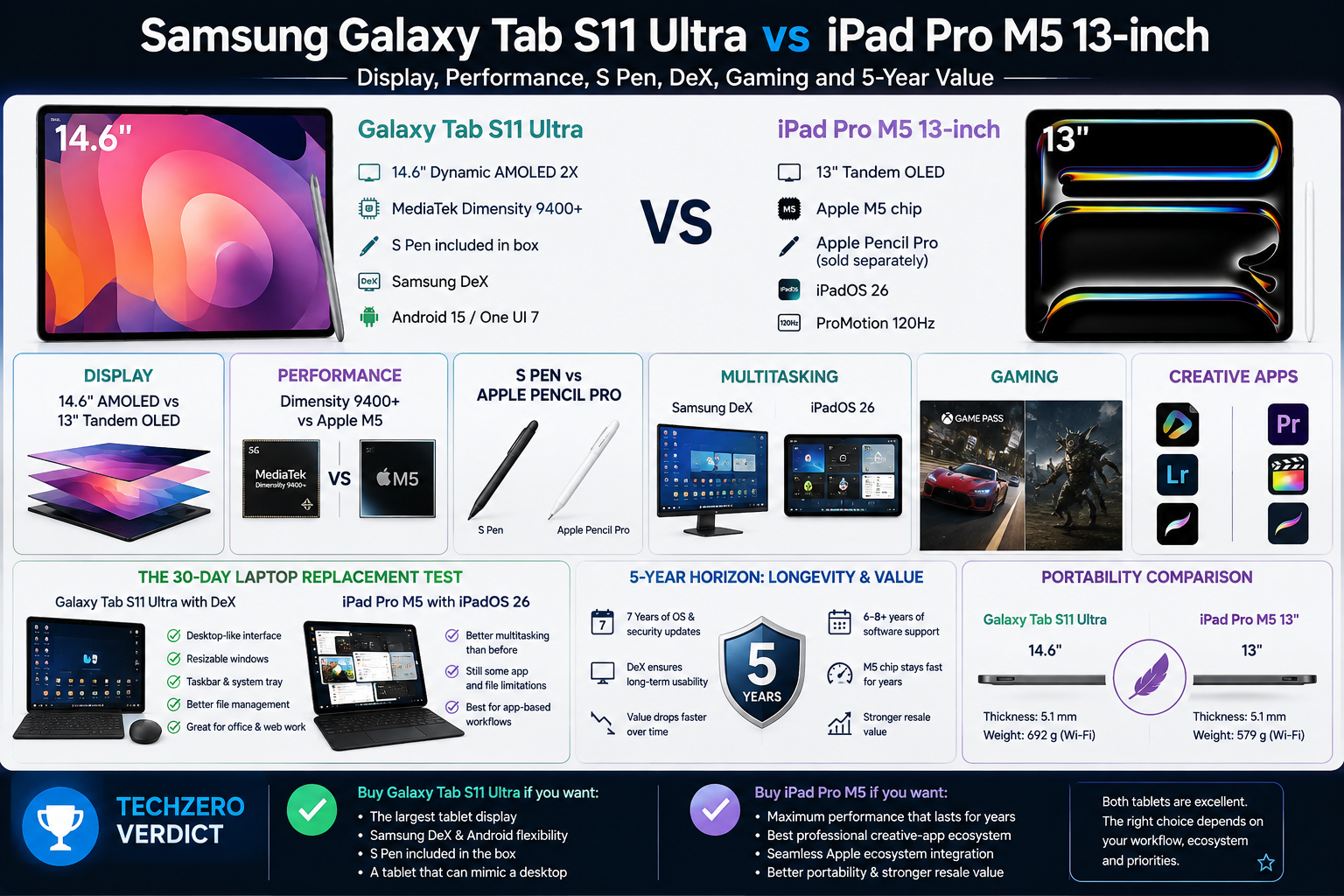
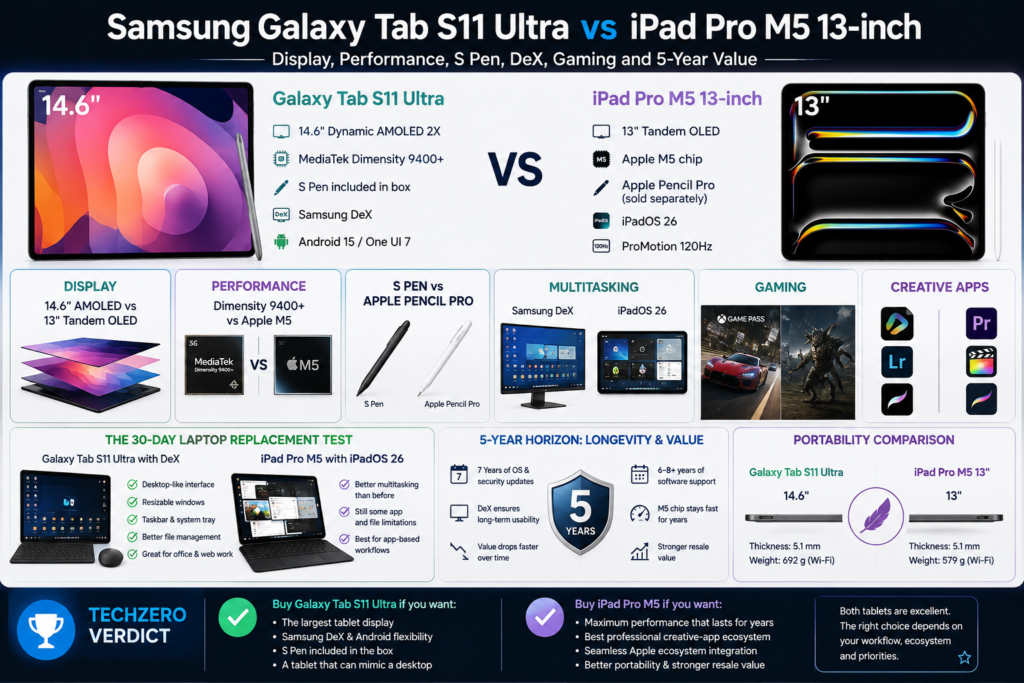
| Galaxy Tab S11 Ultra | iPad Pro M5 13″ |
| 14.6″ AMOLED | 13″ Tandem OLED |
| S Pen included | M5 |
| DeX | Pro creative apps |
| Android flexibility | Apple ecosystem |
Neither is universally better. They solve different problems.
The Quick Verdict
Buy the Galaxy Tab S11 Ultra if: You want a massive 14.6-inch tablet display, an included S Pen, Samsung DeX desktop features, and the flexibility of Android.
Buy the iPad Pro M5 13-inch if: You want maximum computing performance, a stronger professional creative-app ecosystem, a lighter footprint, and seamless Apple ecosystem integration.
Already Own an iPad Pro M5?
If you already own the 13-inch M5 iPad Pro, the Galaxy Tab S11 Ultra is not a straightforward upgrade.
You’re gaining:
- 14.6-inch AMOLED display
- Samsung DeX
- Included S Pen
- Android flexibility
- More spacious split-screen workspace
But you’re giving up:
- The M5 platform
- Apple’s professional creative-app ecosystem
- Tighter Mac/iPhone integration
- Lower weight and smaller footprint
TechZero verdict: Treat the Tab S11 Ultra as a different type of tablet, not a faster replacement for the M5 iPad Pro.
Galaxy Tab S11 Ultra vs iPad Pro M5: Key Differences
When looking at the hardware, the distinct philosophies of both companies become immediately apparent.
| Feature | Galaxy Tab S11 Ultra | iPad Pro M5 13″ |
| Display | 14.6″ AMOLED | 13″ Tandem OLED |
| Refresh Rate | 120Hz | 120Hz (ProMotion) |
| Processor | MediaTek Dimensity 9400+ | Apple M5 |
| Stylus | S Pen (Included in box) | Apple Pencil Pro (Sold separately) |
| Software | Android / One UI | iPadOS |
| Multitasking | Samsung DeX advantage | Strong iPadOS Stage Manager |
| Creative Apps | Good | Stronger ecosystem |
| Portability | Larger and heavier | Smaller, thinner, and lighter |
| Best Feature | Massive display + DeX | M5 desktop-class performance |
Display: Samsung Wins on Size, Apple on Portability
Samsung’s 14.6-inch AMOLED display is undeniably stunning, but bigger isn’t automatically better—it depends entirely on how you use it.
The Tab S11 Ultra offers an incredibly immersive canvas. That massive screen real estate fundamentally changes how you interact with a tablet. It allows for effortless split-screen multitasking with three or four apps without feeling cramped. It is a dream for viewing sprawling spreadsheets, reading digital magazines in native layouts, or watching widescreen movies without massive black bars.
Apple’s 13-inch Tandem OLED, however, is a marvel of brightness and portability. Apple’s 13-inch Tandem OLED display is also exceptionally bright, reaching 1,000 nits full-screen and up to 1,600 nits peak brightness for HDR content. More importantly, the 13-inch footprint means it actually fits on a cramped airplane tray table or easily inside a small messenger bag.
Performance: M5 Is in Another Class
While the Dimensity 9400+ powering the Tab S11 Ultra is incredibly fast and easily handles everything Android can throw at it, Apple’s M5 chip exists in a different stratosphere.
The M5 is a desktop-class processor shoehorned into a tablet. In daily web browsing, you won’t notice a difference. But for sustained, demanding workloads—rendering 4K/8K video in Final Cut Pro, running massive multi-track sessions in Logic Pro, compiling code, or exporting giant RAW photo batches—the M5 has a substantial performance advantage. If longevity and brute-force computing power dictate your purchase, the iPad is the clear winner.
S Pen vs Apple Pencil Pro
This section comes down to value versus advanced functionality.
Samsung includes the excellent S Pen in the box with the Tab S11 Ultra. The redesigned S Pen has a thicker tip and a smoother writing feel, making it particularly appealing for long note-taking sessions. You get a complete tablet experience for the sticker price.
Apple charges an additional premium for the Apple Pencil Pro. However, for digital artists, the Pencil Pro’s advanced features—like barrel roll (allowing you to change brush shapes by rotating the pen) and haptic feedback—offer a more tactile and professional drawing experience.
Note-Taking & Studies
For students, researchers, or professionals who spend hours reading and annotating, both tablets are excellent—but they excel for different reasons.
Galaxy Tab S11 Ultra: The 14.6-inch screen is the ultimate study hack. You can comfortably snap a textbook PDF to the left half of the screen, a lecture video in the top right, and Samsung Notes in the bottom right—and none of them feel cramped. Plus, the S Pen is included for free, saving cash for students. The S Pen’s tip feels like a gel pen gliding on real paper, which reduces hand fatigue during long lectures.
iPad Pro M5: Apple dominates the third-party app ecosystem. Apps like Goodnotes, Notability, and MarginNote are highly optimized for iPadOS. The Apple Pencil Pro’s haptic feedback and squeeze gestures make switching between a pen and a highlighter instantaneous. However, trying to split the 13-inch screen three ways during an intense study session will feel significantly more claustrophobic than on the Samsung.
Need a tablet primarily for studying, PDFs, handwritten notes and reference material? This guide goes deeper into student-focused tablet buying decisions.
Choosing a tablet for studying? Explore how Android tablets compare with iPad alternatives for notes, reading, productivity and everyday college use.
The 30-Day Laptop Replacement Scenario
What happens if you lock your Mac or PC in a drawer for a month? The differences become much clearer when you stop treating them as tablets and use each as your only computer.
iPad Pro M5: You can now do considerably more desktop-style multitasking with iPadOS 26, including freely resizing and arranging windows. However, some workflows still feel more constrained than on macOS or Windows, particularly when you depend on traditional desktop applications, complex file-management workflows or web apps designed primarily for desktop operating systems.
Galaxy Tab S11 Ultra: Samsung DeX is the savior here. Connecting the tablet to a keyboard case (or an external monitor) transforms Android into a traditional desktop interface. You get a real taskbar, a system tray, freely resizable windows, and superior mouse support. The file manager behaves much like a Windows PC, making asset management a breeze. For many office, email, browser-based and file-management workflows, the Tab S11 Ultra can come surprisingly close to replacing a laptop for an extended period.
Wondering whether an iPad can actually replace a MacBook? Our detailed comparison looks at performance, software, multitasking and real-world productivity.
The 5-Year Horizon: Resale & Longevity
Tablets at this price point are major investments. How will they hold up half a decade from now?
Software Support: Both platforms are well-equipped for the long haul. Samsung has vastly improved its software commitment and now promises seven years of major Android OS and security updates for its flagship tablets. Similarly, Apple has a strong history of supporting iPads for many years, while the M5 platform gives the iPad Pro considerable hardware headroom for future software.
Hardware & Display: Five years is a long time for any tablet. Battery capacity will naturally decline with age and charge cycles, while OLED panels can theoretically experience image retention or burn-in after prolonged exposure to static elements. Samsung and Apple both use technologies designed to reduce these risks, so this should be treated as a long-term consideration rather than a reason by itself to reject either tablet.
Resale Value: Historically, iPads hold their resale value exceptionally well on the second-hand market compared to the wider tablet ecosystem. While Samsung’s 7-year update policy may improve long-term value retention for the S11 Ultra, Android tablets traditionally face a steeper depreciation curve by year three or four.
If neither tablet fully replaces your laptop, use our MacBook buying guide to choose the right MacBook for your workload and budget.
Gaming and Content Creation
- Gaming: The iPad Pro M5 also has access to a growing selection of high-end console-quality games, while the Tab S11 Ultra has an advantage for Android-native gaming, emulation and game-streaming flexibility.
- Content Creation: If you edit video, produce music, or draw professionally, the iPad Pro M5 has a stronger professional creative-app ecosystem. The App Store offers industry-standard applications like Final Cut Pro, Logic Pro, Procreate, and DaVinci Resolve. The Tab S11 Ultra has LumaFusion, but the professional video/audio ecosystem isn’t quite as vast as iPadOS.
The TechZero Verdict
Buy the Galaxy Tab S11 Ultra only if you specifically want what the iPad doesn’t give you: a 14.6-inch ultra-widescreen AMOLED display, an included stylus, Android side-loading flexibility, and the desktop-like Samsung DeX environment.
🟢 Buy Galaxy Tab S11 Ultra if:
- You want the absolute largest tablet screen available for massive split-screen study sessions.
- You want a device that can legitimately mimic a traditional desktop using Samsung DeX.
- You want a high-end stylus included for free.
- You consume lots of widescreen movies and media.
- You prefer the open nature of Android and file management.
🟢 Buy iPad Pro M5 if:
- You want a device that will hold its performance and resale value for the next 5+ years.
- You already use a Mac and iPhone.
- You edit video, produce music, or draw professionally using industry-standard apps.
- You want maximum, uncompromised computing performance.
- You value portability and want a tablet that’s easy to hold on the go.
If you’re deciding whether your next primary computer should be a Mac or Windows laptop, this guide compares the platforms from a practical buying perspective.
Want to verify the specifications?
We recommend checking the manufacturers’ official pages for the latest specifications, supported features, configurations and software details.


[…] Galaxy Tab S11 Ultra vs iPad Pro M5 — See how Samsung’s current Ultra tablet compares with Apple’s flagship iPad Pro. […]