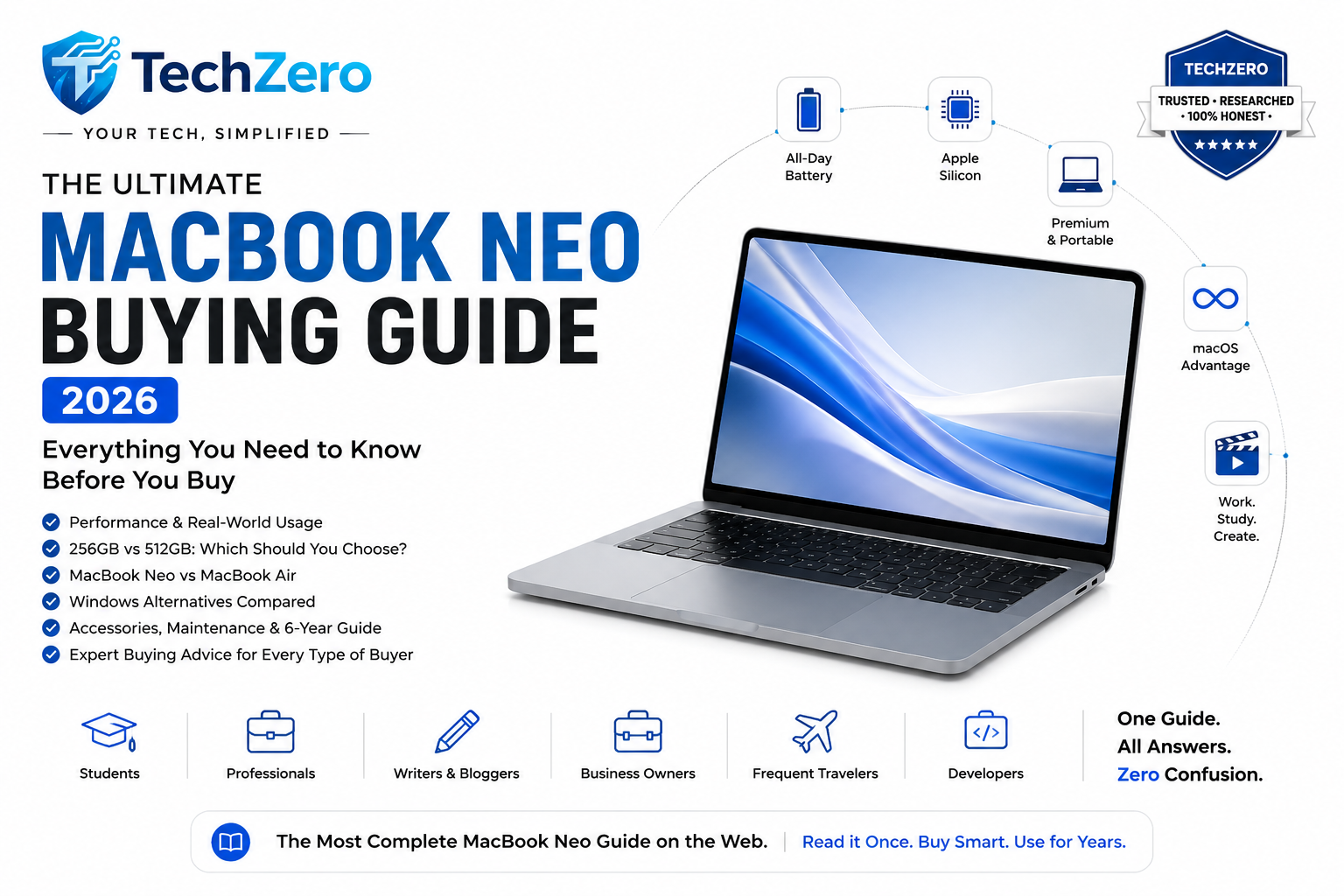

Looking for guidance across the entire Mac lineup? Read our Complete Mac Buying Guide (2026) to compare every current MacBook and Mac desktop before making your final decision.
https://techzero.in/mac-buying-guide/
Quick Summary
The MacBook Neo is Apple’s most affordable MacBook, designed for students, teachers, office professionals, bloggers, writers and everyday users. Its biggest strengths are excellent battery life, premium build quality, quiet operation, long software support and seamless integration with the Apple ecosystem.
If your work primarily involves web browsing, Microsoft Office, Google Workspace, coding, photo editing or business applications, the MacBook Neo is an excellent long-term choice. However, if you regularly edit professional 4K/8K videos, create 3D content, train AI models or play AAA games, you’ll get better value from a MacBook Air, MacBook Pro or a capable Windows laptop.
TechZero Recommendation: Choose the 512GB configuration if your budget allows. Internal storage cannot be upgraded later, while accessories can always be purchased over time.
Part 1 — Understanding the MacBook Neo
Why Apple’s Most Affordable Mac Could Be the Smartest Laptop Purchase You’ll Make
Buying a laptop has never been more confusing.
Walk into any electronics store or browse an online marketplace, and you’ll find hundreds of options from brands like ASUS, Lenovo, HP, Dell, Acer, MSI, and Samsung. Every model promises better performance, AI-powered features, all-day battery life, military-grade durability, OLED displays, and incredible value for money. On paper, many Windows laptops appear to offer far superior specifications than Apple’s entry-level machines.
Then Apple introduces the MacBook Neo.
At first glance, many buyers may wonder why anyone would pay a premium for a laptop that appears to offer less RAM, less storage, fewer ports, and almost no upgrade options compared to similarly priced Windows alternatives.
Yet history suggests that Apple rarely competes by simply offering the highest specifications. Instead, the company focuses on delivering an experience where hardware, software, and services work together as one integrated system. For many users, that experience matters more than a checklist of specifications.
The MacBook Neo follows this philosophy.
Designed as Apple’s most affordable modern Mac notebook, it lowers the barrier of entry into the macOS ecosystem without compromising the core strengths that have made Apple Silicon laptops popular worldwide—excellent battery life, near-silent operation, premium build quality, strong long-term software support, and seamless integration with other Apple devices.
However, affordability doesn’t automatically make it the right choice for everyone.
For some buyers, a similarly priced Windows laptop may offer significantly more processing power, dedicated graphics, a larger SSD, a faster display, or the flexibility to upgrade memory and storage in the future. For others, the MacBook Neo’s efficiency, reliability, and ecosystem advantages may outweigh those hardware compromises.
This guide is written to help you determine which category you fall into.
Unlike promotional material that focuses only on strengths, or comparison videos that obsess over benchmark scores, this TechZero Buying Guide takes a balanced approach. We’ll examine where the MacBook Neo excels, where it falls short, how it compares with similarly priced Windows laptops, and whether spending more for a MacBook Air—or even choosing a Windows alternative—might be the smarter investment.
By the end of this guide, you should have a clear answer to one question:
Is the MacBook Neo the right laptop for you?
Chapter 1 — Why Apple Made the MacBook Neo
Every successful Apple product begins with a carefully identified gap in its lineup.
The MacBook Neo exists because Apple recognized that there are millions of potential customers who admire the Mac experience but hesitate when they see the price of a MacBook Air or MacBook Pro. Students, first-time professionals, families, writers, teachers, and casual users often don’t need workstation-class performance—they simply want a reliable, premium laptop that lasts for years.
Until now, many of these buyers either stretched their budget to purchase a MacBook Air or chose a Windows laptop instead.
The MacBook Neo changes that equation.
Rather than competing directly with high-performance Windows machines, Apple positions the Neo as an entry point into the Mac ecosystem. Its goal isn’t to replace the MacBook Air or MacBook Pro, but to offer a more accessible option for users whose workloads revolve around productivity, communication, web browsing, media consumption, learning, and light creative work.
In other words, Apple isn’t trying to build the fastest laptop in this price range—it is trying to build one of the most dependable.
This distinction is important because many buying decisions are influenced by specifications alone. A Windows laptop with more RAM, a larger SSD, or a dedicated graphics card may seem like the obvious winner when comparing spec sheets. However, real-world performance depends on far more than individual components. Apple’s advantage lies in designing the processor, operating system, battery management, and applications together as a unified platform.
That integration often allows Macs to deliver smoother day-to-day performance than their raw specifications might suggest.
The MacBook Neo is also strategically important for Apple’s broader ecosystem.
A customer who purchases a MacBook Neo is more likely to use services such as iCloud, Apple Music, Apple Intelligence features, and Continuity tools. They may later upgrade to a MacBook Air, purchase an iPad, wear an Apple Watch, or subscribe to additional Apple services. The Neo therefore serves as both a laptop and an introduction to Apple’s wider ecosystem.
For buyers, this creates an interesting dilemma.
Should you choose the MacBook Neo because it offers the Apple experience at its lowest entry price? Or are you better off purchasing a more powerful Windows laptop—or saving a little longer for a MacBook Air?
That is the question this guide aims to answer.
Before comparing specifications, benchmarks, and prices, it’s important to understand that the MacBook Neo is designed around a different philosophy than most laptops in its price range.
Apple isn’t selling the most powerful hardware.
It’s selling a complete computing experience.
Whether that experience justifies the compromises depends entirely on your needs—and that’s exactly what the remaining chapters of this guide will help you discover.
The TechZero MacBook Neo Buying Guide (2026)
Part 2 — Is the MacBook Neo the Right Laptop for You?
Buying the right laptop isn’t about purchasing the fastest processor or the biggest SSD. It’s about choosing a machine that matches the way you actually work. A laptop that perfectly suits a college student may frustrate a professional video editor, while a powerful gaming laptop may be unnecessary for someone whose daily routine revolves around Microsoft Office, web browsing, and video meetings.
This is where many buyers make an expensive mistake. Instead of asking, “What do I need?”, they ask, “Which laptop has the highest specifications?” Specifications certainly matter, but they are only one part of the buying decision. Battery life, portability, software support, reliability, keyboard quality, display, ecosystem integration, and long-term ownership costs often have a greater impact on everyday satisfaction.
The MacBook Neo is designed with a very specific audience in mind. It is not intended to replace a workstation-class laptop, nor is it trying to compete with gaming machines packed with dedicated graphics cards. Instead, Apple has focused on delivering a lightweight, dependable, and energy-efficient computer for users whose work depends more on consistency than raw horsepower.
This chapter evaluates the MacBook Neo from the perspective of different types of buyers. For each category, we’ll examine typical workloads, determine whether the MacBook Neo is a suitable fit, and provide a clear recommendation.
Chapter 2 — Buyer Profiles
Every buyer has different priorities. Some value portability above everything else, while others care more about processing power, upgradeability, or battery life. The following profiles represent the most common types of MacBook Neo buyers.
School Students
School students generally use their laptops for online classes, homework, presentations, educational apps, web browsing, light multimedia editing, and entertainment. These tasks demand reliability, long battery life, and a comfortable keyboard more than extreme computing power.
Typical Workload
- Web browsing
- Google Classroom
- Microsoft Office
- PDF reading
- Online learning platforms
- Educational applications
- YouTube
- Video calls
- Basic coding
The MacBook Neo is well suited for these activities. Its battery should comfortably last through a full school day, while the lightweight design makes it easy to carry between home and school.
Students who already own an iPhone or iPad will benefit from Apple’s ecosystem features such as AirDrop, Universal Clipboard, and seamless document synchronization through iCloud.
Recommendation: Highly Recommended
College Students
College workloads vary significantly depending on the course.
Ideal For
- Arts
- Commerce
- Business Studies
- Law
- Journalism
- Humanities
- Medical theory coursework
- General undergraduate programs
For these students, the MacBook Neo offers more than enough performance for note-taking, research, assignments, presentations, and collaboration.
May Not Be Ideal For
Some technical courses demand substantially more computing power.
Examples include:
- Mechanical Engineering
- Civil Engineering
- Architecture
- Heavy CAD design
- Machine Learning research
- Advanced Data Science
- High-end simulation software
Many of these applications either require Windows or benefit from dedicated GPUs that the MacBook Neo does not provide.
Recommendation: Recommended with Caveats
Teachers and Educators
Teachers spend most of their time creating lesson plans, preparing presentations, attending online classes, evaluating assignments, and managing documents.
Why It Fits Well
- Excellent battery life
- Reliable webcam
- Comfortable keyboard
- Quiet operation
- Fast startup
- Long software support
Educators already using an iPhone can also appreciate features like scanning documents directly into the Mac and quickly sharing teaching materials.
Recommendation: Highly Recommended
Office Professionals
Modern office work rarely pushes a laptop to its performance limits. Instead, professionals need stability, multitasking capability, security, and dependable battery life.
Typical Workload
- Microsoft Office
- Google Workspace
- Zoom
- Microsoft Teams
- Slack
- Browser-based business applications
- Research
- Presentations
The MacBook Neo should comfortably handle these workloads while remaining cool and quiet during extended meetings.
Professionals who frequently travel may particularly appreciate its portability and battery efficiency.
Recommendation: Highly Recommended
Bloggers, Writers and Content Researchers
This is one of the strongest target audiences for the MacBook Neo.
Everyday Tasks
- WordPress
- Google Docs
- Grammarly
- Browser research
- AI writing assistants
- Image optimization
- Social media management
Most of these applications depend more on responsiveness than graphics performance, making the Neo an excellent productivity machine.
If your content creation primarily involves writing rather than professional video production, the MacBook Neo should meet your needs comfortably.
Recommendation: Highly Recommended
Software Developers
Software development covers a wide range of workloads.
Suitable Development Tasks
- Web development
- Front-end development
- Mobile app learning
- Python
- Java
- VS Code
- Git
- Terminal
- API development
Workloads That May Push the Limits
- Multiple Docker containers
- Large virtual machines
- Android Studio with emulators
- Enterprise-scale projects
- Local AI model development
- Heavy backend compilation
Developers should also consider memory requirements carefully, as RAM cannot typically be upgraded later.
Recommendation: Recommended with Caveats
Creative Professionals
Creative work varies enormously depending on the application.
Suitable Creative Work
- Canva
- Lightroom
- Basic Photoshop
- Figma
- Graphic design
- Photo management
- Social media content
Demanding Creative Work
- 4K multi-layer video editing
- DaVinci Resolve
- Blender rendering
- Motion graphics
- Professional animation
- Large Adobe After Effects projects
These heavier workflows are better served by higher-end Macs or powerful Windows workstations.
Recommendation: Recommended with Caveats
Business Owners and Entrepreneurs
Business owners typically juggle communication, finance, presentations, cloud services, CRM software, and video meetings.
The MacBook Neo offers excellent mobility, dependable battery life, and a professional appearance while handling these everyday business tasks with ease.
Common Business Activities
- Accounting software
- CRM systems
- Video conferencing
- Microsoft Office
- Presentations
- Cloud storage
- Digital signatures
Recommendation: Highly Recommended
Frequent Travelers
Travellers value portability more than benchmark scores.
The MacBook Neo’s lightweight design, long battery life, and compact charger make it an attractive travel companion.
Travel Advantages
- Easy to carry
- Long unplugged usage
- Minimal fan noise
- Reliable standby battery
- Quick wake from sleep
These qualities become increasingly valuable for professionals working from airports, hotels, cafés, or co-working spaces.
Recommendation: Highly Recommended
Casual Home Users
Many buyers simply want a laptop that works reliably for several years.
Everyday Activities
- Web browsing
- Online banking
- Streaming
- Family photos
- Emails
- Video calls
- Shopping
- Social media
For these users, the MacBook Neo may provide a smoother long-term ownership experience than many budget Windows laptops, especially if they already use other Apple devices.
Recommendation: Highly Recommended
Key Takeaways
The MacBook Neo Is Best Suited For
- Students
- Teachers
- Office professionals
- Writers
- Bloggers
- Business owners
- Frequent travellers
- Casual home users
Consider a Higher-End Mac or Windows Laptop If You
- Edit professional 4K or 8K video daily
- Render complex 3D scenes
- Depend on heavy CAD software
- Run multiple virtual machines
- Train AI models locally
- Need dedicated gaming performance
Overall, the MacBook Neo is designed for users who value reliability, portability, battery life, and long-term ownership over maximum benchmark numbers. If your daily work revolves around productivity rather than intensive content creation or engineering workloads, it is likely to be an excellent fit.
Part 3 — Choosing the Right Configuration
Buying the wrong storage configuration is one of the few mistakes that cannot be corrected later. Unlike many Windows laptops, the MacBook Neo’s internal SSD and unified memory are not user-upgradable. The configuration you purchase on day one is the configuration you will use throughout the laptop’s life.
For buyers planning to keep their MacBook for five to six years, selecting the right storage capacity is more important than choosing accessories.
Chapter 3 — 256GB vs 512GB: Which One Should You Buy?
The storage difference appears small on paper but has a significant impact on long-term usability.
Understanding Real Usable Storage
The advertised storage capacity is never fully available to the user because macOS, recovery partitions, and system files occupy part of the SSD.
Approximate Available Storage
| Advertised Storage | Approximate Usable Storage |
|---|---|
| 256GB | 210–225GB |
| 512GB | 465–480GB |
Actual free space varies slightly depending on the macOS version and pre-installed applications.
How Fast Does Storage Fill Up?
Modern applications, media libraries and AI tools consume storage much faster than they did a few years ago.
Approximate Storage Consumption
| Item | Typical Size |
|---|---|
| macOS | 20–25GB |
| Microsoft Office | 8–12GB |
| Adobe Photoshop | 5–7GB |
| Xcode | 15–30GB |
| Android Studio | 10–20GB |
| Docker Images | 20GB+ |
| Lightroom Catalog | 20–100GB |
| iPhone Backup | 30–150GB |
| One Hour of 4K Video | 25–45GB |
| AAA Game | 60–150GB |
A 256GB SSD can become constrained quickly if the laptop stores photos, videos, development tools or local backups.
Who Should Buy the 256GB Model?
The base model is suitable only if most files remain in cloud storage or on an external SSD.
Recommended For
- School students
- College students
- Teachers
- Office users
- Writers
- Bloggers
- Users relying on iCloud or OneDrive
- Buyers with strict budget limits
With disciplined storage management, the 256GB version can remain practical for several years.
Who Should Buy the 512GB Model?
The higher-capacity model offers substantially more flexibility and reduces the need to constantly manage free space.
Recommended For
- Software developers
- Photographers
- Designers
- Content creators
- Business users
- Frequent travellers
- Buyers planning to keep the laptop for six years
- Anyone storing large offline files
For long-term ownership, 512GB provides a noticeably better experience.
Is External SSD Storage a Good Alternative?
Yes, provided you purchase a fast USB-C SSD from a reputable manufacturer.
Suitable Uses for External SSDs
- Video projects
- Photo libraries
- Archived documents
- Time Machine backups
- Large AI models
- Raw footage
Not Ideal For
- Frequently used applications
- Daily project files
- Constantly connected workflows
- Users who dislike carrying additional devices
External SSDs expand storage but do not replace the convenience of having sufficient internal storage.
Storage Planning for Six Years
Most buyers underestimate future storage needs.
Photos increase in resolution, videos move from Full HD to 4K, applications become larger, and operating systems require more space with each major update.
A laptop purchased today should have enough storage not only for current requirements but also for future workloads.
Estimated Long-Term Suitability
| Usage Pattern | 256GB | 512GB |
|---|---|---|
| Office Work | ✅ | ✅ |
| School & College | ✅ | ✅ |
| Blogging | ✅ | ✅ |
| Software Development | ⚠️ | ✅ |
| Photography | ⚠️ | ✅ |
| Video Editing | ❌ | ✅ |
| Long-Term (6 Years) | ⚠️ | ✅ |
Should You Spend More on Storage or Accessories?
This is one of the easiest buying decisions.
A sleeve, USB-C hub or wireless mouse can be purchased at any time.
Internal storage cannot.
Upgrade Priority
- Storage capacity
- Unified memory (if configurable)
- AppleCare+ (depending on usage)
- External SSD
- USB-C hub
- Mouse
- Laptop stand
- Sleeve
For buyers with a limited budget, investing in the higher storage configuration generally provides greater long-term value than purchasing accessories immediately.
Key Takeaways
Buy the 256GB Version If
- Your budget is fixed.
- You mainly browse, study or work with documents.
- You use cloud storage extensively.
- You are comfortable using an external SSD.
Buy the 512GB Version If
- You expect to keep the MacBook for five to six years.
- You develop software.
- You edit photos or videos.
- You travel frequently.
- You prefer not to manage storage constantly.
TechZero Recommendation: If the price difference is within your budget, choose the 512GB configuration. Storage limitations affect daily usability far more than most accessories, and they cannot be upgraded after purchase.
Part 4 — Apple vs Windows at the Same Price
Comparing the MacBook Neo with Windows laptops purely on specifications leads to misleading conclusions. Windows manufacturers often prioritize hardware specifications, while Apple prioritizes hardware-software integration, battery efficiency, and long-term ownership.
The better purchase depends entirely on your workload. Some buyers will receive significantly better value from a Windows laptop, while others will benefit more from Apple’s ecosystem and optimized software.
This comparison assumes laptops within approximately the same price bracket as the MacBook Neo.
Chapter 4 — What Are You Sacrificing and What Are You Gaining?
The MacBook Neo competes with premium Windows ultrabooks rather than gaming laptops. Buyers comparing only RAM, storage or processor model numbers will likely conclude that Windows offers more value. However, the complete ownership experience involves many more factors.
Hardware Comparison
Typical Specifications at Similar Price
| Feature | MacBook Neo | Typical Windows Laptop |
|---|---|---|
| Processor | Apple Silicon | Intel Core Ultra / AMD Ryzen AI |
| Memory | Lower on paper, Unified Memory | Higher capacity DDR5/LPDDR5X |
| Storage | 256GB or 512GB SSD | 512GB–1TB SSD |
| Graphics | Integrated Apple GPU | Integrated or Entry-Level Dedicated GPU |
| Display | High-quality IPS/Retina | IPS or OLED (varies by model) |
| Refresh Rate | 60Hz | 60Hz–120Hz+ |
| Upgradeability | No | Often SSD, sometimes RAM |
| Ports | Limited | Usually more |
| Weight | Very light | Similar or slightly heavier |
On paper, Windows usually offers better specifications for the money.
CPU Performance
Apple Silicon focuses on high efficiency and sustained performance rather than maximum power consumption.
MacBook Neo Advantages
- Excellent single-core performance
- Fast application launch
- Responsive UI
- Consistent performance on battery
- Silent or near-silent operation
- Low power consumption
Windows Advantages
- Higher sustained multicore performance in some models
- Wider CPU choices
- Better compatibility with enterprise software
- Easier future upgrades through replacement
For office work and productivity, both platforms deliver excellent performance.
GPU Performance
Graphics capability is one of the largest differences.
MacBook Neo
Best suited for
- Photo editing
- Graphic design
- Light video editing
- Casual creative workloads
- Metal-optimized applications
Windows
Better suited for
- Gaming
- Blender rendering
- CUDA applications
- CAD
- Machine learning
- Professional GPU rendering
If dedicated graphics acceleration is important, Windows offers significantly better options within the same budget.
Battery Life
Battery efficiency remains one of Apple’s strongest advantages.
MacBook Neo Advantages
- Longer real-world battery life
- Minimal performance loss on battery
- Lower standby drain
- Instant wake from sleep
- Efficient background processes
Windows Advantages
Modern Intel Core Ultra and AMD Ryzen AI laptops have narrowed the gap considerably, but battery life still varies widely depending on manufacturer optimization.
For frequent travellers, Apple generally maintains an advantage.
Display Quality
Display quality depends on the specific Windows model.
MacBook Neo
Strengths
- Factory color calibration
- Excellent brightness consistency
- Wide color gamut
- Sharp Retina resolution
- Reliable viewing angles
Windows
Possible Advantages
- OLED panels
- Higher refresh rates
- Larger displays
- Touchscreen support
- Convertible designs
An OLED Windows laptop may offer richer blacks, while Apple’s Retina displays often provide more consistent color accuracy.
Keyboard and Trackpad
Apple continues to produce one of the industry’s best trackpads.
MacBook Neo Advantages
- Large glass trackpad
- Excellent palm rejection
- Precise gestures
- Consistent keyboard quality
Windows Advantages
Keyboard quality varies significantly by manufacturer. Premium models from Lenovo, ASUS and Dell can rival Apple’s keyboards, but trackpad quality remains inconsistent across brands.
Ports and Connectivity
Windows laptops usually provide greater flexibility.
Typical Windows Ports
- USB-A
- USB-C
- HDMI
- Ethernet (selected models)
- SD Card Reader
- Audio jack
Typical MacBook Neo Ports
- USB-C
- Audio jack
Many Mac users eventually purchase a USB-C hub for connecting older accessories.
Upgradeability
This is one of the biggest long-term differences.
MacBook Neo
- RAM cannot be upgraded.
- SSD cannot be upgraded.
- Internal hardware is fixed.
Windows Laptop
Depending on model
- SSD upgrade possible
- RAM upgrade possible
- Battery replacement often easier
Buyers expecting future hardware upgrades should carefully consider this difference before purchasing.
Repairability
Windows laptops generally offer lower repair costs due to wider parts availability and modular components.
Apple provides excellent service quality but genuine parts and repairs are often more expensive after warranty expiration.
Software Compatibility
macOS Advantages
- Final Cut Pro
- Logic Pro
- Unix-based development environment
- Strong optimization
- Better battery efficiency
Windows Advantages
- Broader enterprise compatibility
- Legacy software support
- Most engineering software
- Larger gaming library
- Better hardware driver support
Professionals using specialized industry software should verify compatibility before choosing macOS.
Gaming
Gaming is one area where Windows remains the stronger platform.
MacBook Neo
Suitable for
- Casual games
- Apple Arcade
- Selected native macOS games
- Cloud gaming
Windows Laptop
Suitable for
- AAA games
- eSports
- VR
- Steam library
- Game Pass
- Higher frame rates
Gamers should generally choose Windows unless gaming is only an occasional activity.
Long-Term Ownership
Ownership extends beyond purchase price.
MacBook Neo Strengths
- Excellent resale value
- Long software support
- Stable operating system
- Lower standby battery drain
- Consistent performance over time
Windows Strengths
- Lower repair costs
- Better upgrade options
- Larger hardware ecosystem
- Easier component replacement
Both platforms can last many years when maintained properly, but they achieve longevity in different ways.
Overall Comparison
Category Winners
| Category | Winner |
|---|---|
| Raw Hardware Value | Windows |
| CPU Efficiency | MacBook Neo |
| Battery Life | MacBook Neo |
| Gaming | Windows |
| Upgradeability | Windows |
| Repairability | Windows |
| Display Consistency | MacBook Neo |
| Ports | Windows |
| Software Compatibility | Depends on Workflow |
| Build Quality | Tie |
| Trackpad | MacBook Neo |
| Resale Value | MacBook Neo |
| Long-Term Software Updates | MacBook Neo |
Key Takeaways
Choose the MacBook Neo If
- Battery life matters more than specifications.
- You already use an iPhone or iPad.
- You value silent operation.
- You prefer long software support.
- Your work focuses on productivity, education or business.
Choose a Windows Laptop If
- Gaming is a priority.
- You require dedicated graphics.
- You need upgradeable hardware.
- You use engineering or CAD applications.
- Maximum hardware specifications matter more than ecosystem integration.
TechZero Verdict: Windows laptops generally deliver better hardware per rupee, while the MacBook Neo delivers a better integrated ownership experience. The best choice depends less on benchmark scores and more on how you plan to use the laptop over the next five to six years.
Part 5 — The Apple Ecosystem Advantage
The MacBook Neo’s biggest competitive advantage is not its processor, display, or battery life. It is the Apple ecosystem.
A similarly priced Windows laptop may offer a faster processor, more RAM, double the storage, an OLED display, or even a dedicated GPU. Yet millions of users continue buying Macs because Apple devices function as a connected ecosystem rather than independent products.
The ecosystem saves time by reducing repetitive tasks. Files transfer instantly, devices recognize each other automatically, passwords synchronize securely, and users can move between devices with minimal interruption.
For buyers who already own an iPhone, iPad, Apple Watch, or AirPods, these conveniences accumulate every day and can outweigh a stronger specification sheet.
Chapter 5 — What Advantages Does the Apple Ecosystem Offer?
The value of the ecosystem depends on how many Apple devices you already own. If the MacBook Neo will be your first and only Apple device, many of these advantages become less significant.
Seamless Integration with iPhone
The iPhone is the center of Apple’s ecosystem.
Once both devices use the same Apple Account, they automatically share services, settings, and data without additional software.
Everyday Benefits
- AirDrop file transfer
- Shared clipboard
- Shared Wi-Fi passwords
- Automatic hotspot connection
- SMS on Mac
- Phone calls on Mac
- Shared Safari tabs
- Shared Notes
- Shared Reminders
- Shared Photos
For many users, these small conveniences eliminate dozens of repetitive actions each day.
AirDrop
AirDrop remains one of Apple’s most valuable productivity features.
What It Does
Transfers files wirelessly between Apple devices.
Typical Uses
- Photos
- Videos
- Documents
- PDFs
- Presentations
- Screenshots
Transfers require no cables, messaging apps, cloud uploads, or compression.
For photographers, bloggers, students, and business users, AirDrop alone can save significant time.
Universal Clipboard
Universal Clipboard allows copying on one Apple device and pasting on another.
Examples
Copy a website link on iPhone.
Paste it directly into Word on Mac.
Copy an image on iPad.
Paste it into Keynote on Mac.
No manual syncing is required.
Handoff
Handoff lets users continue supported tasks on another Apple device.
Examples
- Continue writing an email
- Resume Safari browsing
- Finish Notes
- Continue editing Pages documents
The feature works automatically when devices are signed into the same Apple Account.
iCloud Drive
iCloud Drive keeps files synchronized across Apple devices.
Advantages
- Automatic synchronization
- Version history
- Desktop synchronization
- Document recovery
- Offline access
- Secure cloud storage
Changes made on one device appear on others within seconds.
Continuity Camera
Instead of relying on the built-in webcam, the MacBook Neo can use a compatible iPhone as a high-quality wireless camera.
Benefits
- Better video quality
- Improved low-light performance
- Desk View
- Center Stage
- Portrait mode
Professionals attending frequent online meetings benefit immediately.
Apple Passwords
Passwords, passkeys, Wi-Fi credentials and verification codes synchronize securely across Apple devices.
Advantages
- Automatic password filling
- Passkey support
- Two-factor authentication codes
- Secure password generation
- Cross-device synchronization
This reduces dependence on third-party password managers for many users.
AirPods Integration
AirPods automatically switch between Apple devices without manual pairing.
Typical Workflow
Watch YouTube on Mac.
Answer a phone call on iPhone.
Resume music on iPad.
The transition occurs automatically.
Apple Watch Integration
Owners of an Apple Watch gain additional convenience.
Features
- Unlock Mac automatically
- Password authentication
- Apple Pay confirmation
- Reduced password entry
These features improve both security and usability.
iPad Integration
The MacBook Neo works particularly well alongside an iPad.
Sidecar
Use the iPad as a second display.
Universal Control
Control the Mac and iPad with one keyboard and one trackpad.
Apple Pencil Workflow
Draw on iPad.
Use the artwork immediately on the Mac.
Students, designers and illustrators benefit the most from these features.
Apple Intelligence
Apple Intelligence expands productivity through on-device and cloud-assisted AI.
Potential Productivity Features
- Writing assistance
- Text proofreading
- Content summarization
- Smart notifications
- Image generation
- Context-aware suggestions
- Intelligent search
- AI-enhanced Siri
Support depends on language, region and hardware compatibility.
Security Advantages
Apple places strong emphasis on privacy and security.
Security Features
- Secure Enclave
- FileVault encryption
- Gatekeeper
- XProtect
- Sandboxed applications
- Activation Lock
- Find My
These features reduce the likelihood of malware and unauthorized access.
Long Software Support
Apple typically provides operating system updates for many years after launch.
Benefits
- Security patches
- New features
- Better app compatibility
- Longer resale value
- Reduced replacement frequency
Long software support contributes significantly to the overall cost of ownership.
What If You Use Android?
The Apple ecosystem becomes less compelling for Android users.
Missing Benefits
- No AirDrop
- No Universal Clipboard
- No Handoff
- No Continuity Camera
- No iPhone calling
- No SMS synchronization
- Limited cross-device automation
The MacBook Neo still functions as an excellent standalone laptop, but much of its ecosystem value disappears.
Ecosystem Comparison
Apple vs Windows Ecosystem
| Feature | Apple Ecosystem | Windows Ecosystem |
|---|---|---|
| AirDrop | ✅ Native | Third-party alternatives |
| Clipboard Sync | ✅ | Limited |
| Phone Calls | ✅ | Supported with selected phones |
| SMS Sync | ✅ | Partial |
| Password Sync | ✅ | Depends on browser/account |
| Tablet Integration | Excellent | Varies |
| Smartwatch Integration | Excellent | Limited |
| Device Handoff | Excellent | Limited |
| Cross-Device Camera | Native | Limited |
| Setup Simplicity | Excellent | Varies |
Windows has improved considerably through Microsoft Phone Link and cloud services, but Apple’s ecosystem remains more tightly integrated when multiple Apple devices are involved.
Key Takeaways
The Apple Ecosystem Is Most Valuable If You Already Own
- iPhone
- iPad
- Apple Watch
- AirPods
- iCloud storage
The Ecosystem Adds Less Value If
- You primarily use Android.
- You rely on Google services for everything.
- Your workplace depends heavily on Windows-only software.
- You frequently switch between different hardware brands.
TechZero Verdict: The Apple ecosystem is difficult to appreciate from a specification sheet because its value comes from hundreds of small conveniences rather than one standout feature. Individually, each feature saves only a few seconds. Combined over several years, they create one of the smoothest computing experiences available, making the MacBook Neo a stronger long-term choice for users already invested in Apple’s ecosystem.
Part 6 — Can the MacBook Neo Last 6 Years?
A laptop should be evaluated over its entire ownership period, not just on launch-day performance. For many buyers, especially students and professionals, the goal is to purchase one laptop and use it reliably for five to six years.
The MacBook Neo is designed with this usage pattern in mind. However, longevity depends on more than Apple’s software support. Storage capacity, memory configuration, battery health, workload, and maintenance practices all determine how well the laptop ages.
Chapter 6 — Future-Proofing the MacBook Neo
Future-proofing means selecting a configuration that remains comfortable to use several years from now, not merely one that meets today’s requirements.
Software Support
Apple is among the industry leaders in long-term operating system support.
What to Expect
- Major macOS updates for several years.
- Regular security updates beyond major OS support.
- Continued compatibility with popular applications.
- Ongoing browser and productivity software support.
Unlike many Windows laptops, which may stop receiving firmware or driver updates after a few years, Macs generally continue receiving software improvements for a longer period.
Software support alone does not make a laptop future-proof, but it significantly extends its usable lifespan.
Performance Over Time
A well-maintained Mac should continue delivering smooth performance for everyday productivity even after several years.
Performance That Should Remain Strong
- Web browsing
- Office applications
- PDF management
- Video conferencing
- Streaming
- Programming
- Blogging
- Photo management
These workloads depend more on CPU efficiency than raw graphics performance.
Workloads That Will Become More Demanding
- AI-assisted applications
- 4K and 8K video editing
- Large creative projects
- Professional software suites
- Virtual machines
- Local AI models
As software evolves, these tasks will demand more memory and storage.
Unified Memory Cannot Be Upgraded
Unified Memory is permanently integrated into Apple Silicon.
Important Facts
- No future RAM upgrade.
- Memory is shared between CPU and GPU.
- Buying too little memory affects long-term multitasking.
- Memory limitations cannot be corrected later.
For buyers planning six years of ownership, memory deserves the same consideration as storage.
Internal SSD Cannot Be Upgraded
The internal SSD is also fixed.
Long-Term Implications
- No storage expansion internally.
- Greater dependence on external SSDs.
- More frequent storage management on smaller capacities.
- Larger applications reduce available free space over time.
Choosing adequate storage at purchase remains one of the most important buying decisions.
Battery Longevity
All lithium-ion batteries lose capacity with age.
Battery aging depends primarily on charge cycles, operating temperature and usage habits rather than simply the passage of time.
Typical Battery Lifespan
| Usage Pattern | Expected Battery Health After 5–6 Years |
|---|---|
| Light Use | Good |
| Moderate Daily Use | Moderate |
| Heavy Professional Use | Reduced |
Battery replacement restores battery life but does not improve processing performance.
SSD Lifespan
Modern SSDs are designed for many years of normal consumer use.
Typical office work, web browsing and media consumption generate relatively little write activity compared with professional video production or enterprise workloads.
Activities That Generate Heavy SSD Writes
- Continuous 4K video editing
- Large virtual machines
- Frequent operating system reinstalls
- Professional media production
- Large database development
Most students and office users are unlikely to approach the SSD’s endurance limits during six years of ownership.
Will the Processor Become Obsolete?
Every processor eventually becomes outdated, but obsolescence depends on workload.
Likely to Remain Comfortable
- Office productivity
- Education
- Internet browsing
- Video streaming
- Blogging
- Presentation creation
- Basic programming
May Feel Limited in Later Years
- AI development
- Professional rendering
- Scientific simulations
- AAA gaming
- Large-scale software compilation
- Professional video production
The MacBook Neo should remain capable for mainstream productivity throughout its expected life cycle.
Resale Value
Apple laptops generally retain value better than most Windows laptops.
Reasons
- Longer software support
- Premium build quality
- Strong demand in the used market
- Brand reputation
- Consistent hardware quality
A higher resale value lowers the effective cost of ownership.
Cost of Ownership
Purchase price alone does not determine value.
Typical Ownership Costs
- Laptop purchase
- AppleCare+ (optional)
- USB-C hub (optional)
- External SSD (optional)
- Battery replacement after several years (if required)
Compared over six years, annual ownership cost may be lower than replacing a cheaper laptop every three to four years.
Future-Proof Rating by User Type
Estimated Six-Year Suitability
| User Type | Future-Proof Rating |
|---|---|
| School Student | ⭐⭐⭐⭐⭐ |
| College Student | ⭐⭐⭐⭐⭐ |
| Teacher | ⭐⭐⭐⭐⭐ |
| Office Professional | ⭐⭐⭐⭐⭐ |
| Blogger | ⭐⭐⭐⭐⭐ |
| Business Owner | ⭐⭐⭐⭐⭐ |
| Software Developer | ⭐⭐⭐⭐☆ |
| Photographer | ⭐⭐⭐⭐☆ |
| Video Editor | ⭐⭐⭐☆☆ |
| 3D Artist | ⭐⭐☆☆☆ |
| AI Researcher | ⭐⭐☆☆☆ |
| Professional Gamer | ⭐☆☆☆☆ |
Signs You Bought the Wrong Configuration
Storage and memory shortages usually appear gradually rather than immediately.
Warning Signs
- Frequently deleting files.
- Constant external SSD dependence.
- Browser tabs reloading repeatedly.
- Insufficient storage for system updates.
- Reduced multitasking performance.
- Regular low-storage warnings.
These issues cannot be solved through hardware upgrades.
How to Maximize a Six-Year Lifespan
Recommended Practices
- Choose adequate storage initially.
- Keep at least 15–20% SSD space free.
- Install macOS updates regularly.
- Use optimized battery charging.
- Avoid prolonged exposure to high temperatures.
- Clean vents and ports periodically.
- Use quality USB-C accessories.
- Back up data using Time Machine or cloud storage.
Good maintenance delays performance issues and improves long-term reliability.
Key Takeaways
The MacBook Neo Can Comfortably Last Six Years If
- Your workload focuses on productivity.
- You purchase sufficient storage.
- You select adequate unified memory.
- You maintain battery health.
- You avoid demanding professional GPU workloads.
It May Feel Limited Before Six Years If
- You regularly edit professional 4K or 8K video.
- You train AI models locally.
- You depend on multiple virtual machines.
- You require workstation-class graphics performance.
- You buy the minimum configuration despite growing storage needs.
TechZero Verdict: For students, teachers, office professionals, writers, bloggers and most business users, the MacBook Neo is capable of remaining productive for six years or more. The biggest threat to longevity is not processor performance but purchasing insufficient storage or memory at the time of purchase. Prioritize the right configuration over accessories, because internal hardware cannot be upgraded later.
Part 7 — Should You Stretch Your Budget for the MacBook Air?
The MacBook Neo is Apple’s entry-level notebook, while the MacBook Air is positioned as the premium thin-and-light option. The price difference may appear substantial, but it often buys improvements that affect daily usability for the next five to six years.
This chapter helps determine whether the additional investment is justified or whether the MacBook Neo already provides everything you need.
Chapter 7 — MacBook Neo vs MacBook Air
The answer depends less on specifications and more on how long you intend to keep the laptop and how demanding your workload will become.
Price Difference
The MacBook Air typically costs more than the MacBook Neo.
What the Extra Budget May Buy
- Faster processor
- More GPU cores
- Better display
- Higher brightness
- Additional ports
- Better speakers
- Improved webcam
- Larger battery
- Better external display support
- Better long-term performance headroom
Whether these improvements justify the additional cost depends entirely on your workload.
Performance
The MacBook Air is designed to handle heavier sustained workloads.
MacBook Neo
Best For
- Office work
- Education
- Blogging
- Web development
- Programming
- Presentations
- Research
- Streaming
MacBook Air
Better For
- Professional multitasking
- Lightroom
- Photoshop
- Larger codebases
- Longer development sessions
- Medium video editing
- More demanding creative applications
For everyday users, the performance difference may not be noticeable.
Thermal Performance
Both machines prioritize quiet operation.
The MacBook Air generally maintains higher performance during prolonged heavy workloads due to its more capable hardware platform.
Heavy Workloads
- Video exports
- Software compilation
- Large photo libraries
- AI-assisted editing
- Long creative sessions
For typical productivity, both systems remain responsive.
Display
Display quality directly affects long-term comfort.
MacBook Neo
Expected Strengths
- Sharp Retina resolution
- Accurate colors
- Good brightness
- Excellent viewing angles
MacBook Air Advantages
- Higher brightness
- Better outdoor visibility
- Improved HDR experience
- More premium display quality
Users working outdoors or editing photos frequently benefit the most.
Speakers
Audio quality is often overlooked during purchase.
MacBook Neo
Suitable For
- Video calls
- Streaming
- Online classes
- Casual music
MacBook Air
Better For
- Movies
- Music
- Content creation
- Richer stereo sound
- Greater volume
Buyers using headphones regularly may notice little difference.
Battery Life
Battery life is a strength of both laptops.
MacBook Neo
- Easily lasts a workday.
- Excellent standby efficiency.
- Minimal battery drain during sleep.
MacBook Air
- Longer endurance under similar workloads.
- Better efficiency during demanding tasks.
- More reserve for travel.
For most users, either machine offers sufficient battery life.
Ports
Port selection affects accessory requirements.
MacBook Neo
Typically Includes
- USB-C ports
- Headphone jack
MacBook Air May Add
- Additional USB-C flexibility
- Dedicated charging connector (on supported models)
- Better support for external peripherals
Fewer adapters improve everyday convenience.
External Display Support
This is an important consideration for professionals.
MacBook Neo
Suitable For
- Single-monitor setups
- Basic productivity desks
MacBook Air
Better For
- Dual-monitor workflows
- Home office setups
- Professional multitasking
- Productivity users managing multiple applications
Always verify the specific model’s external display limitations before purchasing.
Build Quality
Both laptops maintain Apple’s premium construction standards.
Shared Advantages
- Aluminum chassis
- Excellent fit and finish
- Comfortable keyboard
- Large trackpad
- Premium feel
Neither laptop compromises significantly on build quality.
Long-Term Value
A higher purchase price does not always mean better value.
MacBook Neo
Provides better value when
- Budget is limited.
- Workloads remain light.
- Portability matters most.
- Basic productivity is the priority.
MacBook Air
Provides better value when
- Keeping the laptop six years or longer.
- Creative work may increase.
- Multitasking requirements grow.
- Better display quality is important.
- Professional use is expected.
The longer you intend to keep the laptop, the easier it becomes to justify the Air’s additional cost.
Comparison Summary
MacBook Neo vs MacBook Air
| Category | MacBook Neo | MacBook Air |
|---|---|---|
| Starting Price | ✅ Lower | ❌ Higher |
| Performance Headroom | Good | Better |
| Display | Very Good | Excellent |
| Battery Life | Excellent | Excellent+ |
| Speakers | Good | Better |
| External Display Support | Good | Better |
| Long-Term Flexibility | Good | Better |
| Value for Budget Buyers | Excellent | Good |
| Premium Experience | Very Good | Excellent |
Who Should Buy the MacBook Neo?
Recommended For
- School students
- College students
- Teachers
- Writers
- Bloggers
- Office professionals
- Business users
- Buyers with fixed budgets
- Users upgrading from older Windows laptops
The MacBook Neo delivers nearly the complete macOS experience at the lowest entry price.
Who Should Spend More on the MacBook Air?
Recommended For
- Software developers
- Photographers
- Designers
- Content creators
- Professionals working daily on the laptop
- Buyers planning six or more years of ownership
- Users expecting their workload to grow
The additional investment provides more performance margin and greater flexibility.
Is It Worth Waiting to Save More?
If purchasing the MacBook Air requires only a modest increase in budget or a short waiting period, delaying the purchase may be worthwhile for buyers who intend to keep the laptop for many years.
However, if upgrading to the Air significantly affects your finances or forces compromises elsewhere, the MacBook Neo remains an excellent long-term productivity laptop.
A laptop should fit your financial situation as comfortably as it fits your workflow.
Key Takeaways
Buy the MacBook Neo If
- Budget is your highest priority.
- Your work is primarily productivity-focused.
- You do not need advanced creative performance.
- You already plan to use cloud storage and external accessories.
Buy the MacBook Air If
- You can comfortably afford the higher price.
- You expect your workload to become more demanding.
- Display quality matters.
- You multitask heavily every day.
- You want the maximum performance headroom within Apple’s thin-and-light lineup.
TechZero Verdict: The MacBook Neo offers the strongest value for buyers entering the Apple ecosystem. The MacBook Air, however, is the better long-term investment for professionals and enthusiasts who can comfortably stretch their budget. If the price difference represents less than 15–20% of your total laptop budget, the Air is usually the smarter purchase for six-year ownership.
Part 8 — Real-World Performance: What Can the MacBook Neo Actually Do?
Benchmark scores measure hardware under controlled conditions. Buyers, however, spend most of their time using browsers, office applications, communication tools, media software, and creative applications—not synthetic benchmarks.
This chapter evaluates the MacBook Neo based on practical workloads and identifies where it performs comfortably, where it begins to slow down, and where buyers should consider a more powerful machine.
Chapter 8 — Everyday Productivity
The MacBook Neo is optimized for productivity rather than workstation-class computing.
Web Browsing
Modern browsers consume significant memory because each tab runs as an independent process.
Typical Capability
| Workload | Expected Experience |
|---|---|
| 10 Browser Tabs | Excellent |
| 20 Browser Tabs | Excellent |
| 30–40 Browser Tabs | Very Good |
| 50+ Tabs | Depends on Available Memory |
For most users, browser performance will remain smooth throughout the laptop’s life.
Microsoft Office & Google Workspace
These applications require relatively little processing power.
Applications
- Microsoft Word
- Excel
- PowerPoint
- Outlook
- Google Docs
- Google Sheets
- Google Slides
Performance should remain excellent even with multiple documents open simultaneously.
Video Conferencing
Video meetings have become a daily workload for many professionals.
Supported Platforms
- Zoom
- Microsoft Teams
- Google Meet
- Cisco Webex
- Slack Calls
The MacBook Neo should comfortably handle long meetings while simultaneously running productivity applications.
Email and Productivity
Typical Applications
- Apple Mail
- Microsoft Outlook
- Gmail
- Calendar
- Notes
- Reminders
- Notion
- Obsidian
These applications represent a light workload for Apple Silicon.
Media Consumption
Streaming places minimal demand on modern processors.
Typical Activities
- Netflix
- YouTube
- Apple TV+
- Spotify
- Apple Music
- Disney+
- Prime Video
Battery efficiency remains one of the MacBook Neo’s strongest advantages during media playback.
Chapter 9 — Professional Workloads
The MacBook Neo is capable of professional work, but the type of work matters.
Software Development
Apple Silicon has become a popular platform for software development.
Suitable Development
- Visual Studio Code
- Git
- GitHub
- Python
- Java
- JavaScript
- React
- Node.js
- HTML/CSS
- Terminal-based development
Development experience should remain responsive for small and medium-sized projects.
Mobile Development
iOS Development
The MacBook Neo is fully capable of learning and building iOS applications.
Android Development
Android Studio runs well, but large projects and multiple emulators require additional memory.
Developers planning enterprise Android development should evaluate higher configurations carefully.
Docker and Virtual Machines
Containerization and virtualization consume substantial memory.
Suitable Usage
- One or two Docker containers
- Small development environments
- Linux virtual machine
- Testing environments
Heavy Usage
- Multiple Kubernetes clusters
- Enterprise microservices
- Several virtual machines
- Large container orchestration
These workloads are better suited to higher-end hardware.
AI Applications
AI is becoming part of everyday productivity.
Suitable AI Tasks
- AI writing assistants
- Chatbots
- Image generation through cloud services
- Document summarization
- Coding assistants
Challenging AI Workloads
- Local LLM execution
- AI model training
- Stable Diffusion generation
- Large inference workloads
Cloud AI services remain a better choice for MacBook Neo owners.
Chapter 10 — Creative Work
Creative applications vary enormously in hardware requirements.
Photo Editing
Applications
- Adobe Photoshop
- Adobe Lightroom
- Pixelmator Pro
- Affinity Photo
The MacBook Neo performs well for photo editing, RAW processing and social media content creation.
Professional photographers managing extremely large catalogs may benefit from additional storage and memory.
Graphic Design
Suitable Applications
- Figma
- Canva
- Adobe Illustrator
- Affinity Designer
UI design, marketing graphics and digital illustrations should run comfortably.
Video Editing
Video editing is one of the most demanding consumer workloads.
Suitable Projects
- Full HD editing
- Short-form content
- YouTube videos
- Social media reels
- Family videos
Challenging Projects
- Multi-camera editing
- Long 4K timelines
- Professional color grading
- Multiple effects layers
- Feature-length productions
Professional editors should consider the MacBook Air or MacBook Pro instead.
Music Production
Suitable Applications
- GarageBand
- Logic Pro
- Audacity
Small and medium-sized projects should perform well.
Large orchestral templates with hundreds of tracks require significantly more memory.
3D Design
3D applications rely heavily on graphics performance.
Applications
- Blender
- Cinema 4D
- Maya
The MacBook Neo is suitable for learning and light projects but not for professional rendering workflows.
Chapter 11 — Gaming
Gaming should not be the primary reason for purchasing the MacBook Neo.
Suitable Gaming
Games
- Apple Arcade
- Minecraft
- Indie games
- Casual strategy games
- Cloud gaming services
Not Recommended For
Heavy Gaming
- Competitive esports
- AAA Windows titles
- VR gaming
- High-refresh-rate gaming
- GPU-intensive modern releases
A similarly priced Windows laptop generally provides a much better gaming experience.
Chapter 12 — Performance Ratings by Workload
Overall Capability
Workload Ratings
| Workload | Rating |
|---|---|
| Web Browsing | ⭐⭐⭐⭐⭐ |
| Office Work | ⭐⭐⭐⭐⭐ |
| Education | ⭐⭐⭐⭐⭐ |
| Blogging | ⭐⭐⭐⭐⭐ |
| Programming | ⭐⭐⭐⭐☆ |
| Photo Editing | ⭐⭐⭐⭐☆ |
| Graphic Design | ⭐⭐⭐⭐☆ |
| Video Editing | ⭐⭐⭐☆☆ |
| Music Production | ⭐⭐⭐☆☆ |
| Docker | ⭐⭐⭐☆☆ |
| Virtual Machines | ⭐⭐⭐☆☆ |
| AI Development | ⭐⭐☆☆☆ |
| Blender Rendering | ⭐⭐☆☆☆ |
| AAA Gaming | ⭐☆☆☆☆ |
Can the MacBook Neo Replace Your Current Laptop?
It Can Replace
- Older Intel MacBooks
- Budget Windows laptops
- Office notebooks
- Student laptops
- Basic ultrabooks
- Everyday family computers
It Should Not Replace
- Gaming desktops
- Professional video editing workstations
- CAD workstations
- AI development systems
- High-end rendering machines
Key Takeaways
The MacBook Neo Excels At
- Productivity
- Education
- Office work
- Programming
- Blogging
- Business applications
- Photo editing
- Everyday multitasking
Consider a More Powerful Mac If You
- Edit professional 4K or 8K video daily.
- Build large enterprise software projects.
- Run multiple virtual machines continuously.
- Work in Blender or CAD professionally.
- Train AI models locally.
- Need dedicated graphics performance.
TechZero Verdict: The MacBook Neo is significantly more capable than its entry-level positioning suggests. It comfortably handles the workloads of most students, teachers, office professionals, bloggers, programmers and business users. Its limitations appear only in sustained professional creative work, advanced AI development, virtualization and GPU-intensive applications. For the majority of buyers, performance will not be the reason to upgrade—the need for more storage or memory will.
Part 9 — Accessories and Maintenance Guide
Accessories should improve your workflow, not compensate for buying the wrong laptop configuration. A common mistake is purchasing the base model and spending a significant amount on accessories, only to realize later that additional storage or memory would have provided greater long-term value.
Prioritize the laptop itself first. Accessories can be purchased later; internal hardware cannot be upgraded.
Chapter 13 — Which Accessories Are Worth Buying?
Not every MacBook owner needs every accessory. Buy according to your workflow rather than online recommendations.
Priority 1 — Upgrade the Laptop First
Before purchasing any accessory, consider whether the same budget can be invested in a higher MacBook configuration.
Upgrade Priority
- 512GB storage instead of 256GB
- More Unified Memory (if configurable)
- AppleCare+ (depending on usage)
- Accessories
A better laptop configuration delivers value every day for the next five to six years.
Essential Accessories
These accessories improve usability for most buyers.
USB-C Hub
Useful For
- HDMI
- USB-A devices
- SD cards
- Ethernet
- External storage
Buy a quality hub from a reputable brand to avoid overheating and unreliable connections.
External SSD
Recommended Capacity
- 1TB
- 2TB
Suitable For
- Time Machine backups
- Photos
- Videos
- Large project files
- Archives
Choose SSDs supporting USB 3.2 Gen 2 or faster for better transfer speeds.
Laptop Sleeve
A sleeve protects against scratches during transport.
Choose one with:
- Soft interior
- Shock protection
- Water resistance
- Precise fit
Avoid oversized sleeves that allow the laptop to move inside.
Wireless Mouse
Useful for
- Excel
- Graphic design
- Long editing sessions
- Productivity work
Many users remain productive using only Apple’s trackpad, so this accessory is optional.
Laptop Stand
Benefits
- Better posture
- Improved typing angle
- Reduced neck strain
- Cleaner desk setup
Combine with an external keyboard for the best ergonomic experience.
Accessories Worth Buying Only If Needed
External Monitor
Ideal For
- Software development
- Video editing
- Financial analysis
- Spreadsheet work
- Multitasking
A 27-inch 4K monitor provides an excellent balance of workspace and sharpness.
Mechanical Keyboard
Useful For
- Writers
- Programmers
- Office professionals
The built-in MacBook keyboard remains excellent for portable use.
Docking Station
Recommended only for permanent desk setups with multiple external devices.
Accessories to Avoid
Many popular accessories provide little practical benefit.
Avoid
- Cheap USB-C hubs
- Keyboard covers
- Thick hard-shell cases
- Plastic webcam covers
- Screen protectors
- Cooling pads
- Uncertified chargers
Several of these accessories may interfere with lid closure, heat dissipation or display clearance.
Chapter 14 — Maintenance Guide for a 6-Year Lifespan
Good maintenance has a greater impact on long-term reliability than expensive accessories.
Battery Care
Battery degradation is normal and cannot be completely prevented.
Best Practices
- Enable Optimized Battery Charging.
- Use genuine or certified chargers.
- Avoid prolonged exposure to high temperatures.
- Charge whenever convenient.
- Avoid leaving the battery completely discharged for long periods.
Modern lithium-ion batteries do not require complete discharge cycles.
Heat Management
Heat accelerates battery aging and may reduce sustained performance.
Best Practices
- Use the laptop on hard surfaces.
- Keep air vents unobstructed.
- Avoid blankets and pillows.
- Keep the device away from direct sunlight.
- Close unnecessary background applications during heavy workloads.
Short periods of warmth during demanding tasks are normal.
SSD Health
SSDs perform best when sufficient free space is available.
Recommendations
- Maintain at least 15–20% free storage.
- Archive old files regularly.
- Store large media libraries on external SSDs.
- Remove unused applications periodically.
Running an SSD nearly full can reduce performance.
Display Care
The display is one of the most expensive components to replace.
Cleaning Tips
- Use a clean microfiber cloth.
- Slightly dampen the cloth with water if necessary.
- Avoid household cleaners.
- Never spray liquid directly onto the display.
- Remove dust before wiping.
Proper cleaning helps preserve the display coating.
Keyboard and Trackpad Care
Recommendations
- Keep hands clean.
- Remove dust regularly.
- Avoid eating directly over the keyboard.
- Wipe fingerprints using a microfiber cloth.
- Keep liquids away from the laptop.
Liquid damage remains one of the most common causes of expensive repairs.
Travel Protection
Frequent travellers should take additional precautions.
Recommendations
- Use a padded sleeve.
- Avoid placing heavy objects on the laptop.
- Do not leave it inside a parked car.
- Keep chargers organized.
- Carry the laptop in hand luggage when flying.
Extreme temperatures can permanently damage batteries.
Software Maintenance
Good software habits contribute to long-term performance.
Best Practices
- Install macOS updates.
- Update applications regularly.
- Remove unused software.
- Restart occasionally.
- Monitor available storage.
Routine maintenance reduces software-related issues.
Data Backup
Hardware can be replaced. Personal data often cannot.
Recommended Backup Strategy
- Time Machine backup
- iCloud Drive
- External SSD
- Secondary cloud storage for critical documents
Follow the 3-2-1 backup rule whenever possible:
- Three copies of important data
- Two different storage media
- One off-site or cloud copy
Common Mistakes to Avoid
Do Not
- Buy insufficient storage to save money.
- Ignore low-storage warnings.
- Use counterfeit chargers.
- Block ventilation.
- Leave liquids near the laptop.
- Delay backups.
- Ignore battery health for years.
- Carry the laptop without protection.
Most long-term problems result from poor usage habits rather than manufacturing defects.
Six-Year Maintenance Checklist
Monthly
- Install updates.
- Clean the display.
- Check available storage.
- Verify backups.
Every Six Months
- Clean ports.
- Review installed applications.
- Check battery health.
- Organize files.
Every Year
- Inspect charger and cable.
- Replace damaged accessories.
- Review storage usage.
- Test backup recovery.
Routine maintenance requires only a few minutes but significantly improves long-term reliability.
Key Takeaways
Buy First
- Better MacBook configuration
- External SSD
- USB-C hub (if required)
- Protective sleeve
Buy Later
- External monitor
- Wireless mouse
- Mechanical keyboard
- Docking station
Avoid
- Cheap accessories
- Keyboard covers
- Thick protective shells
- Plastic webcam covers
- Counterfeit chargers
TechZero Verdict: The best investment is almost always a better MacBook configuration rather than a collection of accessories. Once the right configuration is chosen, a quality USB-C hub, external SSD and protective sleeve are usually sufficient for most users. Combine these with good battery care, regular backups and proper cleaning, and the MacBook Neo should remain dependable for many years.
Part 10 — Final Verdict
After comparing specifications, real-world performance, long-term ownership costs and the Apple ecosystem, one conclusion becomes clear:
The MacBook Neo is not the most powerful laptop in its price segment.
It is also not the laptop that offers the highest RAM, largest SSD, most ports or best gaming performance.
Instead, it is designed to deliver a balanced ownership experience centered around reliability, battery life, build quality, software support and ecosystem integration.
For many buyers, those advantages matter more than benchmark numbers.
The key is purchasing the right laptop for your workload—not the laptop with the longest specification sheet.
Chapter 15 — Who Should Buy the MacBook Neo?
The MacBook Neo targets mainstream productivity users rather than specialists.
Highly Recommended
School Students
Excellent for research, assignments, online classes, presentations, web browsing and entertainment.
College Students
Suitable for most non-engineering courses including Business, Commerce, Arts, Humanities, Journalism, Law and Management.
Teachers
Excellent battery life, portability, reliable video conferencing and long software support make it a strong teaching companion.
Office Professionals
Ideal for Microsoft Office, Google Workspace, presentations, meetings, emails and cloud-based business applications.
Bloggers and Writers
One of the best user groups for the MacBook Neo.
Fast startup, excellent keyboard, long battery life and quiet operation make it ideal for long writing sessions.
Business Owners
Well suited for accounting, presentations, communication, CRM platforms, travel and everyday business management.
Travelers
Lightweight construction and long battery life reduce dependence on chargers during flights and business trips.
Chapter 16 — Who Should Consider Another Laptop?
The MacBook Neo is not the right choice for everyone.
Better Served by Windows
Professional Gamers
Gaming remains significantly better on Windows due to wider game compatibility and dedicated GPU options.
CAD and Engineering Professionals
Many engineering applications remain Windows-first and benefit from dedicated graphics hardware.
AI Researchers
Training or running large local AI models requires substantially more memory, GPU power and storage.
3D Artists
Professional Blender, Maya, Cinema 4D and rendering workflows benefit from higher-end Macs or Windows workstations.
Professional Video Editors
Editors working daily with complex multi-layer 4K or 8K timelines should consider a MacBook Air (higher configurations) or preferably a MacBook Pro.
Chapter 17 — Buyer’s Decision Matrix
Which Laptop Should You Buy?
Decision Guide
| If Your Priority Is… | Recommended Choice |
|---|---|
| Lowest Entry Price | MacBook Neo |
| Long Battery Life | MacBook Neo |
| Apple Ecosystem | MacBook Neo |
| Office Work | MacBook Neo |
| Education | MacBook Neo |
| Blogging & Writing | MacBook Neo |
| Software Development | MacBook Air (Higher Config) |
| Photography | MacBook Air |
| Professional Video Editing | MacBook Pro |
| Gaming | Windows Laptop |
| Engineering Software | Windows Laptop |
| AI Development | Windows Workstation |
Chapter 18 — Buying Recommendations
Best Configuration for Most Buyers
Recommended Specification
- 512GB SSD
- Higher Unified Memory (if available within budget)
This configuration provides noticeably better long-term value than spending the same amount on accessories.
If Your Budget Is Fixed
Choose the MacBook Neo.
Avoid sacrificing your emergency savings simply to upgrade to the MacBook Air.
If You Can Stretch Your Budget Comfortably
Consider the MacBook Air.
The additional investment buys better performance headroom, improved display quality and greater long-term flexibility.
If You Already Own an iPhone
The MacBook Neo becomes considerably more valuable because ecosystem features are available immediately.
If You Use Android
Purchase the MacBook Neo only if macOS itself is your priority.
Otherwise, similarly priced Windows laptops often provide stronger hardware specifications.
Chapter 19 — TechZero Ratings
Overall Ratings
Scorecard
| Category | Rating |
|---|---|
| Build Quality | ⭐⭐⭐⭐⭐ |
| Battery Life | ⭐⭐⭐⭐⭐ |
| Display | ⭐⭐⭐⭐☆ |
| Keyboard | ⭐⭐⭐⭐⭐ |
| Trackpad | ⭐⭐⭐⭐⭐ |
| Performance | ⭐⭐⭐⭐☆ |
| Gaming | ⭐⭐☆☆☆ |
| Upgradeability | ⭐☆☆☆☆ |
| Repairability | ⭐⭐☆☆☆ |
| Portability | ⭐⭐⭐⭐⭐ |
| Software Support | ⭐⭐⭐⭐⭐ |
| Apple Ecosystem | ⭐⭐⭐⭐⭐ |
| Long-Term Value | ⭐⭐⭐⭐☆ |
| Value for Money | ⭐⭐⭐⭐☆ |
Chapter 20 — Final Recommendation
Should You Buy the MacBook Neo?
Buy It If
- You want a reliable laptop for the next five to six years.
- Battery life is more important than benchmark scores.
- You already use an iPhone or other Apple devices.
- Your work involves productivity, education, business, programming or writing.
- You prefer macOS over Windows.
Skip It If
- Gaming is a major priority.
- You require workstation-class graphics.
- You regularly edit complex professional videos.
- You depend on Windows-only engineering software.
- You expect to upgrade RAM or SSD in the future.
TechZero Final Verdict
The MacBook Neo succeeds because it focuses on what most buyers actually use every day rather than chasing specification records.
It offers premium construction, excellent battery life, responsive performance, long software support and deep integration with the Apple ecosystem. These strengths make it one of the most compelling entry points into the Mac lineup.
Its compromises are equally important. Limited internal upgrades, fewer ports, weaker gaming capabilities and lower raw hardware specifications mean it is not the universal answer for every buyer.
For students, teachers, writers, office professionals, entrepreneurs and most everyday users, the MacBook Neo is easy to recommend.
For creators with demanding workloads, engineers, gamers and AI professionals, investing in a higher-end Mac or a capable Windows laptop will provide better long-term value.
TechZero Overall Rating: 9.0 / 10
Final Buying Advice: If your budget allows, prioritize a 512GB configuration (and additional Unified Memory, if configurable) over accessories. The right internal configuration will benefit you every day for the life of the laptop, while accessories can always be added later.

[…] Don’t have time to read the complete 10,000-word Buying Guide? Here’s everything you need to know before purchasing Apple’s most affordable MacBook. Visit the main post if you want to take a deeper dive …. […]
[…] you’re specifically evaluating Apple’s Neo lineup, see our MacBook Neo Buying Guide 2026 for the broader buying […]