

Don’t Buy Until You Answer These 3 Questions
The TechZero framework to stop you from spending ₹50,000 on laptop features you will never actually use.
Most people buy the wrong laptop for one simple reason: they shop for specifications instead of solving a problem.
Every year, millions of buyers spend hours comparing processors, graphics cards, and discount codes—only to realize months later that they paid for features they never use, or completely ignored the ones that actually matter.
In many cases, that mistake costs anywhere between ₹20,000 and ₹50,000 over the life of the machine. The good news? It is almost completely avoidable.
If you choose the brand first, you limit your options and pay a logo tax. Always follow this flow: Workflow → Budget → Platform → Brand.
The TechZero Laptop Decision Framework
Before opening Amazon or watching another YouTube review, run your decision through our three-step roadmap.
Step 1: Who Are You?
People often buy laptops based on what looks sleek on a desk. They should buy based on identity. If you don’t know who you are and what your lifestyle demands, e-commerce algorithms will happily overcharge you.
🎓 The Student
Carries the machine across campus daily.
- All-day real battery life
- Lightweight & durable chassis
- Heavy RTX Graphics Cards
🏢 Office Worker
Spends 8+ hours in sheets and video calls.
- Tactile, world-class keyboard
- Quiet thermal management
- 240Hz Gaming Displays
💻 The Developer
Runs local servers, VMs, and compilation.
- 32GB+ RAM baseline
- High multi-core CPU output
- Razor-thin chassis (throttles)
🎨 The Creator
Handles 4K timelines and color grading.
- 100% DCI-P3 color display
- Dedicated GPU + Media Engine
- Washed-out budget IPS screens
Step 2: What Do You REALLY Do?
This is where the most expensive mistakes happen. Most buyers shop for their fantasy workload (“The one day I edit a movie”) instead of their daily reality (Chrome, Excel, Zoom, Netflix).
The 5 Biggest Buying Mistakes
- Buying too much CPU: Spending ₹30,000 extra on a Core i9 to only type documents.
- Buying too little RAM: Settling for 8GB to save ₹3,000, causing your laptop to choke in 18 months.
- Ignoring display quality: Paying for specs but getting a dim, washed-out screen that ruins the daily experience.
- Ignoring the keyboard: Buying a sleek laptop with shallow keys when your job is 100% typing.
- Falling for YouTube hype: Purchasing a niche creator laptop for standard office work just because it looked cool in a B-roll montage.
The Budget Reality Check
Think of your budget as a ceiling—not a target. Buying below your maximum limit is often the smartest decision. Spending more money does not guarantee a better laptop; it only guarantees more features that you might not even use.
The 2026 Component Guide

Which Silicon Architecture?
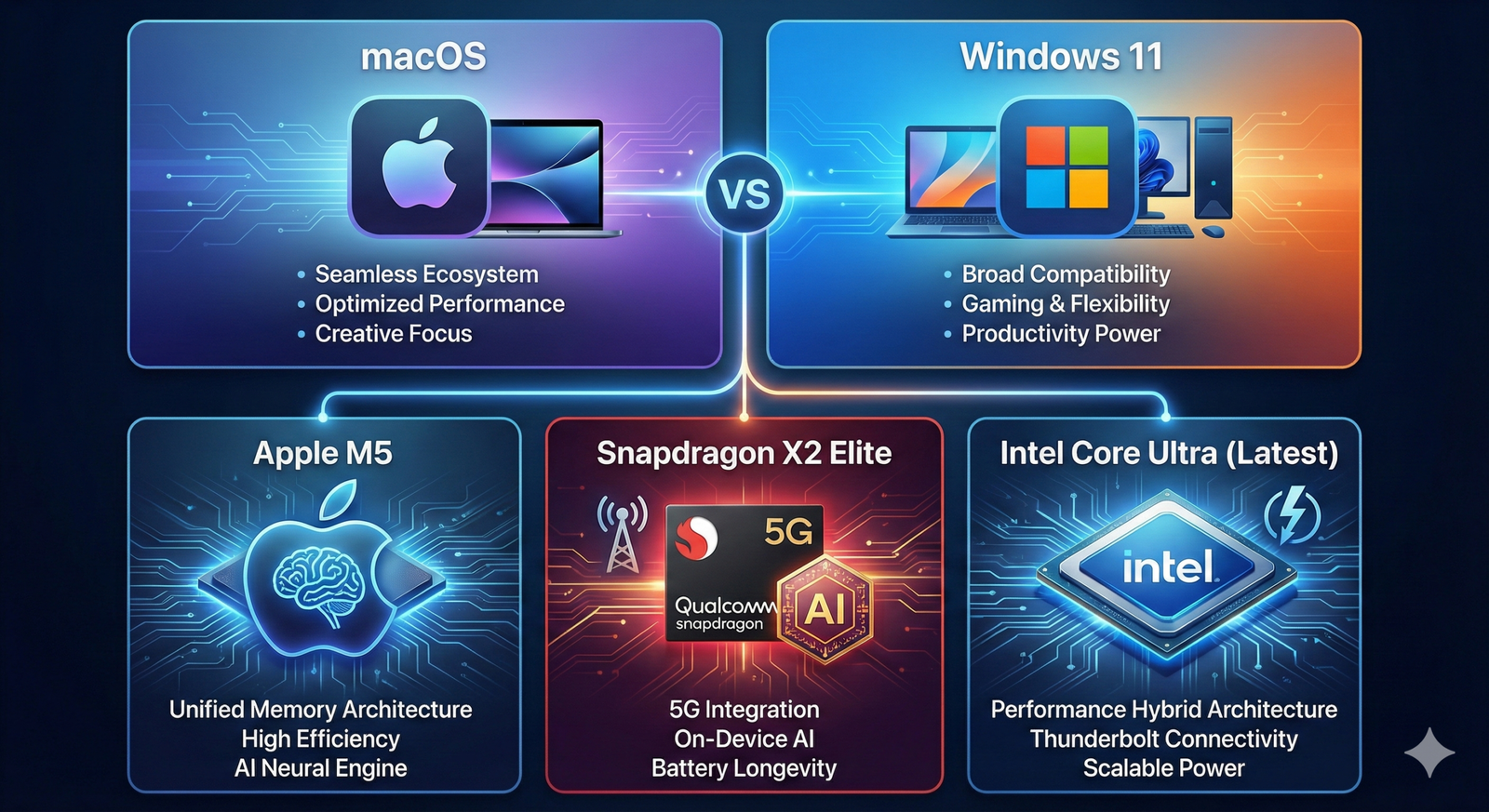
The days of just picking “Intel or AMD” are over. The new battleground is architecture and NPUs (Neural Processing Units). (Read our full Processor Comparison Guide).
Intel Core Ultra (Series 2)
The safe, highly compatible all-rounder with vastly improved battery life and solid integrated graphics.
AMD Ryzen AI (300 Series)
The multi-core performance king for Windows users who need raw horsepower and great efficiency on the go.
Snapdragon X Elite
The absolute battery champion for Windows, but check compatibility if you use niche or legacy software.
Apple M4 / M5
The undisputed champion of performance-per-watt for anyone willing to enter the Apple ecosystem.
The RAM Rule for 2026
In 2026, RAM is no longer just about today’s apps—it’s about tomorrow’s AI features, browser workloads, and increasingly memory-hungry operating systems.
- 8GB: Only acceptable if your budget is strictly under ₹40,000.
- 16GB: The sweet spot and absolute minimum for 90% of buyers today.
- 24GB: The logical middle-ground for MacBook buyers looking for future-proofing.
- 32GB+: Mandatory for developers, video creators, and local AI workloads.
Should You Buy an AI PC?
AI marketing is everywhere, heavily pushing NPUs and “TOPS”. Here is the TechZero verdict on whether you actually need one for your specific workflow.
| User Persona | Buy AI PC? | Why? |
|---|---|---|
| Student | Nice to have | Mostly useful for background battery efficiency. |
| Office Worker | Worth considering | Great for hardware-level background blur and noise cancellation on Zoom/Teams. |
| Developer | Depends | Only valuable if you are actively running local LLMs or specialized models. |
| Creator & Gamer | Skip the hype | Traditional CPU/GPU horsepower still matters infinitely more. NPUs don’t push frames. |
Step 3: How Long Will It Last?
Buying a laptop for a 2-year stopgap is entirely different from investing in a 5 to 7-year daily driver. If you plan to keep your machine for the long haul, repairability is your most critical spec.
Pixar-Quality 3D Render: An X-ray view of a laptop chassis, highlighting a soldered RAM chip (danger icon) versus an open, accessible M.2 SSD slot (green checkmark).
The 4 Repairability Checks
- RAM: Is it soldered? If yes, buy the capacity you’ll need in 2030 today.
- SSD: Ensure Windows laptops have an open M.2 slot for cheap storage expansion.
- Battery: Verify that replacement packs are easily available online.
- Charger: Ensure it supports universal USB-C Power Delivery.
The 10 TechZero Rules of Laptop Buying
If you remember nothing else from this guide, bookmark these ten commandments before making a purchase.
- Never buy less than 16GB of RAM if you are spending over ₹50,000.
- Never buy for a “future” you may never become (the 4K video editor fallacy).
- Never sacrifice battery life for unused processor performance.
- Never pay a premium for “AI branding” without a specific use case.
- Never ignore repairability (soldered storage, proprietary chargers).
- Never start your search by picking a brand first.
- Never buy a heavy gaming laptop for college unless you actually game daily.
- Never choose a 144Hz high refresh rate over battery life if you don’t play games.
- Never underestimate the importance of a good keyboard and trackpad.
- Always run the TLDF checklist before clicking “Buy.”
⚡ The TechZero Verdict
The laptop with the highest benchmark score is rarely the best laptop for you. A laptop should disappear into your workflow—not constantly remind you of the compromises you made when buying it.
Pixar-Quality 3D Render: TeeZee holding a giant, glowing green checkmark stamp above a completed clipboard checklist.
Final Pre-Flight Checklist
Do not click “Buy” until every box is checked.
📚 Continue Learning
If you want to dive deeper before making your purchase, explore our complete flagship guides and related resources:
🌍 External Resources
Always verify final specifications, warranty terms, and custom configuration options directly on the official manufacturer websites before making your purchase.


[…] a laptop based on sticker badges alone (`i7` or `Ryzen 7`). Make sure to perform our recommended 3 internal checks before buying a laptop in 2026 and match your processor family to your exact daily software […]
[…] Laptop Buying Guide — Understand the key hardware specifications, including RAM, storage, processors and displays, before buying a laptop. […]