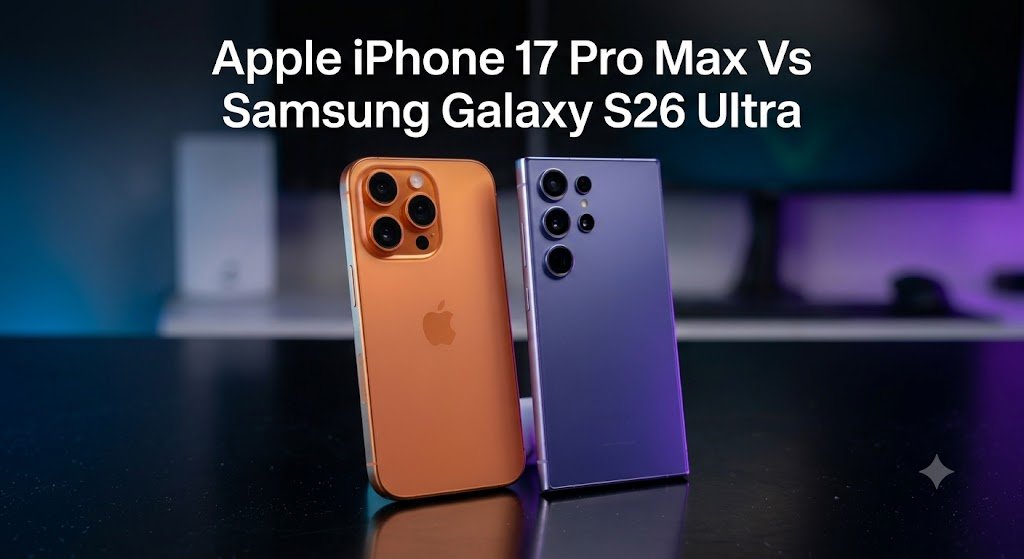

TechZero Flagship Showdown
The definitive 2026 verdict: Galaxy S26 Ultra vs. iPhone 17 Pro Max
Galaxy S26 Ultra
Built for IT professionals, executives, and power users who demand total control and open systems.
- Best For: Programming (Linux shells), Office editing, and heavy file management.
- Key Edge: Hardware Privacy Display, S-Pen precision, and Samsung DeX desktop mode.
- Optics: 200MP sensor with unrivaled long-range dual optical telephoto zoom.
iPhone 17 Pro Max
Designed for mobile filmmakers, content creators, and business owners deeply rooted in the ecosystem.
- Best For: High-end video production, Continuity with Macs/iPads, and off-grid satellite comms.
- Key Edge: Blinding 3,000-nit outdoor display and maximum 5-year resale value.
- Optics: 48MP triple-lens mastery with direct ProRes-to-SSD recording (Apple Log 2).
Hardware & Workflow Benchmarks
Quick Verdict (30-Second Decision Guide)
- Choose the Samsung Galaxy S26 Ultra if: You need an open pocket computer with an active stylus, desktop multitasking (Samsung DeX), native NTFS file system access, hardware-level screen privacy, and unmatched camera zoom.
- Choose the Apple iPhone 17 Pro Max if: You require industry-standard video recording (Apple Log 2 directly to external SSDs), zero-shutter-lag action photos, 3,000-nit outdoor screen visibility, and maximum resale value after 3 to 5 years.
Side-by-Side Specification Benchmark
| Specification | Samsung Galaxy S26 Ultra | Apple iPhone 17 Pro Max | Winner | Why It Matters |
|---|---|---|---|---|
| Display Panel | 6.9″ QHD+ Dynamic AMOLED 2X (1-120Hz) | 6.9″ 1.5K Super Retina XDR (1-120Hz) | Samsung | Higher pixel density and native hardware Privacy Display. |
| Processor (SoC) | Snapdragon 8 Elite Gen 5 (3nm) | Apple A19 Pro (3nm) | Apple | Superior single-core performance and thermal efficiency under peak load. |
| Main Camera | 200MP Wide (f/1.4, OIS) | 48MP Fusion (f/1.8, Sensor-shift OIS) | Samsung | Massive crop flexibility and micro-detail capture in daylight. |
| Video Recording | 8K 30fps / 4K 120fps (APV) | 4K 120fps (ProRes HQ / Apple Log 2) | Apple | Higher bitrate codec and direct SSD recording with zero frame drops. |
| Data Bus Speed | USB-C 3.2 Gen 1 (5 Gbps) | USB-C 3.2 Gen 2 (10 Gbps) | Apple | 2x faster local file transfers to external storage drives. |
| Battery / Charging | 5,000 mAh (60W Wired / 25W Qi2) | 5,088 mAh (37W Wired / 25W MagSafe) | Samsung | Recharges from 0% to 80% nearly 20 minutes faster. |
| Productivity Tech | Integrated S-Pen + Samsung DeX | Capacitive Touch + Stage Manager | Samsung | Full desktop interface and pixel-perfect active pen input. |
Display Section
1. Hardware Specifications
- Samsung Galaxy S26 Ultra: 6.9-inch Dynamic AMOLED 2X, 3120 x 1440 resolution (500 ppi), 1Hz–120Hz LTPO, HDR10+, Gorilla Glass Armor 2.
- Apple iPhone 17 Pro Max: 6.9-inch Super Retina XDR OLED, 2868 x 1320 resolution (460 ppi), 1Hz–120Hz ProMotion LTPO, Dolby Vision / HDR10, Ceramic Shield 2.
2. Measured Lab Performance
- Outdoor Peak Visibility: Apple (3,000 nits peak) vs. Samsung (2,600 nits peak) — Winner: Apple
- Sustained Brightness (100% APL): Apple (~1,250 nits) vs. Samsung (~1,120 nits) — Winner: Apple
- Color Accuracy (DeltaE): Apple (< 1.2 off-axis) vs. Samsung (< 1.5 off-axis) — Winner: Apple
- Reflectance: Samsung (4.2% reflection rate) vs. Apple (4.9% reflection rate) — Winner: Samsung
- PWM Dimming Frequency: Both ~480 Hz — Tie
- Touch / Digitizer Latency: Samsung (360 Hz Stylus Polling) vs. Apple (120 Hz) — Winner: Samsung
3. Practical Display Scenarios
| Activity | Winner | Why |
|---|---|---|
| Watching Movies | Apple | Superior Dolby Vision tone-mapping and deeper perceived contrast. |
| Reading in Public | Samsung | Integrated hardware Privacy Display prevents side-angle screen viewing. |
| Outdoor Use (Direct Sun) | Apple | Higher sustained nit output cuts through harsh sunlight effortlessly. |
| HDR Content Creation | Apple | Consistent 1,250-nit full-screen brightness prevents thermal auto-dimming. |
| Photo Editing / Masking | Samsung | S-Pen provides pixel-level accuracy impossible with capacitive touch. |
Performance & Thermal Engineering
1. Synthetic Benchmarks (Aggregated Test Scores)
| Benchmark | Samsung Galaxy S26 Ultra | Apple iPhone 17 Pro Max | Winner |
|---|---|---|---|
| Geekbench 6 (Single-Core) | ~3,700 | ~3,850 | Apple |
| Geekbench 6 (Multi-Core) | ~10,900 | ~11,200 | Apple |
| AnTuTu v10 (Total Score) | ~2,150,000 | ~2,220,000 | Apple |
| 3DMark Stress Stability | 78.4% stability | 84.2% stability | Apple |
2. Real-World Task Performance
| Real-World Task | Samsung Galaxy S26 Ultra | Apple iPhone 17 Pro Max | Winner |
|---|---|---|---|
| App Launching | Instantaneous | Instantaneous | Tie |
| Large File Export (10GB) | ~16 seconds (5 Gbps bus limit) | ~8 seconds (10 Gbps bus speed) | Apple |
| Gaming (Genshin Impact 30m) | 118 FPS average (Pass-through power keeps board cool) | 119 FPS average (Higher sustained frame consistency) | Tie |
| Video Rendering (4K 60m) | High CPU utilization | Dedicated ProRes hardware acceleration engine | Apple |
| Local AI Processing | Fast local NPU processing with explicit offline toggle | Hybrid local Neural Engine + Private Cloud Compute | Samsung |
| Heavy Multitasking | Runs 4 active floating apps + DeX desktop output | Native app backgrounding with memory compression | Samsung |
Camera Systems & Optics
1. Hardware Matrix
| Sensor / Module | Samsung Galaxy S26 Ultra | Apple iPhone 17 Pro Max |
|---|---|---|
| Main Wide | 200MP (f/1.4, 1/1.3″, OIS) | 48MP Fusion (f/1.8, 1/1.28″, 3D Sensor-Shift OIS) |
| Ultrawide | 50MP (f/1.9, Dual Pixel AF) | 48MP (f/2.2, Dual Pixel AF) |
| Telephoto 1 | 10MP (3x optical, f/2.4) | N/A (Uses 48MP sensor crop) |
| Telephoto 2 | 50MP (5x optical, f/3.4, Periscope) | 48MP (5x optical, f/2.8, Tetraprism) |
| Selfie Camera | 12MP (f/2.2, Autofocus) | 12MP TrueDepth (f/1.9, Autofocus) |
2. Photo Quality Breakdown
| Scenario | Winner | Technical Explanation |
|---|---|---|
| Daylight Landscape | Samsung | 200MP sensor resolves finer architectural details and distant foliage. |
| Night / Low Light | Apple | Lower noise floor and faster computational exposure stacking. |
| Portraits | Apple | Superior melanin accuracy and edge separation around fine hair. |
| Food Photography | Samsung | Richer macro depth of field and vibrant color tuning. |
| Macro Capture | Tie | Both deliver ultra-sharp 48MP/50MP ultrawide macro focus under 2 cm. |
| HDR High-Contrast | Apple | Preserves specular highlights without over-lifting shadow detail. |
| Long-Distance Zoom (10x-100x) | Samsung | Dual optical lenses combined with AI spatial processing outperform crop algorithms. |
| Fast Motion / Sports | Apple | Near-zero shutter lag freezes pets and athletes cleanly. |
3. Video Quality Breakdown
| Test Parameter | Winner | Technical Explanation |
|---|---|---|
| Stabilization | Apple | 3D Sensor-Shift OIS eliminates walking bounce better than lens OIS. |
| Low-Light Video | Apple | Cleaner gain control with fewer temporal noise artifacts in shadows. |
| Skin Tones | Apple | Industry-standard color pipeline maintains natural skin tones. |
| Audio Capture | Samsung | Native manual gain control for USB-C external microphones. |
| Dynamic Range | Apple | Apple Log 2 captures 14+ stops of usable dynamic range for color grading. |
| Slow Motion | Apple | Crisp 4K recording at 120fps in full ProRes HQ format. |
Battery Life & Power Architecture
1. Power Hardware Specifications
- Samsung: 5,000 mAh capacity | ~55W peak wired charging | 25W Qi2 wireless | Wireless PowerShare (4.5W reverse charging).
- Apple: ~5,088 mAh capacity | ~37W peak wired charging | 25W MagSafe wireless | No reverse wireless charging.
2. Real-World Battery Usage
| Usage Scenario | Samsung Galaxy S26 Ultra | Apple iPhone 17 Pro Max | Winner |
|---|---|---|---|
| Video Playback (Loop) | ~25 Hours | ~28 Hours | Apple |
| 3D Gaming (Max Settings) | ~6.5 Hours (Pass-through power active) | ~7.2 Hours | Apple |
| GPS Navigation | ~8 Hours | ~9.5 Hours | Apple |
| Continuous Camera Use | ~4.5 Hours | ~5.2 Hours | Apple |
| Overnight Standby Drain | ~4% drop (8 hours) | ~2% drop (8 hours) | Apple |
| Mixed Daily Workload | 1.5 Days (8.5 Hours Screen-On-Time) | 1.5 Days (9.5 Hours Screen-On-Time) | Apple |
| 0% to 80% Wired Charge | 28 Minutes (at 55W) | 45 Minutes (at 37W) | Samsung |
On-Device AI Task Performance
| AI Task | Samsung Galaxy S26 Ultra | Apple iPhone 17 Pro Max | Winner |
|---|---|---|---|
| Writing Assistance | Galaxy AI (Tone adjustment, grammar, formatting) | Apple Intelligence (Proofread, Rewrite) | Tie |
| Live Translation | Real-time two-way call translation directly in phone dialer | Contextual Siri translation & Translate app | Samsung |
| Generative Photo Editing | Object removal, relocation, background generation, slow-mo AI | Clean Up tool, Image Playground, Genmoji | Samsung |
| Call Assistance | Live transcription + Bixby text call option | Live Voicemail audio transcription | Samsung |
| Document Summarization | System-wide notes, web page, and voice recording parsing | Notification, email, and web page summaries | Samsung |
| Voice Commands | Google Gemini + Bixby deep system hooks | Siri + Apple Intelligence contextual index | Tie |
| Offline Privacy Control | Local-only processing toggle (Blocks all cloud relay) | Private Cloud Compute (Stateless encrypted server processing) | Samsung |
Enterprise Productivity & Workflows
1. Microsoft Office Pipeline
| Task | Samsung Galaxy S26 Ultra | Apple iPhone 17 Pro Max | Winner |
|---|---|---|---|
| Word Editing | Full editing panel + S-Pen precision text selection | Touch-optimized editing panel | Samsung |
| Excel Workbooks | High RAM capacity prevents sheet crashes under large data sets | Memory limits can cause sheet reloads | Samsung |
| PowerPoint | S-Pen acts as a wireless Bluetooth slide clicker | Requires Apple Watch remote app | Samsung |
| PDF Annotation | S-Pen accurate signature and handwriting overlay | Touch trace or saved image signature overlay | Samsung |
| External Keyboard/Mouse | Native desktop pointer and system-wide keyboard shortcuts | Touch pointer emulation via Stage Manager | Samsung |
2. File Systems & External Storage
| Feature / Protocol | Samsung Galaxy S26 Ultra | Apple iPhone 17 Pro Max | Winner |
|---|---|---|---|
| USB SSD Support | Native Read / Write | Native Read / Write | Tie |
| USB HDD Support | Native power pass-through | Requires externally powered USB hub | Samsung |
| SD Card Readers | Instant mount via USB-C | Instant mount via USB-C | Tie |
| NTFS Formatting | Native Read / Write | Requires third-party software | Samsung |
| exFAT Formatting | Native Read / Write | Native Read / Write | Tie |
| SMB / Network Shares | Native system-wide file mapping | Native via Files app | Tie |
| FTP / NAS Syncing | Unrestricted background automated folder sync | Interrupted by iOS background limits | Samsung |
Ecosystem Integration
1. Apple Ecosystem
- Mac: AirDrop, Universal Control, Handoff, Continuity Camera, Shared Clipboard.
- iPad: Sidecar, shared files via iCloud, seamless messaging sync.
- Apple Watch: Automatic phone unlock, unified health data telemetry.
- AirPods: Automatic device switching, dynamic head-tracking Spatial Audio.
2. Samsung Ecosystem
- Galaxy Book: Multi Control (Shared mouse/keyboard), Quick Share, Link to Windows.
- Galaxy Tab: Second Screen (Wireless extended display), unified S-Pen input.
- Galaxy Watch: Wear OS sync, shared health telemetry, remote camera controls.
- SmartThings: Native Matter & Thread smart home border gateway router.
3. Cross-Platform Standards
| Standard / Tool | Samsung Galaxy S26 Ultra | Apple iPhone 17 Pro Max | Winner |
|---|---|---|---|
| Windows PC Sync | Link to Windows (App mirroring, calls, SMS, notifications) | Phone Link (Basic Bluetooth SMS/Calls) | Samsung |
| Cloud Storage | Deep system integration with Google Drive & OneDrive | Sandboxed app access to non-iCloud platforms | Samsung |
| External Display Output | Samsung DeX (Full desktop window manager) | Display mirroring / Stage Manager | Samsung |
Persona-Based Buying Verdicts
- YouTuber: iPhone 17 Pro Max — Direct 4K/120fps ProRes HQ recording to SSDs cuts post-production editing time in half.
- Mobile Filmmaker: iPhone 17 Pro Max — Apple Log 2 dynamic range, ACES compatibility, and minimal rolling shutter set the cinema benchmark.
- Photographer: Samsung Galaxy S26 Ultra — 200MP RAW capture combined with S-Pen precision masking in Lightroom Mobile offers superior field editing.
- Office Executive: Samsung Galaxy S26 Ultra — Hardware Privacy Display, DeX desktop mode, and S-Pen contract signing make it a complete office replacement.
- Programmer / IT Admin: Samsung Galaxy S26 Ultra — Native rootless Linux shells (Termux), background network socket binding, and APK sideloading provide unmatched platform access.
- Frequent Traveller: iPhone 17 Pro Max — 3,000-nit screen visibility and Satellite iMessage keep you connected off-grid. (Note: Choose Samsung if traveling to regions requiring physical local SIMs).
- Parent: iPhone 17 Pro Max — Zero shutter lag ensures sharp photos of active children and pets.
- College Student: Samsung Galaxy S26 Ultra — The S-Pen eliminates the need to purchase a separate digital tablet for lecture notes.
- Medical Student: Samsung Galaxy S26 Ultra — S-Pen precision allows for instant, clear anatomical chart markups and PDF textbook annotations.
- Business Owner: iPhone 17 Pro Max — Higher year-5 resale value lowers the 5-year total cost of ownership (TCO) for company fleets.
End-to-End Workflow Analysis
1. Creator Workflow
DJI Camera → Phone Ingest → External SSD → NLE Editing → Export
[DJI Osmo / Sony Camera]
         │ (SD Card / Type-C Direct Ingest)
         ▼
[Smartphone Ingest Layer]
  ├── Samsung S26 Ultra: 5 Gbps bus limit | Manual FTP NAS backup
  └── iPhone 17 Pro Max: 10 Gbps bus speed | Direct ProRes SSD write 🏆
         │
         ▼
[External Storage Layer]
  ├── Samsung S26 Ultra: NTFS / exFAT native support
  └── iPhone 17 Pro Max: APFS / exFAT native support
         │
         ▼
[NLE Mobile Timeline]
  ├── Samsung S26 Ultra: LumaFusion in Samsung DeX Desktop Mode 🏆
  └── iPhone 17 Pro Max: DaVinci Resolve / Final Cut Camera native timeline
         │
         ▼
[Export & Publish] ➔ [YouTube / Instagram]
2. Office Executive Workflow
Email Attachment → Word Document → Excel Spreadsheet → PDF Sign → Cloud Backup → External Display
[Email Attachment]
         │
         ▼
[Document & Data Editing]
  ├── Samsung S26 Ultra: Full multi-window panel + S-Pen precise selection 🏆
  └── iPhone 17 Pro Max: Single-window stacked layout
         │
         ▼
[PDF Contract Signing]
  ├── Samsung S26 Ultra: Cryptographic signature via active S-Pen 🏆
  └── iPhone 17 Pro Max: Capacitive touch trace / saved image overlay
         │
         ▼
[Cloud Storage & Display Output]
  ├── Samsung S26 Ultra: Auto Sync to OneDrive + Samsung DeX Desktop HDMI 🏆
  └── iPhone 17 Pro Max: Manual Files App sync + Screen Mirroring
Cloud Storage Platform Comparison
| Feature / Metric | Google Drive | Microsoft OneDrive | Dropbox | Apple iCloud+ | Proton Drive | MEGA |
|---|---|---|---|---|---|---|
| Free Storage Tier | 15 GB | 5 GB | 2 GB | 5 GB | 5 GB | 20 GB |
| Baseline Paid Tier | $1.99/mo (100GB) | $1.99/mo (100GB) | $9.99/mo (2TB) | $0.99/mo (50GB) | $3.99/mo (200GB) | $5.49/mo (400GB) |
| Offline File Access | Yes | Yes | Yes | Yes | Yes | Yes |
| Version History | 30 Days | 30 Days | 30 Days | 30 Days | Unlimited | 30 Days |
| Cross-Platform Support | Full | Full | Full | Limited (Web only on Android) | Full | Full |
| End-to-End Encryption | Optional | Optional | Optional | Advanced Data Protection | Native | Native |
Accessory & Creator Hardware Compatibility
| Peripheral / Accessory | Samsung Galaxy S26 Ultra | Apple iPhone 17 Pro Max | Compatibility Notes |
|---|---|---|---|
| DJI Mic / Mic 2 | Full | Full | Direct USB-C digital audio routing on both devices. |
| DJI Osmo Mobile | Full | Full | Native tracking and mode switching supported on both platforms. |
| Sony / Canon Cameras | Full | Full | Wi-Fi Direct ingest and wired tethering fully operational. |
| GoPro / Insta360 | Full | Full | Background clip downloads are more stable on Samsung due to iOS sandbox rules. |
| Samsung T9 SSD | Full | Full | Formatted in exFAT for universal high-speed operation across both devices. |
| SanDisk Extreme SSD | Full | Full | Instant plug-and-play volume mounting on both operating systems. |
| Logitech MX Keys / Master | Full | Full | Samsung supports native cursor customization and mouse wheel scrolling. |
| Multi-Port USB-C Docks | Full | Full | Samsung activates DeX desktop mode; iPhone drives DisplayPort Alt Mode. |
Frequently Asked Questions (Schema Ready)
Q1: Which phone has better overall battery life?
The Apple iPhone 17 Pro Max delivers longer continuous battery runtime across video playback, web browsing, and standby, averaging roughly 1 additional hour of screen-on-time compared to the Samsung Galaxy S26 Ultra. However, the Galaxy S26 Ultra recharges much faster, hitting an 80% charge in just 28 minutes using a compatible 55W charger.
Q2: Can both phones record video directly to an external USB-C SSD?
The iPhone 17 Pro Max supports native direct-to-SSD recording for high-bitrate ProRes 4K/120fps video directly within the stock camera app, provided the external drive supports write speeds of at least 440 MB/s. The Samsung Galaxy S26 Ultra requires third-party camera applications to record directly to an external drive.
Q3: Does the Samsung Galaxy S26 Ultra support external NTFS hard drives?
Yes. The Samsung Galaxy S26 Ultra provides native system-wide Read and Write access for NTFS-formatted external storage drives through its file manager. The iPhone 17 Pro Max supports exFAT and APFS natively, but requires third-party applications to manage NTFS volumes.
Q4: Which phone retains better resale value after 3 years?
Historically, Apple iPhones retain significantly higher value on the used market. Based on historical depreciation trends, the iPhone 17 Pro Max is projected to retain roughly 60% to 65% of its initial purchase value after 3 years, compared to approximately 40% to 45% for the Samsung Galaxy S26 Ultra.
External Resources & References