128GB vs 256GB vs 512GB vs 1TB: Should You Buy More Phone Storage or Subscribe to Cloud Storage?

Buying a new smartphone isn’t just about choosing the right brand or processor anymore. One of the biggest decisions you’ll make is selecting the right storage capacity.
Should you save money with the 128GB model? Is 256GB the sweet spot? Is upgrading to 512GB or even 1TB worth the extra cost? Or is it smarter to buy the base model and subscribe to iCloud+ or Google One instead?
The answer isn’t the same for everyone.
Some people barely use half of their phone’s storage, while others constantly receive “Storage Full” notifications. Some prefer paying once for extra storage, while others don’t mind a monthly subscription if it keeps their photos and files backed up automatically.
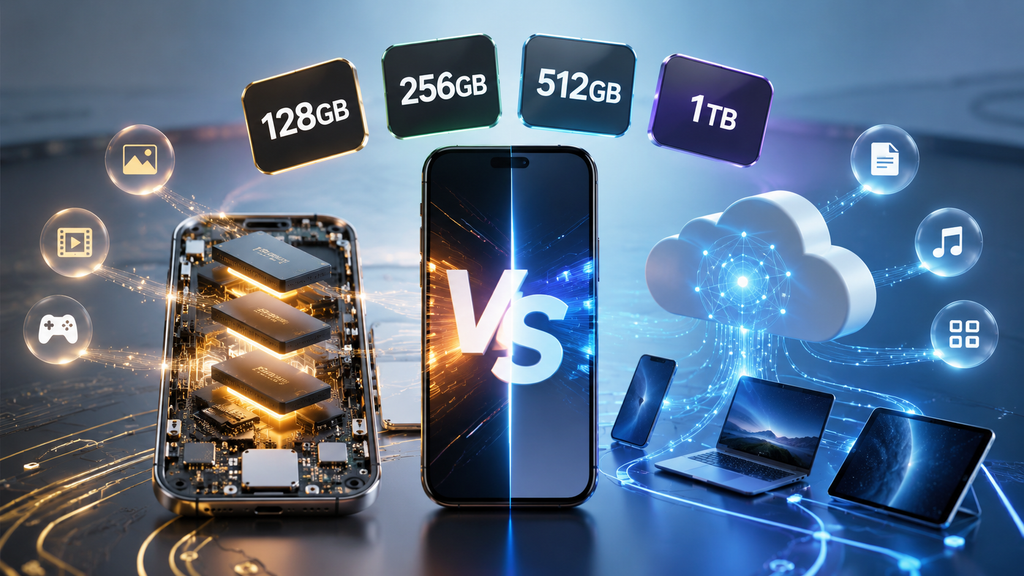
In this guide, we’ll compare internal storage and cloud storage based on five practical factors: cost, use cases, availability, time versus need, and ease of use. By the end, you’ll know exactly which option makes the most sense for your lifestyle.
1. Cost Comparison: One-Time Purchase vs Monthly Subscription
The first thing most buyers notice is the price difference between storage variants.
A smartphone with 256GB storage usually costs more than the 128GB version, while upgrading to 512GB or 1TB can increase the price even further. Depending on the manufacturer, each upgrade may add several thousand rupees to the final price.
Although this feels expensive initially, it’s a one-time investment. Once you’ve bought the phone, there are no additional storage charges for the life of the device.
Cloud storage follows a completely different pricing model. Services such as iCloud+ and Google One charge a monthly or yearly subscription fee. The individual payments may seem affordable, but they continue for as long as you use the service.
Over several years, these recurring payments can equal—or even exceed—the cost of upgrading your phone’s storage.
| Storage Strategy | Initial Cost | Ongoing Cost | Long-Term Value |
|---|---|---|---|
| Higher Internal Storage | Higher | None | Better resale value and permanent storage |
| Cloud Subscription | Lower | Monthly or Yearly | Flexible but recurring expense |
Another factor worth considering is resale value. Phones with larger storage capacities generally retain slightly better resale prices because buyers appreciate the additional storage.
Cloud subscriptions, on the other hand, don’t increase the value of your phone. You’re paying for a service rather than an asset.
Verdict: If you dislike recurring subscriptions and usually keep your phone for several years, investing in higher internal storage often provides better long-term value. If you prefer lower upfront costs and don’t mind monthly payments, cloud storage offers greater flexibility.
2. Use Cases: Which Storage Option Fits Your Lifestyle?
The ideal storage size depends more on your daily habits than on your budget.
128GB
Suitable for light users who mainly browse social media, stream music and videos, use messaging apps, and take a moderate number of photos. If you’re comfortable deleting old files occasionally or rely heavily on cloud services, 128GB can still be enough.
256GB
For most people, 256GB is the sweet spot. It provides enough space for thousands of photos, hundreds of apps, offline downloads, and years of everyday use without constantly worrying about available storage.
512GB
This option is ideal for power users. If you regularly record 4K videos, download large games, edit videos directly on your phone, or travel frequently without reliable internet access, the extra storage offers valuable peace of mind.
1TB
Designed primarily for professionals, 1TB storage is useful for photographers shooting RAW images, filmmakers recording high-bitrate videos, or creators who use their smartphones as production tools.
Where Cloud Storage Fits
Cloud storage doesn’t replace your phone’s internal storage—it complements it.
Its biggest strengths include:
- Automatic backups
- Photo synchronization
- Document storage
- File sharing
- Access across multiple devices
If you use a smartphone alongside a tablet, laptop, or desktop computer, cloud storage makes moving between devices effortless.
Think of cloud storage as a secure digital vault, while internal storage is your everyday workspace.
3. Availability: Offline Reliability vs Anywhere Access
Availability is one of the biggest differences between internal and cloud storage.
Internal storage is always available. Whether you’re on a flight, travelling through remote areas, camping in the mountains, or experiencing poor network coverage, your files remain instantly accessible.
Photos open immediately.
Videos play instantly.
Apps launch without delay.
Everything works whether you have internet access or not.
Cloud storage depends on connectivity.
Although most cloud services allow selected files to be stored offline, files that haven’t already been downloaded may not be available when you need them.
Imagine trying to show an important presentation, watch a downloaded movie, or access travel documents while your internet connection is unavailable. If those files exist only in the cloud, you’ll likely experience delays—or you may not be able to access them at all.
Performance also differs.
Reading files directly from internal storage is significantly faster than downloading them from the cloud, especially for large videos or high-resolution photos.
However, cloud storage shines when it comes to protecting your data.
If your phone is lost, stolen, or damaged beyond repair, your photos, documents, contacts, and backups remain safely stored online and can usually be restored to a new device within minutes.
Verdict: Internal storage wins for speed and offline reliability. Cloud storage wins for backup, synchronization, and accessibility across multiple devices.
4. Time vs Need: Buy for Today or Tomorrow?
Many buyers only think about their current storage needs.
A better question is:
How long do you plan to keep your phone?
If you replace your smartphone every year or two, a smaller storage option may be sufficient because you’ll upgrade before storage becomes a serious issue.
However, if you typically keep your phone for several years, it’s worth thinking ahead.
Over time:
- Apps become larger.
- Operating systems occupy more space.
- Photos use higher resolutions.
- Videos consume significantly more storage.
- AI-powered features generate additional data.
A phone that feels spacious today may become cramped after years of updates and new content.
Before choosing a storage option, ask yourself these questions:
- Do I record lots of videos?
- Do I download movies or TV shows for travel?
- Do I play storage-intensive games?
- Do I save large WhatsApp or Telegram media files?
- Do I want to keep this phone for many years?
If you answered “yes” to several of these questions, spending more on additional internal storage can be a worthwhile long-term investment.
On the other hand, if your photos are automatically uploaded to the cloud, you stream most of your entertainment, and regularly upgrade your phone, buying the largest storage option may not be necessary.
The goal isn’t to buy the biggest storage available—it’s to buy enough storage that you won’t need to think about it for years.
5. Ease of Use: Which Option Is More Convenient?
Convenience matters just as much as capacity.
A phone with plenty of internal storage requires very little maintenance.
You install apps without worrying about available space.
You record videos without checking remaining storage.
You don’t need to move files around constantly or delete old content every few weeks.
Everything stays available instantly.
Cloud storage offers a different kind of convenience.
Your photos automatically back up in the background.
Documents stay synchronized across your phone, tablet, and computer.
If you accidentally delete a file, there’s often a recovery option.
If your phone is replaced, restoring your data becomes much easier.
Modern smartphones also support storage optimization. Older photos can remain safely stored in the cloud while smaller previews stay on your device, helping free local storage automatically.
For many users, this creates a seamless experience without requiring manual file management.
The trade-off is dependence on internet connectivity and an ongoing subscription.
Neither approach is perfect.
Internal storage offers maximum speed and simplicity.
Cloud storage offers maximum flexibility and protection.
The best experience usually comes from combining both.
TechZero Verdict
There isn’t a universal answer because different users have different needs.
Choose 128GB if you’re a light user, primarily stream content, and don’t mind occasionally managing your storage.
Choose 256GB if you’re looking for the best balance between price, longevity, and everyday convenience. For most smartphone users, this is the ideal choice.
Choose 512GB if you’re a gamer, frequent traveller, or content creator who stores large amounts of photos, videos, and offline media.
Choose 1TB only if your smartphone is a professional tool for photography, videography, or other storage-intensive work.
As for cloud storage, don’t think of it as a replacement for internal storage. Think of it as insurance for your digital life.
Automatic backups protect your memories if your phone is lost or damaged. File synchronization lets you access documents from multiple devices, while cloud sharing makes collaboration easier.
For most people, the smartest strategy is surprisingly simple:
Buy the amount of internal storage you’ll comfortably use for the next several years, then use cloud storage to back it up—not replace it.
That combination delivers the best balance of performance, convenience, security, and long-term value.


[…] 128GB vs 256GB vs 512GB vs 1TB: Phone Storage vs Cloud […]
[…] 🔗 Related TechZero Storage Guide: Deciding between capacity options? Read our 256GB vs 512GB vs 1TB Storage Buying Guide. […]