
Introduction
Graphic design is no longer limited to creativity alone. Today’s designers are expected to create faster, collaborate seamlessly, manage multiple projects, and adapt to rapidly changing technologies. Fortunately, a new generation of design tools is making it easier than ever to produce professional-quality work while improving productivity.
From AI-powered image generation to collaborative design platforms and digital sketching tools, modern graphic designers have access to resources that were unimaginable just a few years ago.
Whether you’re a freelancer, student, content creator, marketing professional, or agency designer, the right tools can significantly enhance your workflow and help you focus more on creativity and less on repetitive tasks.
Why Choosing the Right Tools Matters
Great design is a combination of creativity, efficiency, and execution.
The right tools help designers:
- Create professional work faster
- Improve collaboration with clients and teams
- Reduce repetitive manual tasks
- Generate creative ideas more effectively
- Maintain consistency across projects
- Meet deadlines with less stress
Investing in the right software and hardware often provides a bigger productivity boost than simply upgrading your computer.
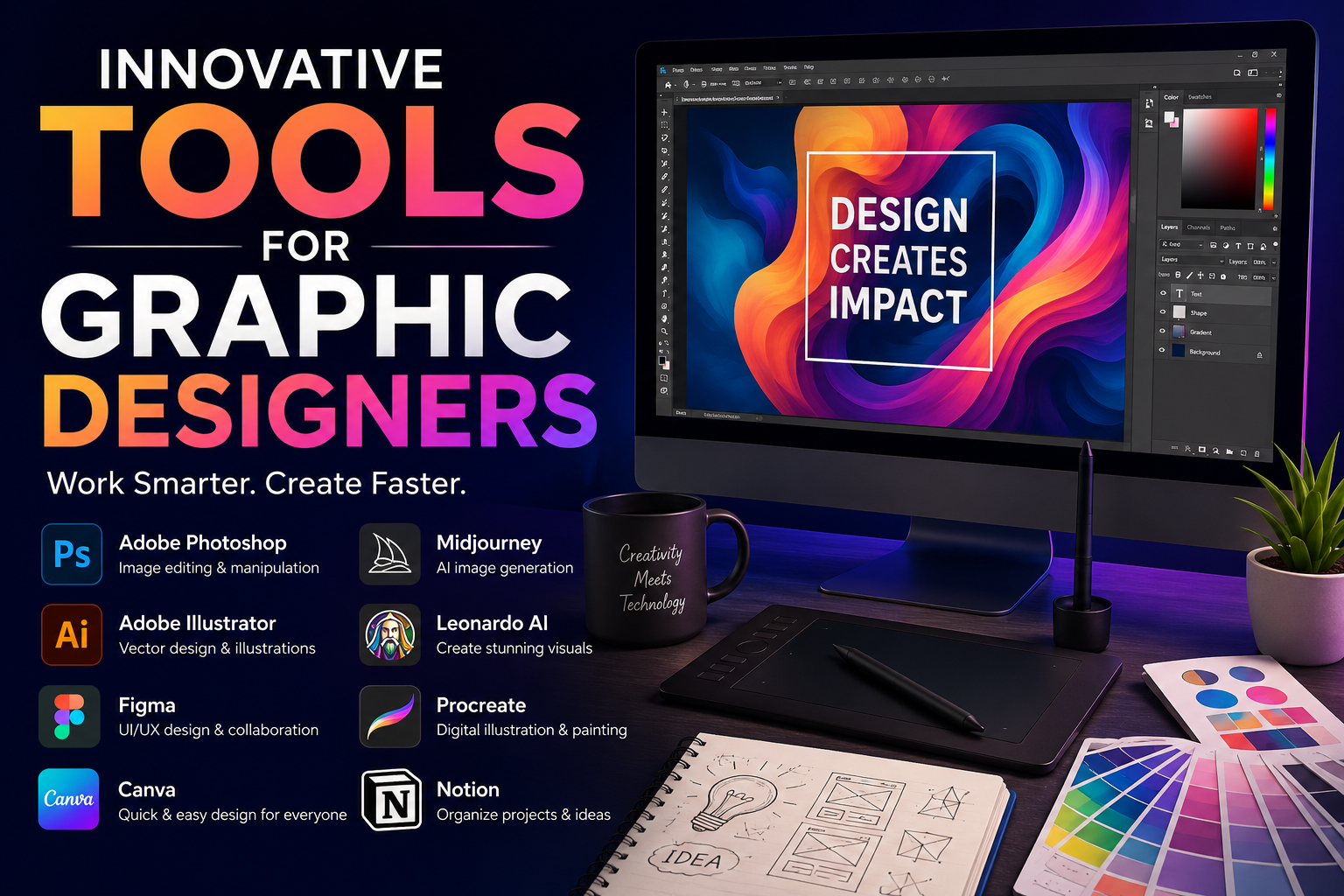
1. Adobe Creative Cloud – The Professional Standard
Adobe remains the industry benchmark for professional graphic design.
Popular Applications:
- Photoshop
- Illustrator
- Lightroom
- InDesign
- Adobe Express
Key Benefits
- Advanced image editing
- Professional vector design
- Print-ready layouts
- Extensive plugin ecosystem
- Industry-standard file compatibility
Best For
- Professional designers
- Marketing agencies
- Publishing teams
- Branding specialists
Adobe continues to evolve by integrating AI-assisted tools that help designers remove distractions, generate assets, and accelerate editing workflows.
2. Canva – Fast Design for Modern Creators
Canva has transformed the design industry by making graphic design accessible to everyone.
What started as a simple drag-and-drop editor has evolved into a powerful design platform used by businesses, educators, and creators worldwide.
Key Features
- Ready-made templates
- Social media graphics
- Presentation design
- Brand kits
- Team collaboration
Why Designers Use It
Canva dramatically reduces production time for everyday design tasks while maintaining professional results.
Best For
- Content creators
- Small businesses
- Social media managers
- Students
3. Figma – The Collaboration Powerhouse
Figma has become the preferred platform for UI and UX designers.
Unlike traditional desktop software, Figma was built around real-time collaboration.
Key Features
- Cloud-based design
- Live collaboration
- Interactive prototyping
- Design systems
- Developer handoff
Why It Matters
Multiple team members can work on the same project simultaneously, making it ideal for remote teams and modern product development.
Best For
- UI designers
- UX designers
- Product teams
- Startups
4. Procreate – The Ultimate Digital Sketchbook
For designers who enjoy drawing and illustration, Procreate remains one of the most powerful creative apps available.
Its intuitive interface and excellent Apple Pencil support make it a favorite among illustrators and artists.
Key Features
- Natural drawing experience
- Hundreds of brushes
- Animation tools
- Layer-based editing
- Fast performance
Best For
- Illustrators
- Concept artists
- Character designers
- Digital painters
For many creatives, Procreate has replaced traditional sketchbooks entirely.
5. Midjourney – AI-Powered Creative Exploration
AI image generation has become an important part of many designers’ workflows.
Midjourney is widely used for:
- Concept development
- Mood boards
- Visual inspiration
- Marketing concepts
- Storyboarding
Why It Matters
Instead of spending hours searching for inspiration, designers can generate custom visual references within minutes.
Best For
- Creative brainstorming
- Concept design
- Advertising ideas
- Artistic exploration
6. Leonardo AI – Rapid Visual Creation
Leonardo AI has quickly become a favorite among designers who need fast concept generation.
Popular Use Cases
- Product visualization
- Marketing assets
- Game development
- Brand exploration
- Creative ideation
Advantages
- Fast image generation
- Custom style controls
- Commercial usage options
- User-friendly interface
It helps designers move from idea to concept much faster than traditional workflows.
7. Notion – Project Management for Creatives
Design projects involve much more than creating visuals.
Designers must also manage:
- Client requirements
- Feedback cycles
- Deadlines
- Research
- Content planning
Notion helps organize all these elements in one place.
Best Uses
- Project planning
- Client management
- Design documentation
- Content calendars
- Team collaboration
Best For
- Freelancers
- Agencies
- Creative teams
8. Remove.bg and Background Removal Tools
Removing image backgrounds used to be a tedious manual process.
Modern AI-powered tools can now perform this task in seconds.
Benefits
- Faster product photography
- Cleaner marketing visuals
- Simplified image editing
- Improved productivity
These tools are particularly useful for e-commerce designers and social media creators.
9. Drawing Tablets and Pen Displays
Hardware remains an essential part of a designer’s toolkit.
Popular Options:
- Wacom Intuos
- Wacom Cintiq
- XP-Pen Artist Series
- Huion Kamvas
Benefits
- Better precision
- Natural drawing experience
- Enhanced creativity
- Improved illustration workflow
For serious illustrators, a quality pen display can be transformative.
10. Color and Typography Tools
Choosing the right fonts and color combinations can significantly impact the effectiveness of a design.
Popular Resources Include:
- Adobe Color
- Coolors
- Font Pair
- Google Fonts
Why Designers Use Them
- Better color harmony
- Improved accessibility
- Faster design decisions
- Consistent branding
These tools remove much of the guesswork from the creative process.
A Modern Designer’s Workflow
Many designers today follow a workflow similar to this:
Step 1: Research and Planning
Use:
- ChatGPT
- Gemini
- Notion
Step 2: Brainstorming and Inspiration
Use:
- Midjourney
- Leonardo AI
Step 3: Design Creation
Use:
- Adobe Creative Cloud
- Canva
- Figma
- Procreate
Step 4: Collaboration and Delivery
Use:
- Figma
- Notion
- Cloud Storage Platforms
This workflow allows designers to focus more on creativity and less on repetitive tasks.
Essential Toolkit by Experience Level
Beginner
- Canva
- Procreate
- ChatGPT
- Remove.bg
Intermediate
- Canva Pro
- Adobe Photoshop
- Figma
- Notion
Professional
- Adobe Creative Cloud
- Figma
- Procreate
- Midjourney
- Leonardo AI
- Drawing Tablet
TechZero Verdict
The future of graphic design is not about replacing creativity with technology. It is about using technology to amplify creativity.
The most successful designers are those who combine strong design fundamentals with modern productivity and AI-powered tools. By automating repetitive work and streamlining workflows, designers can spend more time focusing on what truly matters: creating meaningful visual experiences.
Editor’s Take
As someone actively learning graphic design, animation, video editing, and AI-assisted content creation, I’ve discovered that productivity tools often provide a bigger advantage than expensive hardware upgrades. A designer who understands how to effectively use modern design tools can often work faster, communicate better, and deliver higher-quality results than someone relying solely on traditional methods.
Technology should not replace creativity. It should remove friction so creativity can thrive.