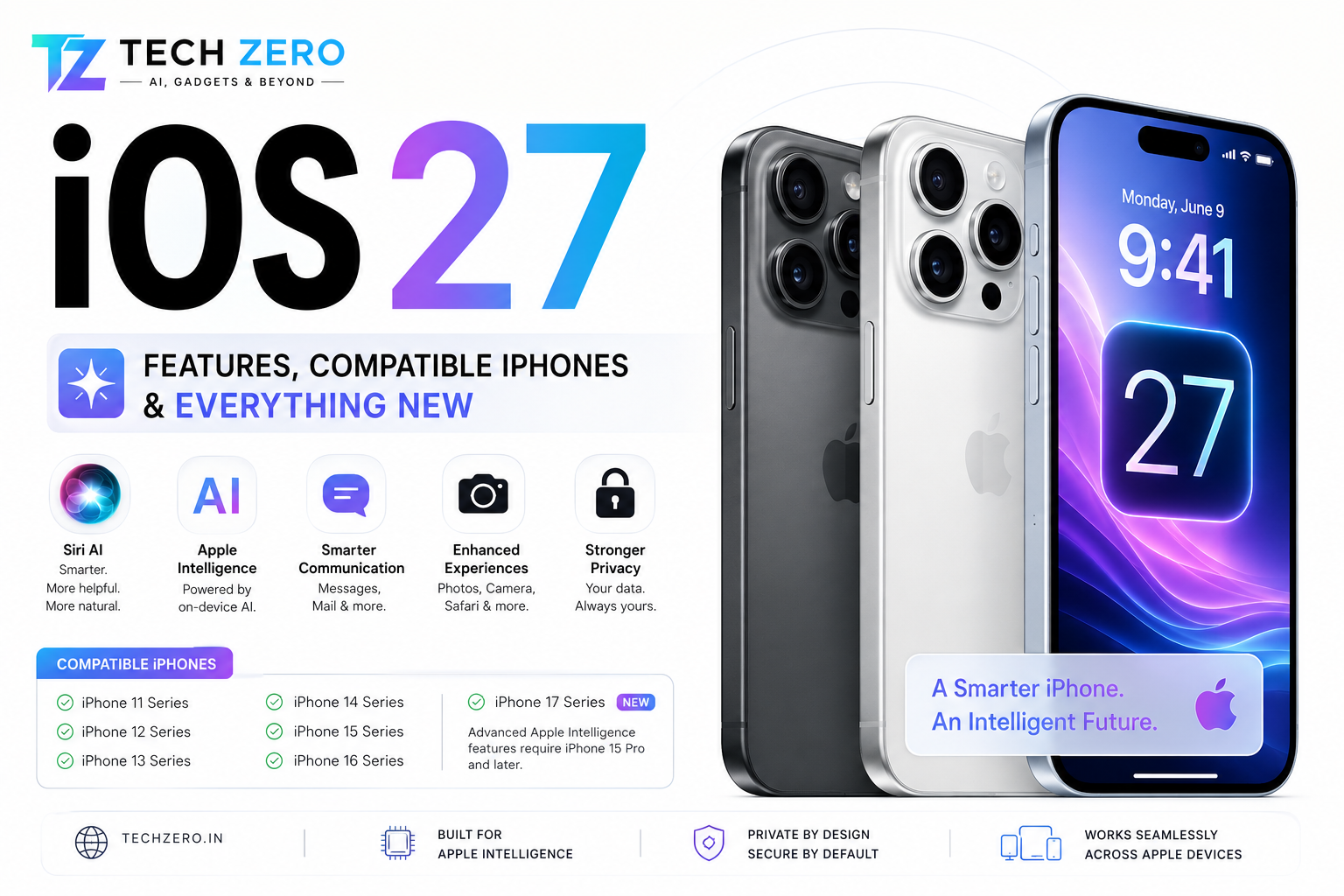

Apple has officially unveiled iOS 27, bringing one of the most significant updates to the iPhone in recent years. While previous releases focused heavily on visual redesigns and quality-of-life improvements, iOS 27 places Artificial Intelligence at the center of the iPhone experience.
From a dramatically smarter Siri to deeper Apple Intelligence integration, enhanced privacy, and productivity improvements, iOS 27 aims to make the iPhone more useful rather than simply more attractive.
If you’re wondering whether your iPhone will support iOS 27 and what new features you can expect, here’s everything you need to know.
What’s New in iOS 27?
Siri AI Finally Gets Smart
The biggest headline feature of iOS 27 is the next-generation Siri experience.
For years, Siri lagged behind competitors such as ChatGPT, Gemini, and Claude. With iOS 27, Apple is finally closing the gap.
Siri Can Now:
- Understand follow-up questions naturally
- Maintain conversation context
- Understand what’s on your screen
- Interact with multiple apps simultaneously
- Perform complex multi-step tasks
Example:
Instead of saying:
“Create a calendar event.”
You can now say:
“Schedule lunch with Ravi next Friday and send him a message asking if 1 PM works.”
Siri can understand and complete the entire task.
This is the closest Siri has ever come to behaving like a true AI assistant.
Apple Intelligence Expands Everywhere
Apple Intelligence is no longer limited to a handful of apps.
In iOS 27, it extends across the operating system.
New AI Features Include:
- Writing assistance
- Email summarization
- Notification prioritization
- AI-generated message suggestions
- Smart note organization
- AI photo editing
- Intelligent web page summaries
These features operate primarily on-device whenever possible, preserving Apple’s privacy-first approach.
Smarter Messages App
Messages receives several useful upgrades.
New Features
- AI-generated quick replies
- Improved voice message transcription
- Better spam detection
- Smart conversation summaries
- Enhanced group chat management
Large group conversations are now easier to follow thanks to AI-generated summaries.
Photos App Improvements
Apple continues investing heavily in computational photography.
New Capabilities
- Advanced object removal
- AI background cleanup
- Better portrait enhancement
- Smart album organization
- Automatic memory generation
Users can quickly remove distractions from images without requiring third-party editing apps.
Safari Gets AI Assistance
Safari becomes more intelligent in iOS 27.
New Features
- Page summaries
- Reading assistance
- Article highlights
- Smart search suggestions
- Context-aware recommendations
For students and professionals, this may become one of the most useful AI additions.
Better Battery Management
Apple has introduced smarter battery optimization tools.
Benefits
- Improved overnight charging intelligence
- Better battery health predictions
- Reduced background power consumption
- More efficient app scheduling
Users with older iPhones should notice improved endurance.
Enhanced Privacy Features
Apple continues to position privacy as a major differentiator.
New Security Features
- Improved app permission controls
- Better tracker prevention
- More transparency around AI processing
- Enhanced password management
- Stronger anti-phishing protection
Most AI processing continues to happen directly on the device whenever possible.
Phone App Improvements
The Phone app receives meaningful updates.
Highlights
- Better call screening
- AI-assisted voicemail summaries
- Spam detection improvements
- Smarter contact suggestions
These features help reduce unwanted calls and improve communication efficiency.
CarPlay Enhancements
Drivers benefit from a smarter CarPlay experience.
New Features
- Better navigation suggestions
- Enhanced voice controls
- Improved Siri interactions
- More personalized recommendations
CarPlay continues to be one of Apple’s strongest ecosystem advantages.
Compatible iPhones
Apple has maintained support for many older devices.
iPhones Compatible with iOS 27
- iPhone 11
- iPhone 11 Pro
- iPhone 11 Pro Max
- iPhone 12
- iPhone 12 mini
- iPhone 12 Pro
- iPhone 12 Pro Max
- iPhone 13
- iPhone 13 mini
- iPhone 13 Pro
- iPhone 13 Pro Max
- iPhone 14
- iPhone 14 Plus
- iPhone 14 Pro
- iPhone 14 Pro Max
- iPhone 15
- iPhone 15 Plus
- iPhone 15 Pro
- iPhone 15 Pro Max
- iPhone 16 Series
- iPhone 17 Series
Which iPhones Get Full Apple Intelligence?
Not every compatible iPhone receives every AI feature.
Full Apple Intelligence Support
- iPhone 15 Pro
- iPhone 15 Pro Max
- iPhone 16 Series
- iPhone 17 Series
These devices contain the newer hardware required for advanced AI processing.
Older models receive iOS 27 but may not support all Apple Intelligence features.
Performance and Speed
Apple claims:
- Faster app launches
- Improved multitasking
- Better thermal efficiency
- Smoother animations
- Faster Spotlight searches
The largest gains are expected on newer Apple Silicon-powered iPhones.
Should You Upgrade?
Upgrade Immediately If:
- You own an iPhone 15 Pro or newer
- You want Apple Intelligence features
- You rely on Siri regularly
- You use Messages, Notes, and Safari extensively
Wait If:
- You depend on critical enterprise applications
- You prefer maximum stability
- Your device is already running smoothly
Most users should find iOS 27 a worthwhile upgrade.
Editor’s Take
As someone who actively uses both Apple’s ecosystem and modern AI tools such as ChatGPT and Gemini, I believe iOS 27 is less about redesign and more about intelligence.
The biggest change isn’t a new icon pack or visual effect.
It’s the transformation of Siri from a basic voice assistant into something that finally feels useful.
While Apple still has work to do before matching the flexibility of ChatGPT or Gemini, iOS 27 represents the most meaningful step forward Siri has taken in years.
For iPhone users, the future isn’t about a smarter phone.
It’s about a phone that understands what you’re trying to accomplish.
And iOS 27 is Apple’s clearest attempt yet to make that vision a reality.
Final Verdict
⭐ Siri AI finally becomes useful
⭐ Apple Intelligence expands across iOS
⭐ Better Messages, Safari, and Photos
⭐ Strong privacy protections remain
⭐ Excellent support for older iPhones
⭐ Best experience on iPhone 15 Pro and newer
iOS 27 may not be the flashiest iPhone update ever released, but it could become one of the most important.
📚 Related TechZero Guides
🔗 External References
- Apple — iOS 27 Official Preview — Official overview of iOS 27, Siri AI, Apple Intelligence, performance improvements, Liquid Glass refinements, and compatible iPhone models.
- Apple — iOS 26 Official Announcement — Apple’s overview of the iOS 26 redesign, Liquid Glass, Apple Intelligence, Phone, Messages, Games, Maps, Wallet, and other major features.
- Apple — Introducing Liquid Glass — Detailed explanation of Apple’s new Liquid Glass design language and how it changes iOS.
- Apple — iOS 26 and Apple Intelligence Features — Apple’s overview of the iOS 26 release and expanded Apple Intelligence capabilities.
- Apple — iOS 26: All New Features — Apple’s detailed feature reference covering iOS 26 design, Liquid Glass, Apple Intelligence, communication, and other updates.



[…] iOS 27 Features & Compatible iPhones […]
[…] iOS 27 Features & Compatible iPhones […]