👉 Volume 2 — Ownership, AI & Smart Buying (You’re reading this) Security • AI PCs • Repairability • 6-Year Ownership Framework • Buying Guide • Final Verdict
📌 Quick Summary
Choosing between a MacBook and a Windows laptop is no longer just about comparing processors, RAM, storage, or price. Modern laptops are defined by much more than hardware. Artificial intelligence, security, privacy, ecosystem integration, repairability, software support, resale value, and long-term ownership costs now play a major role in determining whether you’ll still be happy with your purchase five or six years from today.
In Volume 2 of The TechZero Laptop Buying Bible, we move beyond specifications and benchmarks to focus on what really matters after you bring a laptop home. You’ll learn how Apple Intelligence, Copilot+ PCs, and AI PCs are changing personal computing, why security and privacy should influence your buying decision, how ecosystem integration affects productivity, and how to calculate the true cost of owning a laptop over its lifetime.
Whether you’re a student, software developer, content creator, business professional, gamer, or frequent traveller, this guide will help you evaluate laptops using a practical long-term ownership framework instead of short-term marketing claims. By the end of this volume, you’ll know not only which laptop is best, but which laptop is the smartest investment for your workflow, budget, and future needs.
🔑 Key Takeaways
Learn how security, privacy, AI, and ecosystem integration influence your laptop buying decision far more than benchmark scores.
Understand the real differences between Apple Intelligence, Copilot+ PCs, and AI-ready laptops, and whether AI should affect your purchase.
Discover why repairability, software support, and reliability determine how well a laptop ages over five to six years.
Use the TechZero 6-Year Ownership Framework to evaluate the true cost of ownership, including depreciation, resale value, maintenance, and long-term value.
Avoid the 20 most common laptop buying mistakes that lead to overspending, underpowered configurations, and early upgrades.
Learn how to future-proof your laptop by choosing the right processor, memory, storage, connectivity, and AI capabilities for the years ahead.
Find personalized recommendations for students, professionals, developers, creators, gamers, business users, and frequent travellers based on real-world workflows.
Compare MacBook and Windows laptops using practical decision frameworks instead of marketing claims, helping you buy the right laptop with confidence.
Technology is changing faster than ever, but one thing hasn’t changed:
Most people still buy laptops the wrong way.
They compare processor names, RAM, storage capacity, benchmark scores, and price tags. While those specifications are important, they rarely determine whether you’ll still be happy with your laptop three, four, or even six years later.
Long-term satisfaction comes from factors that are often overlooked during the buying process:
Security and privacy
Ecosystem integration
Artificial intelligence
Software support
Repairability
Reliability
Resale value
Total cost of ownership
These are the factors that shape your daily experience long after the excitement of unboxing a new laptop has faded.
In Volume 1, we explored the fundamentals of Mac vs Windows, including hardware, software, performance, displays, battery life, processors, and the technologies powering modern computers.
In Volume 2, the focus shifts from understanding technology to making a smarter buying decision.
You’ll discover how AI is reshaping laptops, why security matters more than ever, how ecosystems influence productivity, what determines a laptop’s lifespan, and why the cheapest laptop isn’t always the best value.
Most importantly, you’ll learn how to evaluate a laptop the way professionals do—not by marketing claims, but by considering its complete ownership journey.
By the end of this volume, you’ll have a clear framework for choosing the right laptop based on your workflow, budget, and long-term needs—not just today’s specifications.
Chapter 1 — Security & Privacy in the AI Era: Is Mac Really Safer Than Windows?
Why It Matters
When people buy a new laptop, they usually compare processor performance, memory, storage, display quality, battery life, and price.
Very few ask a more important question:
“How well will this laptop protect my data over the next six years?”
Your laptop stores far more than documents and photos.
It contains passwords, banking information, tax records, work files, private conversations, family memories, business contracts, and increasingly, personal AI data that helps digital assistants understand your daily life.
Losing access to that information—or allowing it to fall into the wrong hands—can cost far more than replacing the laptop itself.
This makes security and privacy two of the most important long-term ownership factors when choosing between a MacBook and a Windows laptop.
Modern versions of macOS and Windows are significantly more secure than they were a decade ago.
Both platforms include hardware-based security, encrypted storage, biometric authentication, secure boot technologies, malware protection, and continuous security updates.
The real question is no longer:
“Which operating system gets more viruses?”
Instead, buyers should ask:
“Which platform offers the right balance of security, privacy, convenience, and long-term software support for the way I work?”
This chapter separates outdated myths from today’s reality and explains how both Apple and Microsoft approach security in the era of artificial intelligence.
Security Has Changed
Not long ago, installing antivirus software was one of the first tasks after buying a new computer.
Today, security begins long before the operating system even loads.
Modern laptops protect users through multiple layers working together, including:
Hardware security processors
Secure Boot
Full-disk encryption
Biometric authentication
Application sandboxing
Automatic security updates
Built-in malware protection
AI-assisted threat detection
Instead of relying on a single antivirus application, modern operating systems use a layered security model where multiple technologies work together to reduce risk.
Security is no longer a product you install.
It’s an architecture built into the computer itself.
Apple’s Security Philosophy
Apple controls the hardware, processor, firmware, operating system, and many of the core applications that run on a Mac.
This vertical integration allows security features to be designed together rather than added later.
Key technologies include:
Secure Enclave
Gatekeeper
XProtect
FileVault
System Integrity Protection
App Notarization
These technologies help verify software authenticity, encrypt sensitive information, and prevent unauthorized changes to the operating system.
Apple also emphasizes processing sensitive information directly on the device whenever possible, reducing the amount of personal data sent to cloud services.
Microsoft’s Security Philosophy
Microsoft faces a different challenge.
Windows runs on hardware from dozens of manufacturers, supporting millions of hardware combinations and an enormous software ecosystem.
Despite this complexity, Windows has evolved into one of the most security-focused desktop operating systems available.
Key technologies include:
Microsoft Defender
BitLocker
Windows Hello
Secure Boot
Smart App Control
Virtualization-Based Security
Microsoft also invests heavily in enterprise security, cloud intelligence, and AI-assisted threat detection to protect both individuals and organizations.
🧠 Did You Know?
Most successful cyberattacks don’t begin by breaking the operating system.
They begin when users unknowingly click a malicious link, download infected software, reuse weak passwords, or fall victim to phishing scams.
Good digital habits remain your strongest line of defence.
Why Windows Is Targeted More Often
A common misconception is that Windows is less secure simply because it appears in more malware reports.
The primary reason is scale.
Windows powers the majority of desktop and laptop computers worldwide, making it the largest target for cybercriminals.
A larger user base naturally attracts more attacks.
This doesn’t mean Windows is inherently insecure.
It means attackers focus their efforts where they have the greatest potential reach.
Modern Windows includes robust security protections that significantly reduce risk when users keep their systems updated and follow safe online practices.
Privacy Matters More Than Ever
Security protects your computer.
Privacy protects your personal information.
Today’s laptops routinely request access to:
Camera
Microphone
Photos
Contacts
Calendar
Location
Bluetooth
Clipboard
Analytics
Reviewing these permissions regularly helps reduce unnecessary data sharing and gives you greater control over your digital life.
As AI becomes more deeply integrated into operating systems, transparency around data collection and processing becomes even more important.
Security in the Age of AI
Artificial intelligence is changing how computers handle information.
Modern AI features can summarize emails, search documents, analyze photos, transcribe meetings, and provide contextual assistance.
These capabilities often require access to highly personal data.
This is why future security isn’t just about preventing malware.
It’s also about controlling how AI systems access, process, and protect your information.
Privacy-first AI design will become one of the defining characteristics of next-generation computers.
📊 By the Numbers
A single compromised online account can expose years of personal information, financial records, and private communications.
Protecting your laptop protects far more than the hardware itself—it safeguards your digital identity.
📦 Decision Guide
Choose security features based on your needs.
Home Users
Prioritize:
Automatic updates
Password manager
Multi-factor authentication
Secure cloud backups
Professionals
Also consider:
Full-disk encryption
Biometric login
Encrypted external drives
Secure collaboration tools
Business Users
Look for:
Centralized device management
Enterprise security policies
Compliance support
Remote device management
TechZero Graphic
Graphic 1 — Layers of Modern Laptop Security
Illustrate multiple protection layers:
User
↓
Applications
↓
Operating System
↓
Firmware
↓
Security Processor
↓
Encrypted Storage
Graphic 2 — Shared Responsibility
Split the graphic into two columns.
The Operating System Protects
Secure Boot
Encryption
Malware Detection
Security Updates
You Protect Yourself
Strong Passwords
MFA
Safe Browsing
Software Updates
Regular Backups
Message:
The safest laptop still depends on safe user habits.
TechZero Table
Security Feature
macOS
Windows
Hardware Security
Excellent
Excellent
Full-Disk Encryption
Excellent
Excellent
Biometric Authentication
Excellent
Excellent
Malware Protection
Excellent
Excellent
Enterprise Security
Very Good
Excellent
Privacy Controls
Excellent
Very Good
⚠️ Reality Check
No operating system can completely protect users from unsafe online behaviour.
Strong passwords, multi-factor authentication, regular updates, and cautious browsing habits provide more protection than simply choosing one platform over another.
💡 TechZero Insight
The safest laptop isn’t necessarily the one with the fewest reported threats.
It’s the one that continues receiving security updates, protects your personal information, and encourages secure habits throughout its lifetime.
🛒 Smart Buy
If you expect to keep your laptop for five to six years, choose a platform with a proven history of long-term security updates and enable encryption, biometric authentication, and automatic backups from day one.
💰 Ownership Insight
A laptop can usually be repaired or replaced.
Your personal data often cannot.
When evaluating long-term value, security should be treated as an investment—not an optional feature.
⚔️ TechZero Battle Card
Category
Winner
Built-in Security
🤝 Tie
Privacy Controls
🏆 macOS
Enterprise Security
🏆 Windows
Hardware Protection
🤝 Tie
Long-Term Security
🤝 Depends on software support and user habits
✅ Key Decision
Choose a Mac if privacy, tight hardware-software integration, and on-device processing are your highest priorities.
Choose Windows if you depend on enterprise security, organizational management, or specialized business environments.
For most home users, both platforms provide excellent protection. The deciding factor is not the operating system—it’s how securely you use it.
🚀 Next
Security protects your laptop.
Your ecosystem determines how well it works with every other device you own.
In the next chapter, we’ll explore why your laptop is no longer just a computer—but the centre of your digital life.
Chapter 2 — Your Laptop Is No Longer Just a Laptop: Understanding the Ecosystem Advantage
Why It Matters
Think about how many devices you use every day.
A smartphone wakes you up in the morning.
Wireless earbuds play your favourite music during your commute.
Your smartwatch tracks your health.
Your laptop becomes your workspace.
Cloud storage keeps your files synchronized.
Artificial intelligence helps you write emails, summarize meetings, edit photos, and organize information.
None of these devices work in isolation anymore.
They constantly exchange files, notifications, passwords, photos, messages, documents, and AI-powered insights.
This interconnected experience is known as a digital ecosystem, and it has become one of the most important factors when choosing between a MacBook and a Windows laptop.
Two laptops with similar specifications can deliver completely different user experiences depending on how well they integrate with the devices and services you already own.
For many buyers, ecosystem integration improves productivity more than upgrading to a faster processor.
What Is a Digital Ecosystem?
A digital ecosystem is the collection of devices, operating systems, cloud services, applications, and accessories that work together as a unified experience.
Instead of thinking about individual products, think about how information moves between them.
Examples include:
Files automatically syncing across devices
Photos instantly appearing on your laptop
Copying text on one device and pasting it on another
Answering phone calls from your computer
Unlocking your laptop with another trusted device
AI assistants understanding context across multiple devices
The goal is simple:
Spend less time managing technology and more time using it.
Apple’s Ecosystem
Apple has built one of the most tightly integrated consumer ecosystems in the world.
Because Apple designs the hardware, operating systems, processors, and many of its core services, each device understands the others with very little user configuration.
Examples include:
AirDrop
Handoff
Universal Clipboard
Universal Control
Sidecar
Continuity Camera
AirPlay
iCloud Drive
Find My
Shared Passwords
For users who already own an iPhone, iPad, Apple Watch, or AirPods, these features often make the entire ecosystem feel like a single computer rather than separate devices.
Microsoft’s Ecosystem
Microsoft takes a different approach.
Rather than building every device itself, it creates software and cloud services that work across a broad range of manufacturers and platforms.
Its ecosystem includes:
Microsoft 365
OneDrive
Phone Link
Microsoft Teams
Copilot
Windows Backup
Xbox integration
Android connectivity
Cross-platform synchronization
This flexibility allows users to combine hardware from different brands while maintaining a connected experience.
For businesses and mixed-device households, this openness is often a significant advantage.
🧠 Did You Know?
Many professionals switch between their phone and computer dozens of times each day.
Saving just a few seconds during every transition can recover several hours of productive time over the course of a year.
Cloud Services Are the New Backbone
Cloud services have quietly become the foundation of modern computing.
Whether you use:
iCloud
OneDrive
Google Drive
Dropbox
your files, photos, passwords, browser tabs, settings, and notes increasingly follow your account—not your laptop.
As a result, choosing a cloud ecosystem is often just as important as choosing the computer itself.
Accessories Complete the Experience
A modern laptop rarely works alone.
It connects to:
External monitors
Docking stations
SSDs
Keyboards
Mice
Webcams
Printers
Smart displays
Wireless earbuds
Apple focuses on seamless integration within its own ecosystem.
Windows focuses on broad compatibility with devices from hundreds of manufacturers.
Neither philosophy is universally better.
The right choice depends on your existing setup and future plans.
Ecosystem Lock-In
Every ecosystem offers convenience.
That convenience also creates commitment.
The more devices, subscriptions, purchased apps, cloud storage, and accessories you accumulate within one ecosystem, the more difficult it becomes to switch later.
This isn’t necessarily a disadvantage.
If the ecosystem genuinely improves your productivity, remaining within it can provide significant long-term value.
The important thing is to make that decision consciously rather than accidentally.
📊 By the Numbers
Many users spend far more time moving information between devices than they realize.
Reducing those small interruptions throughout the day often produces greater productivity gains than upgrading to a slightly faster processor.
📦 Decision Guide
Mostly Apple Devices
You already own:
iPhone
iPad
Apple Watch
AirPods
A MacBook will usually provide the smoothest overall experience.
Mostly Windows or Android
You use:
Android phone
Windows desktop
Microsoft 365
Multiple hardware brands
A Windows laptop will usually integrate more naturally into your workflow.
Mixed Devices
If your technology comes from several manufacturers, prioritize compatibility rather than brand loyalty.
TechZero Graphic
Graphic 1 — Your Digital Ecosystem
Illustrate a laptop at the centre connected to:
Smartphone
Tablet
Smartwatch
Earbuds
Cloud
External Display
AI Assistant
Smart Home
Title:
Today’s Laptop Is the Hub of Your Digital Life
Graphic 2 — Apple vs Windows Ecosystem
Side-by-side comparison.
Apple
Mac
↓
iPhone
↓
iPad
↓
Apple Watch
↓
AirPods
↓
iCloud
Windows
Laptop
↓
Android / iPhone
↓
Microsoft 365
↓
OneDrive
↓
Third-party accessories
↓
Cloud services
TechZero Table
Ecosystem Feature
Apple
Windows
Cross-Device Continuity
Excellent
Very Good
Cross-Platform Compatibility
Good
Excellent
Cloud Integration
Excellent
Excellent
Third-Party Hardware Support
Good
Excellent
Enterprise Integration
Good
Excellent
Consumer Experience
Excellent
Very Good
⚠️ Reality Check
Many buyers choose a laptop based solely on specifications.
Months later, they discover that their daily workflow depends far more on how well all of their devices work together.
The ecosystem you choose often influences your experience every single day.
💡 TechZero Insight
The strongest ecosystem isn’t the one with the most features.
It’s the one you hardly notice because everything works together naturally.
When technology becomes invisible, productivity improves.
🛒 Smart Buy
Before buying your next laptop, make a list of every device and service you already use.
Your phone, tablet, cloud storage, smartwatch, wireless earbuds, and productivity software should influence your laptop purchase just as much as its processor.
💰 Ownership Insight
Replacing a laptop is relatively easy.
Replacing your entire digital ecosystem is expensive, time-consuming, and disruptive.
Think beyond today’s purchase.
Consider the next six years.
⚔️ TechZero Battle Card
Category
Winner
Apple Device Integration
🏆 Apple
Cross-Platform Flexibility
🏆 Windows
Cloud Productivity
🤝 Tie
Enterprise Workflows
🏆 Windows
Seamless Consumer Experience
🏆 Apple
Mixed-Brand Households
🏆 Windows
✅ Key Decision
Choose a Mac if you’re already deeply invested in Apple’s ecosystem and value seamless continuity between devices.
Choose Windows if you prefer flexibility, use multiple brands, rely on enterprise tools, or want the freedom to mix and match hardware.
The best ecosystem isn’t the most popular one.
It’s the one that makes your daily workflow effortless.
🚀 Next
Artificial intelligence is becoming the next major platform shift.
In the next chapter, we’ll separate AI marketing from reality and answer one of the biggest questions facing buyers today:
Should AI influence your next laptop purchase?
Chapter 3 — The AI PC Revolution: Should Artificial Intelligence Influence Your Next Laptop Purchase?
Why It Matters
Artificial Intelligence is no longer a futuristic concept.
It’s rapidly becoming one of the biggest changes in personal computing since the introduction of smartphones and cloud computing.
Whether you’re buying a MacBook, a Windows laptop, or a new AI PC, you’ve probably seen terms such as Apple Intelligence, Copilot+ PC, Neural Engine, NPU, and on-device AI.
Manufacturers describe these features as revolutionary.
But should they actually influence your buying decision?
The answer is yes—but only if you understand what AI really changes and what remains marketing.
Artificial intelligence won’t replace the importance of battery life, display quality, keyboard comfort, software compatibility, or long-term reliability.
Instead, it becomes another factor that determines how well your laptop adapts to the future.
This chapter separates genuine innovation from marketing buzz and explains how AI will influence laptop ownership over the next five to six years.
AI Is Quietly Becoming Part of Everyday Computing
Many people believe they don’t use artificial intelligence.
In reality, millions already depend on it every day.
Modern laptops use AI for tasks such as:
Writing assistance
Email summarization
Language translation
Voice transcription
Background noise removal
Video call enhancements
Photo editing
Image generation
Search
Code completion
In most cases, these features operate in the background without requiring users to think about artificial intelligence at all.
The future of AI isn’t about opening a chatbot.
It’s about making everyday computing faster, smarter, and more intuitive.
What Is an AI PC?
An AI PC is a computer designed to perform artificial intelligence workloads more efficiently using dedicated hardware.
Traditionally, computers relied on two primary processors:
CPU
GPU
Modern AI laptops introduce a third specialized processor:
NPU (Neural Processing Unit).
Each processor has a different role.
CPU
General computing.
GPU
Graphics, gaming, rendering, and parallel processing.
NPU
Artificial intelligence and machine learning tasks with very low power consumption.
Together, these processors create a more efficient computing platform for future AI-powered applications.
Why On-Device AI Matters
Many AI services currently run in the cloud.
While cloud AI is powerful, it depends on:
Internet connectivity
Remote servers
Subscription services
Data transmission
On-device AI processes information directly on your laptop.
Benefits include:
Faster responses
Better privacy
Offline functionality
Lower latency
Reduced network usage
Improved battery efficiency
This hybrid approach is becoming the direction of modern personal computing.
Apple’s AI Strategy
Apple integrates AI throughout macOS rather than treating it as a separate application.
Its approach focuses on:
Privacy-first design
On-device processing
Personal context
Tight operating system integration
Energy efficiency
Where additional computing power is required, selected requests can securely use cloud infrastructure while maintaining user privacy.
Apple’s long-term vision is to make AI feel like a natural extension of the operating system rather than a standalone assistant.
Microsoft’s AI Strategy
Microsoft is embedding AI deeply throughout Windows.
Rather than existing as an optional tool, AI increasingly supports:
Windows Search
Microsoft 365
Copilot
File Explorer
Accessibility
Developer tools
Enterprise productivity
Security
Microsoft’s goal is to make AI a daily productivity companion across the Windows ecosystem.
🧠 Did You Know?
Your laptop may use artificial intelligence hundreds of times each day—even if you never intentionally launch an AI application.
Camera enhancements, microphone processing, battery optimization, image recognition, and voice transcription increasingly rely on AI behind the scenes.
Should AI Influence Your Purchase?
Yes—but not at the expense of fundamentals.
Artificial intelligence should complement your buying decision, not define it.
A laptop with excellent battery life, display quality, software support, and reliability will usually provide greater long-term satisfaction than one purchased solely because it advertises AI features.
However, if you plan to keep your laptop for five or six years, modern AI hardware becomes a valuable investment.
Future operating systems and applications are expected to rely increasingly on dedicated AI acceleration.
📊 By the Numbers
Within the next few years, nearly every premium laptop is expected to include dedicated AI hardware.
The question won’t be whether your computer supports AI.
It will be how efficiently it performs AI tasks while protecting your privacy.
📦 Decision Guide
You Frequently Use AI
Examples:
ChatGPT
GitHub Copilot
AI image generation
Local language models
Adobe AI tools
Prioritize:
Modern NPU
Powerful GPU
Larger memory
Fast SSD
You Occasionally Use AI
Examples:
Writing assistance
Meeting summaries
Translation
Search
Most modern premium laptops will comfortably support these workloads.
You Rarely Use AI
Don’t pay a premium simply because a laptop carries an “AI PC” label.
Instead, prioritize:
Display
Battery
Keyboard
Reliability
Software support
TechZero Graphic
Graphic 1 — Anatomy of an AI Laptop
Illustrate how:
CPU
↓
GPU
↓
NPU
↓
Memory
↓
Operating System
↓
AI Applications
work together during everyday AI tasks.
Graphic 2 — Cloud AI vs On-Device AI
Compare:
Cloud AI
Internet
↓
Cloud Server
↓
Results
On-Device AI
Local Processing
↓
Instant Response
Highlight differences in:
Privacy
Speed
Connectivity
Offline capability
TechZero Table
AI Component
Primary Responsibility
CPU
General computing
GPU
Graphics & AI acceleration
NPU
Dedicated AI processing
Memory
Running AI models
Storage
AI applications & data
⚠️ Reality Check
The phrase “AI PC” is becoming a marketing label.
Buying an AI laptop won’t automatically make you more productive.
Real productivity comes from choosing a balanced computer that combines AI capabilities with excellent hardware, reliable software, and long-term support.
💡 TechZero Insight
Artificial intelligence should be viewed as future insurance rather than today’s headline feature.
Its greatest value will become more apparent as operating systems and applications continue evolving over the next several years.
🛒 Smart Buy
If you’re replacing your laptop every five or six years, buying a modern AI-ready computer is a sensible long-term decision.
You may not need every AI feature today—but you’ll almost certainly benefit from them before your next upgrade.
💰 Ownership Insight
Future-proofing isn’t about buying the fastest processor available.
It’s about buying a platform that continues improving through software updates, new AI capabilities, and evolving workflows throughout its ownership life.
⚔️ TechZero Battle Card
Category
Winner
AI Hardware
🤝 Tie
AI Privacy
🏆 Apple
Enterprise AI
🏆 Windows
AI Ecosystem
🤝 Tie
Long-Term AI Readiness
🤝 Tie
✅ Key Decision
Choose a modern AI-ready laptop if you expect to keep it for five years or more.
Don’t buy a laptop because of AI marketing.
Buy one because it combines strong fundamentals with hardware that’s prepared for the future.
🔜 Coming Up
Powerful hardware and intelligent software are only part of the ownership story.
The next question is even more practical:
Will your laptop still be reliable after five or six years?
In the next chapter, we’ll explore repairability, upgradeability, software longevity, maintenance costs, and the engineering decisions that determine how well a laptop ages.
Part II — Long-Term Ownership
Most laptop reviews focus on the first week of ownership.
Very few discuss what happens in the fifth year.
That’s surprising because most buyers don’t replace their laptops every year. Many expect one machine to last five, six, or even seven years.
Whether that expectation becomes reality depends on far more than processor speed or benchmark scores.
A laptop’s long-term value is shaped by its build quality, repairability, software support, battery health, reliability, service availability, and how well it adapts to changing workloads.
These are the factors that determine whether your laptop becomes a dependable companion or an expensive replacement after just a few years.
In this part, we’ll examine what really influences a laptop’s lifespan and introduce a practical framework for measuring long-term ownership value beyond the purchase price.
Chapter 4 — How Long Will Your Laptop Last? Repairability, Upgradeability & Reliability Explained
Why It Matters
Every new laptop feels fast.
Every battery lasts all day.
Every keyboard feels comfortable.
Every display looks beautiful.
The real question isn’t how your laptop performs during its first month.
It’s how well it performs after 2,000 charging cycles, thousands of hours of typing, hundreds of software updates, and years of daily use.
This is where long-term ownership begins.
A laptop isn’t a short-term purchase.
For many people, it’s the primary tool used to study, work, attend meetings, write code, edit photos, manage finances, create presentations, and communicate every single day.
Choosing a laptop that remains reliable for six years often delivers far greater value than buying the fastest machine available today.
Repairability and Upgradeability Are Not the Same
These terms are often used together, but they solve different problems.
Repairability answers:
“Can I fix the laptop if something breaks?”
Examples include:
Battery replacement
Keyboard replacement
Display replacement
Fan replacement
Charging port repair
Upgradeability answers:
“Can I improve the laptop as my needs grow?”
Examples include:
Installing a larger SSD
Increasing memory (where supported)
Replacing the wireless card
Expanding storage
Understanding this difference helps buyers avoid expensive surprises later.
Apple’s Long-Term Design Philosophy
Apple designs Macs as highly integrated systems.
The processor, memory, storage, cooling system, battery management, and operating system are engineered together to maximize efficiency.
Advantages include:
Outstanding battery life
Excellent thermal efficiency
Consistent performance
Lower power consumption
Reduced hardware complexity
The trade-off is reduced hardware flexibility.
Memory and storage are typically selected when purchasing the laptop, making it important to choose a configuration that will comfortably meet your needs for years to come.
Windows’ Long-Term Design Philosophy
The Windows ecosystem offers much greater variety.
Some premium ultrabooks follow a design philosophy similar to modern Macs.
Others continue to provide user-accessible components, allowing upgrades or repairs after purchase.
Depending on the manufacturer and model, users may be able to replace:
SSD
Memory
Battery
Wi-Fi card
This flexibility can extend the useful life of many Windows laptops.
However, upgradeability varies significantly between brands, so checking the service manual before buying remains essential.
🧠 Did You Know?
Two Windows laptops with nearly identical specifications can have completely different repairability and upgrade options.
Never assume every Windows laptop is easily upgradeable.
Reliability Is More Than Build Quality
A premium aluminium chassis looks impressive, but reliability depends on far more than appearance.
Long-term reliability is influenced by:
Cooling system design
Battery durability
Keyboard longevity
Display quality
Hinge strength
Driver stability
Firmware updates
Operating system support
A reliable laptop is one that continues performing consistently year after year with minimal interruption.
Battery Replacement
Every rechargeable battery gradually loses capacity.
This is normal.
For buyers planning to keep a laptop for several years, battery replacement should be considered part of long-term ownership rather than an unexpected repair.
Before purchasing, ask:
Is battery replacement officially supported?
Are replacement batteries widely available?
What is the expected replacement cost?
Is authorized service easily accessible?
Planning for this expense today can significantly extend the useful life of your laptop.
Software Longevity
Hardware alone doesn’t determine lifespan.
Without regular software updates, even powerful computers become less secure and less compatible with modern applications.
Long-term software support provides:
Security patches
Bug fixes
New features
Better compatibility
Improved hardware optimization
In many cases, software support extends a laptop’s useful life more than faster hardware ever could.
📊 By the Numbers
A laptop that receives reliable software updates and remains responsive for six years often provides better overall value than a faster laptop that requires replacement after only three or four years.
📦 Decision Guide
Keeping Your Laptop for 2–3 Years
Prioritize:
Performance
Features
Immediate productivity
Keeping Your Laptop for 4–6 Years
Prioritize:
Software support
Battery life
Reliability
Build quality
Service availability
Keeping Your Laptop Beyond 6 Years
Prioritize:
Higher memory
Larger SSD
Strong resale value
Durable construction
Upgrade options where available
TechZero Graphic
Graphic 1 — The Six-Year Ownership Journey
Timeline:
Purchase
↓
Peak Performance
↓
Software Updates
↓
Battery Wear
↓
Maintenance
↓
Repair or Battery Replacement
↓
Resale or Continued Use
Graphic 2 — Built to Last
Compare two ownership paths.
Laptop A
↓
Lower purchase price
↓
Limited lifespan
↓
Replacement
Laptop B
↓
Higher purchase price
↓
Battery replacement
↓
Long software support
↓
Higher resale value
↓
Longer ownership
TechZero Table
Ownership Factor
Why It Matters
Repairability
Lower maintenance costs
Upgradeability
Longer useful life
Software Support
Security & compatibility
Battery Service
Extends ownership
Reliability
Fewer interruptions
Resale Value
Reduces total ownership cost
⚠️ Reality Check
A laptop that is easy to upgrade isn’t automatically the best long-term investment.
Likewise, a laptop that cannot be upgraded isn’t automatically a poor choice.
The right decision depends on whether the laptop remains capable of meeting your needs throughout its intended lifespan.
💡 TechZero Insight
Long-term ownership isn’t measured by how easily you can replace components.
It’s measured by how long you can continue using the laptop productively without feeling the need to replace it.
🛒 Smart Buy
If you expect to keep your laptop for six years, avoid buying the minimum memory or storage configuration simply to save money today.
A modest upgrade during purchase is often far less expensive than replacing the entire laptop years earlier because it no longer meets your needs.
💰 Ownership Insight
The best long-term laptop isn’t always the fastest.
It’s the one that remains reliable, secure, responsive, and enjoyable to use throughout its entire ownership journey.
⚔️ TechZero Battle Card
Category
Winner
Upgradeability
🏆 Windows
Repairability
🏆 Windows
Hardware Integration
🏆 Apple
Software Longevity
🏆 Apple
Long-Term Ownership
🤝 Depends on the configuration you choose
✅ Key Decision
Choose a laptop based on how long you expect to own it, not just how it performs on launch day.
For most buyers, investing in the right configuration from the beginning delivers better long-term value than relying on future upgrades.
🔜 Coming Up
Now that we’ve explored what helps a laptop last longer, it’s time to answer the question every buyer eventually asks:
Is an expensive laptop actually more expensive?
In the next chapter, we’ll introduce the TechZero 6-Year Ownership Framework—a practical methodology that compares purchase price, depreciation, resale value, maintenance, software support, and total ownership cost to reveal the true value of a laptop over time.
Chapter 5 — The TechZero 6-Year Ownership Framework: Looking Beyond the Price Tag
Why It Matters
Walk into any electronics store or browse an online marketplace and you’ll notice something interesting.
Almost every laptop is marketed using the same numbers:
Processor
RAM
Storage
Display
Battery life
Price
Those specifications are important—but they don’t answer the question that matters most.
Which laptop will give me the best value over the next six years?
A ₹70,000 laptop isn’t automatically cheaper than a ₹1,40,000 laptop.
Likewise, an expensive laptop isn’t automatically overpriced.
The real cost of owning a laptop includes far more than its purchase price.
It includes software support, battery life, repairs, accessories, productivity, resale value, and how well the laptop continues meeting your needs as technology evolves.
That’s why TechZero evaluates laptops using a different perspective.
Instead of asking,
“How much does this laptop cost?”
we ask,
“How much value will this laptop deliver throughout its entire ownership journey?”
That simple shift changes everything.
The Six Pillars of Smart Ownership
Every laptop should be evaluated across six long-term factors.
1. Performance Longevity
Will the laptop still feel responsive after five or six years?
Consider:
Processor capability
Memory
Storage
AI readiness
Thermal efficiency
2. Software Longevity
How long will the manufacturer continue providing:
Operating system updates
Security patches
Driver support
New features
Software support often determines a laptop’s useful lifespan more than hardware.
3. Reliability & Serviceability
Ask:
How reliable is the hardware?
Is battery replacement available?
Are repairs practical?
Are spare parts accessible?
Reliability reduces unexpected costs and downtime.
4. Everyday Experience
You’ll interact with these components every day.
Display
Keyboard
Trackpad
Speakers
Webcam
Battery
A better everyday experience often creates more value than a slightly faster processor.
5. Ecosystem & Productivity
Does the laptop integrate naturally with:
Your phone
Tablet
Cloud storage
Accessories
Workplace
Technology should remove friction—not create it.
6. Financial Value
Finally, consider:
Purchase price
Accessories
Repairs
Battery replacement
Depreciation
Resale value
This is the true ownership cost—not the sticker price.
💸 ₹ Reality
Consider two buyers.
Laptop A
Purchase Price
₹80,000
Resale Value after 6 Years
₹20,000
Actual Ownership Cost
₹60,000
↓
₹10,000 per year
↓
₹27 per day
Laptop B
Purchase Price
₹1,40,000
Resale Value after 6 Years
₹80,000
Actual Ownership Cost
₹60,000
↓
₹10,000 per year
↓
₹27 per day
Although Laptop B costs ₹60,000 more on day one, both laptops ultimately cost the same to own.
Looking only at the purchase price would have been misleading.
Depreciation Is the Largest Hidden Cost
Every laptop loses value.
However, not every laptop loses value at the same rate.
Depreciation depends on:
Brand reputation
Software support
Hardware configuration
Battery health
Cosmetic condition
Market demand
Understanding depreciation before buying often saves more money than negotiating a discount during purchase.
Resale Is Part of the Purchase Decision
Most buyers think about resale only when selling their laptop.
Smart buyers think about resale before buying it.
Higher resale value reduces:
Cost per year
Cost per month
Cost per day
making an expensive laptop surprisingly affordable over a longer ownership period.
🧠 Did You Know?
Keeping the original charger, packaging, invoice, and maintaining good battery health can noticeably improve your laptop’s resale value years later.
Hidden Costs Buyers Ignore
A laptop often requires additional spending beyond its purchase price.
Examples include:
USB-C hubs
Docking stations
External SSDs
Laptop sleeves
Microsoft 365
Adobe Creative Cloud
Cloud storage
Extended warranty
Battery replacement
These costs should be considered when comparing laptops—not after buying one.
📊 By the Numbers
When spread across six years, even a premium laptop often costs less per day than a cup of coffee.
Thinking in cost per day provides a much more realistic measure of value than focusing only on the purchase price.
📦 Decision Guide
Before buying any laptop, ask yourself six questions.
Will it remain fast for six years?
Will it receive long software support?
Can it be serviced if necessary?
Will I enjoy using it every day?
Does it fit my existing ecosystem?
What will it actually cost me after resale?
If you can confidently answer all six, you’re probably making a smart purchase.
TechZero Graphic
Graphic 1 — The TechZero 6-Year Ownership Framework
A hexagon with six connected pillars.
Performance
Software
Reliability
Experience
Ecosystem
Financial Value
Title:
Every Smart Laptop Purchase Balances All Six
Graphic 2 — The Real Cost of Ownership
Purchase Price
↓
Accessories
↓
Software
↓
Maintenance
↓
Battery
↓
Repairs
↓
Resale Value
↓
Actual Cost of Ownership
TechZero Table
Ownership Factor
Why It Matters
Performance
Productivity
Software
Longevity
Reliability
Lower downtime
Experience
Daily satisfaction
Ecosystem
Better workflow
Financial Value
Lower long-term cost
⚠️ Reality Check
The cheapest laptop often becomes the most expensive if it needs replacing after three years.
Likewise, buying the most expensive laptop available doesn’t guarantee the best value if you never use its additional capabilities.
Buy according to your workload—not your aspirations.
💡 TechZero Insight
Consumers compare prices.
Professionals compare ownership value.
That small change in thinking usually leads to a much smarter purchase.
🛒 Smart Buy
Before comparing processors, compare ownership.
Ask:
“Which laptop will still make me happy six years from now?”
That’s usually the better investment.
💰 Ownership Insight
A laptop isn’t simply a purchase.
It’s a productivity tool you’ll likely use thousands of hours over its lifetime.
Viewed that way, buying the right laptop once is often far less expensive than replacing the wrong laptop early.
✅ Key Decision
Don’t choose the laptop with the lowest price.
Choose the laptop with the highest long-term value.
That’s the principle behind the TechZero 6-Year Ownership Framework.
🔜 Coming Up
Now that you know how to evaluate a laptop properly, it’s time to avoid the costly mistakes that thousands of buyers make every year.
In the next chapter, we’ll examine the 20 most common laptop buying mistakes—and how to avoid every one of them.
Part III — Buy Once, Buy Right
You’ve learned how to evaluate a laptop beyond specifications.
Now it’s time to avoid the mistakes that cost buyers the most money.
Every year, millions of people replace laptops much sooner than expected—not because the hardware failed, but because they made avoidable decisions during the purchase.
Choosing too little memory, ignoring display quality, buying based on benchmarks, or overlooking software compatibility can turn an exciting purchase into an expensive regret.
The goal of this part isn’t to help you buy the most expensive laptop.
It’s to help you buy the right laptop the first time.
A laptop is one of the few technology purchases you’ll probably keep for five or six years.
Unlike a smartphone, replacing it is expensive, transferring your workflow takes time, and living with the wrong choice affects your productivity every single day.
Yet many buyers still make decisions based on advertisements, benchmark videos, or a single specification.
Most regrets don’t come from buying a bad laptop.
They come from buying the wrong laptop.
Let’s look at the mistakes that matter most—and how to avoid them.
Mistake 1 — Buying Only by Processor
A faster processor won’t compensate for:
Too little memory
Poor battery life
A low-quality display
An uncomfortable keyboard
Always evaluate the complete package.
Mistake 2 — Buying Too Little Memory
Memory cannot always be upgraded later.
If you expect to keep your laptop for several years, avoid buying the minimum configuration simply to save money today.
Mistake 3 — Choosing the Smallest SSD
Storage fills faster than most people expect.
Operating systems, applications, photos, videos, AI models, and cloud synchronization all consume space over time.
Think about your needs over the next six years—not just today.
Mistake 4 — Ignoring Display Quality
You’ll look at your screen for thousands of hours.
Display quality influences comfort, productivity, and even eye strain more than benchmark scores.
Mistake 5 — Ignoring Battery Life
A laptop with exceptional battery life gives you freedom.
One that constantly needs charging changes how and where you work.
Mistake 6 — Buying a Gaming Laptop for Office Work
Gaming laptops deliver outstanding performance but are often:
Heavier
Louder
Shorter battery life
Less portable
Buy for your workload—not someone else’s.
Mistake 7 — Buying a Mac Only Because It’s Premium
Apple builds excellent laptops.
That doesn’t automatically make a Mac the right choice.
Always consider your software, workflow, and existing ecosystem.
Mistake 8 — Buying Windows Only Because It’s Cheaper
The lowest-priced laptop often becomes the most expensive if it needs replacing after only a few years.
Evaluate long-term value—not just purchase price.
Mistake 9 — Ignoring Software Compatibility
Before buying, confirm that the applications you rely on fully support your chosen platform.
Software determines productivity.
Mistake 10 — Ignoring the Ecosystem
Your phone, cloud storage, accessories, and productivity tools influence your daily experience just as much as your laptop.
Mistake 11 — Forgetting Repairability
Sooner or later, every laptop needs maintenance.
Understanding repair options before buying prevents costly surprises later.
Mistake 12 — Ignoring Resale Value
Higher resale value reduces your true ownership cost.
Think about selling your laptop before you even buy it.
Mistake 13 — Buying Last Year’s Technology Without Understanding the Trade-Off
Discounts can offer excellent value—but only if you’re not sacrificing years of software support or features you’ll actually use.
Mistake 14 — Paying for Specifications You’ll Never Use
Buying a workstation-class laptop for web browsing and office work rarely improves productivity.
Spend where it matters.
Mistake 15 — Trusting Benchmark Scores Alone
Benchmarks measure peak performance.
They don’t measure comfort, reliability, battery life, software support, or long-term satisfaction.
Mistake 16 — Ignoring AI Readiness
You don’t need the most advanced AI hardware today.
But buying a modern platform helps your laptop remain relevant as operating systems and applications increasingly adopt AI.
Mistake 17 — Overlooking Ports and Connectivity
Running out of ports every day is more frustrating than losing a few benchmark points.
Check:
USB ports
Thunderbolt or USB4
HDMI
SD card reader
Audio jack
Mistake 18 — Ignoring Warranty and Service
The quality of after-sales support matters just as much as the quality of the hardware.
Research service availability before making your purchase.
Mistake 19 — Buying Emotionally
A beautiful design is enjoyable.
A laptop that supports your daily workflow is invaluable.
Don’t confuse admiration with suitability.
Mistake 20 — Thinking About Today Instead of Six Years
This is the biggest mistake of all.
Buy the laptop you’ll still enjoy using years from now—not just the one that looks exciting today.
🧠 Did You Know?
Most laptop regrets aren’t caused by poor performance.
They’re caused by compromises buyers didn’t realize they were making when they chose the cheapest configuration or ignored their actual workflow.
📊 By the Numbers
Keeping the right laptop for six years is often significantly more economical than replacing the wrong one after three years.
Longevity is one of the biggest contributors to overall value.
📦 Decision Guide
Before placing your order, ask yourself:
Will this laptop still meet my needs in six years?
Am I buying enough memory and storage?
Does it support the software I rely on?
Does it fit my existing ecosystem?
Am I paying for features I’ll actually use?
If the answer to any of these is “no,” reconsider before buying.
TechZero Graphic
Graphic 1 — The 20 Buying Mistakes Wheel
A circular infographic grouping the mistakes into:
Performance
Display
Battery
Software
Ecosystem
AI
Ownership
Budget
Graphic 2 — Before You Buy Checklist
Illustrate a checklist with the five essential buying questions from the Decision Guide.
TechZero Table
Buying Mistake
Better Approach
Chasing CPU
Evaluate the whole laptop
Buying Minimum RAM
Buy for your future needs
Ignoring Display
Prioritize daily comfort
Ignoring Ecosystem
Consider all your devices
Comparing Only Price
Compare six-year ownership value
⚠️ Reality Check
No laptop is perfect.
The goal isn’t to eliminate every compromise.
It’s to make compromises that don’t negatively affect your daily work.
💡 TechZero Insight
The smartest buyers don’t ask,
“Which laptop has the best specifications?”
They ask,
“Which laptop is least likely to disappoint me over the next six years?”
That single question leads to much better decisions.
🛒 Smart Buy
If your budget allows only one upgrade, choose more memory or a better display before upgrading to a faster processor.
Those improvements usually have a greater impact on everyday satisfaction.
💰 Ownership Insight
Every mistake avoided at the time of purchase saves money, frustration, and lost productivity later.
Buying wisely once is almost always cheaper than correcting the wrong decision later.
✅ Key Decision
A smart laptop purchase isn’t about avoiding every compromise.
It’s about avoiding the compromises that matter most to your workflow.
🔜 Coming Up
Even if you avoid every buying mistake, one question remains:
How do you choose a laptop that still feels modern six years from today?
In the next chapter, we’ll explore practical strategies to future-proof your laptop, covering memory, storage, AI, connectivity, displays, and software support.
Chapter 7 — Buy Once, Stay Happy: How to Future-Proof Your Laptop
Why It Matters
Technology evolves every year.
Your laptop shouldn’t have to.
Most people don’t replace their computer annually. They expect it to remain productive throughout college, multiple job changes, career growth, family life, and thousands of hours of daily use.
Unfortunately, many laptops become outdated long before their hardware actually fails.
Not because they stop working.
But because buyers underestimated their future needs.
Too little memory.
Too little storage.
Poor battery life.
Limited connectivity.
Short software support.
These compromises rarely become obvious during the first month of ownership—but they often determine whether you’ll still enjoy using the laptop six years later.
Future-proofing isn’t about buying the most expensive laptop.
It’s about making smart decisions today that continue paying off tomorrow.
Think Beyond Today’s Workload
Many buyers purchase a laptop based on what they do today.
A smarter approach is to think about what you’ll probably be doing three to six years from now.
Ask yourself:
Will I start editing videos?
Will I learn programming?
Will I work remotely?
Will I use AI tools more often?
Will I connect multiple displays?
Will my storage requirements grow?
Buying for tomorrow usually leads to better long-term value than buying only for today.
Memory Is the Hardest Upgrade to Make Later
Applications continue becoming more demanding.
Modern browsers, AI assistants, creative software, virtual meetings, and multitasking all consume significantly more memory than they did just a few years ago.
If your laptop doesn’t allow memory upgrades, choosing the right configuration at the time of purchase becomes even more important.
Memory is one of the few specifications that directly influences how long a laptop continues feeling responsive.
Storage Needs Always Grow
Storage rarely stays empty.
Every year you accumulate:
Photos
Videos
Documents
Applications
AI models
Games
Creative projects
Offline media
Cloud storage helps—but it doesn’t eliminate the need for fast local storage.
Buying slightly more storage today often delays replacement tomorrow.
AI Will Become a Standard Feature
Artificial intelligence is steadily becoming part of everyday computing.
Future operating systems will increasingly rely on AI for:
Search
Writing
Translation
Accessibility
Security
Productivity
Creativity
You don’t need to chase every new AI feature.
However, choosing a modern platform with dedicated AI hardware helps ensure your laptop remains capable as software evolves.
Connectivity Matters More Than Ever
Your laptop will likely connect to far more devices over its lifetime than it does today.
Consider future support for:
USB4 or Thunderbolt
Wi-Fi
Bluetooth
External monitors
Fast charging
Docking stations
High-speed external SSDs
Connectivity limitations often become frustrating long before processor performance does.
Software Support Is a Long-Term Investment
Hardware ages gradually.
Software support can end overnight.
Regular updates provide:
Security improvements
Better compatibility
Performance optimizations
New features
AI capabilities
A laptop that receives updates for many years usually provides a significantly better ownership experience.
Build Quality Pays Dividends
Your laptop will travel.
It will be opened and closed thousands of times.
It may experience heat, dust, accidental bumps, and long workdays.
A durable chassis, reliable keyboard, quality hinges, and an efficient cooling system often matter more over six years than slightly higher benchmark scores.
🧠 Did You Know?
Many laptops are replaced not because they stop working, but because they no longer meet the owner’s growing needs.
Planning for future workloads can add years to a laptop’s useful life.
📊 By the Numbers
Adding more memory or storage during purchase often costs far less than replacing an entire laptop two or three years earlier than planned.
Small upgrades today can deliver significant long-term savings.
📦 Decision Guide
If You Keep Laptops for 3 Years
Prioritize:
Current performance
Immediate value
If You Keep Laptops for 6 Years
Prioritize:
More memory
Larger SSD
Better display
Long software support
AI readiness
Excellent battery life
If You Keep Laptops Even Longer
Prioritize:
Premium build quality
Serviceability
Strong resale value
Reliable ecosystem
Proven long-term support
TechZero Graphic
Graphic 1 — Future-Proofing Checklist
Illustrate six connected blocks:
Memory
↓
Storage
↓
AI Hardware
↓
Connectivity
↓
Software Support
↓
Build Quality
Title:
Six Decisions That Determine How Well Your Laptop Ages
Graphic 2 — Buy for Tomorrow
Timeline:
Year 1
↓
Year 3
↓
Year 6
Illustrate how increasing workloads gradually consume more memory, storage, and AI resources while software continues evolving.
TechZero Table
Buy for Today
Buy for Six Years
Minimum RAM
Comfortable RAM
Small SSD
Larger SSD
Basic Connectivity
Modern Ports
Current Needs
Future Needs
Lowest Price
Best Long-Term Value
⚠️ Reality Check
Future-proofing doesn’t mean buying the most expensive configuration available.
It means investing in the specifications that are difficult—or impossible—to upgrade later.
💡 TechZero Insight
Nobody regrets buying a laptop that remains useful for years.
Many people regret buying one that becomes limiting far sooner than expected.
Future-proofing is about reducing regret—not chasing specifications.
🛒 Smart Buy
If your budget allows only two upgrades, prioritize:
More memory
More storage
These are usually the upgrades that deliver the greatest long-term return.
💰 Ownership Insight
The most economical laptop isn’t always the cheapest one.
It’s the one you don’t feel compelled to replace early.
Extending ownership by even one additional year dramatically reduces your annual cost of ownership.
✅ Key Decision
Don’t buy the laptop that’s perfect for today.
Buy the one you’ll still enjoy using six years from now.
That’s what future-proofing really means.
🔜 Coming Up
You’ve learned how to evaluate laptops, avoid costly mistakes, and future-proof your investment.
Now it’s time for the final buying guide.
In the next chapter, we’ll recommend the best laptops for students, professionals, developers, creators, gamers, business owners, and every major type of user—helping you confidently choose the right laptop for your needs.
Part IV — The Smart Buying Guide
You’ve learned how laptops differ in hardware, software, security, AI, repairability, long-term ownership, and future readiness.
Now it’s time to answer the question that brought you here:
Which laptop should you actually buy?
The answer depends on two things:
Your budget
Your workflow
The recommendations in this chapter combine everything we’ve covered throughout the TechZero Laptop Buying Bible, helping you choose the right laptop based on how you’ll actually use it—not just its specifications.
Chapter 8 — Which Laptop Should You Buy? The Ultimate Decision Guide
Why It Matters
There is no universally “best” laptop.
A software developer doesn’t need the same computer as a gamer.
A student has different priorities than an architect.
A traveller values different features than a video editor.
Buying the right laptop isn’t about finding the highest benchmark score.
It’s about matching your budget, your workflow, and your ownership expectations.
This chapter simplifies that decision.
Buying by Budget
The first question most buyers ask is:
“How much should I spend?”
While prices change frequently, these budget ranges provide a practical framework for making smarter decisions.
Budget Under ₹50,000
Ideal for:
School students
Home users
Web browsing
Online classes
Office documents
Streaming
Prioritize:
Reliable processor
16GB RAM if possible
SSD storage
Full HD IPS display
Good keyboard
Avoid paying extra for unnecessary premium branding.
Budget ₹50,000–₹75,000
Ideal for:
College students
Office professionals
Everyday multitasking
Light programming
Look for:
Modern processor
16GB RAM
512GB SSD
Better display
Longer battery life
This is one of the best value segments for most buyers.
Budget ₹75,000–₹1,00,000
Ideal for:
Developers
Designers
Professionals
Frequent travellers
Prioritize:
Better display
Excellent battery
Premium build quality
Comfortable keyboard
Modern connectivity
Budget ₹1,00,000–₹1,50,000
Ideal for:
Creative professionals
AI users
Heavy multitasking
Business users
This category balances premium hardware with long-term ownership value.
Budget Above ₹1,50,000
Buy only if your workload genuinely benefits from:
Professional creative work
Large software projects
AI development
Scientific computing
High-end engineering
Don’t buy premium hardware simply because it’s available.
Buying by Profession
Budget matters.
Your daily workflow matters even more.
School Students
Priorities:
Simplicity
Durability
Battery
Comfortable keyboard
Choose reliability over raw performance.
College Students
Need:
Long battery
Portability
Productivity
Video meetings
Research
A balanced ultrabook often provides the best value.
Office Professionals
Typical workload:
Microsoft 365
Email
Browsers
Video calls
Presentations
Focus on:
Keyboard
Webcam
Battery
Display
Software Developers
Requirements vary by platform.
Generally:
Choose Mac if your work involves:
iOS
macOS
UNIX development
Cross-platform web development
Choose Windows if you develop for:
.NET
Windows desktop
Enterprise environments
Engineering applications
Engineers & Architects
Before buying, verify compatibility with:
CAD
BIM
Simulation software
Manufacturing tools
Software requirements usually determine the best platform.
Content Creators
Includes:
Video editing
Photography
Graphic design
Animation
Motion graphics
Prioritize:
Display
GPU
Memory
Fast SSD
Colour accuracy
AI Professionals
Modern AI workflows benefit from:
Powerful GPU
Modern NPU
Large memory
Fast storage
Cloud computing remains important, but capable local hardware increasingly improves productivity.
Gamers
Gaming priorities:
Dedicated GPU
Cooling
High-refresh display
Upgradeability
Windows continues to offer the broadest gaming ecosystem.
Business Owners
Focus on:
Reliability
Security
Battery
Support
Long-term ownership cost
Downtime costs more than hardware.
Frequent Travellers
Choose:
Lightweight
Long battery
Bright display
Comfortable keyboard
Excellent webcam
Every kilogram matters.
Families
Prioritize:
Reliability
Ease of use
Security
Long software support
One well-balanced laptop usually serves multiple users better than a highly specialized machine.
Senior Citizens
Choose simplicity over specifications.
Prioritize:
Large display
Comfortable keyboard
Reliable updates
Easy maintenance
🧠 Did You Know?
Most people don’t outgrow their processor.
They outgrow their memory, storage, battery life, or changing workflow.
Buying for future needs often delivers better value than buying for current requirements alone.
📊 By the Numbers
A laptop used six hours a day for six years will be used for more than 13,000 hours.
Choosing a better display, keyboard, and battery often has a greater impact than choosing a slightly faster processor.
📦 Decision Guide
Ask yourself four questions.
What is my budget?
↓
What software do I depend on?
↓
How long will I keep this laptop?
↓
What devices do I already own?
Those four answers usually identify the right laptop more accurately than any benchmark chart.
TechZero Graphic
Graphic 1 — Laptop Buying Decision Tree
Budget
↓
Workflow
↓
Software
↓
Travel
↓
Gaming
↓
AI
↓
Recommended Laptop
Graphic 2 — The Smart Buyer Matrix
X-axis:
Budget
Y-axis:
Performance Needs
Plot:
Student
Office
Programming
Creative
Gaming
AI
Business
TechZero Table
User Type
Best Choice
Why
Student
Balanced Ultrabook
Portability & battery
Office
Mac or Windows
Productivity
Developer
Depends
Platform requirements
Engineer
Windows
Software compatibility
Creator
Depends
Workflow
Gamer
Windows
GPU ecosystem
Traveller
Lightweight Laptop
Battery & mobility
Business
Either
Reliability
⚠️ Reality Check
The internet loves recommending flagship laptops.
Most buyers don’t need them.
The best purchase is the one that solves your daily problems—not the one with the longest specification sheet.
💡 TechZero Insight
Don’t buy the laptop reviewers say is the best.
Buy the laptop that’s best for your work.
That’s the difference between spending money and making an investment.
🛒 Smart Buy
If you’re undecided between two equally capable laptops, choose the one with:
Better display
Better battery
Better keyboard
Longer software support
You’ll notice those improvements every single day.
💰 Ownership Insight
A laptop isn’t just a purchase.
It’s the tool you’ll probably use more than any other piece of technology you own.
Choosing wisely pays dividends every single day.
✅ Key Decision
The right laptop isn’t determined by price.
It’s determined by how well it supports your work, your devices, and your future plans.
🔜 Coming Up
After exploring every aspect of laptop ownership, only one question remains:
Mac or Windows—which one should you actually buy in 2026?
In the final chapter, we’ll bring together everything you’ve learned and deliver the definitive TechZero verdict.
Part IV — Final Thoughts
Chapter 9 — The TechZero Verdict: Mac vs Windows — Which Laptop Should You Buy in 2026?
Why It Matters
You’ve now reached the end of The TechZero Laptop Buying Bible.
Across two volumes, we’ve explored the history of personal computing, hardware architecture, processors, graphics, memory, displays, battery life, software, security, artificial intelligence, repairability, ownership costs, and the common mistakes that lead buyers to regret their purchase.
One question remains:
Mac or Windows—which one should you buy?
The answer isn’t found in benchmark charts.
It isn’t hidden inside processor names.
And it certainly isn’t determined by marketing campaigns.
The right laptop depends on you.
Your work.
Your budget.
Your software.
Your devices.
And how long you expect to keep it.
There Is No Universal Winner
Every year, countless articles attempt to crown either Mac or Windows as the better platform.
That approach oversimplifies a decision that is deeply personal.
A software developer building iPhone apps will reach a different conclusion than a civil engineer.
A gamer has different priorities than a frequent traveller.
A content creator evaluates laptops differently from a school student.
The smartest purchase isn’t the laptop that wins the most comparison charts.
It’s the laptop that best fits your daily workflow.
The TechZero Decision Framework
Before buying any laptop, answer these five questions honestly.
1. What work will I do most often?
Your software determines your platform.
Not the other way around.
2. How long will I keep this laptop?
A three-year purchase should be evaluated differently from a six-year investment.
3. Which devices do I already own?
Your ecosystem influences your experience every day.
4. What is my realistic budget?
Don’t buy the cheapest laptop.
Don’t buy the most expensive laptop.
Buy the right laptop.
5. Which compromises am I willing to accept?
Every laptop makes compromises.
Choose the compromises that least affect your daily work.
🧠 Did You Know?
The majority of laptop owners never fully utilize the maximum performance of their processor.
Daily satisfaction is influenced far more by battery life, display quality, keyboard comfort, software reliability, and long-term support.
When a Mac Is the Better Choice
A MacBook is an excellent investment if you:
Already use an iPhone, iPad, or Apple Watch.
Prioritize battery life and portability.
Value a quiet, efficient, and consistent experience.
Work in creative fields with macOS-optimized applications.
Develop apps for Apple’s platforms.
Plan to keep your laptop for many years.
When Windows Is the Better Choice
A Windows laptop is often the better choice if you:
Depend on Windows-only software.
Play PC games.
Work in engineering, architecture, or enterprise environments.
Need maximum hardware flexibility.
Prefer a wide choice of manufacturers and price points.
Want easier upgrade options on supported models.
When Either Platform Is an Excellent Choice
For many users, both platforms are equally capable.
Examples include:
Office professionals.
University students.
Web developers.
Writers.
Researchers.
Business users.
Remote workers.
In these cases, battery life, display quality, keyboard, ecosystem, and budget usually become more important than the operating system itself.
📊 By the Numbers
A laptop used six hours every day for six years will be used for more than 13,000 hours.
Viewed this way, paying more for a better display, keyboard, battery, and overall experience often becomes one of the smartest technology investments you can make.
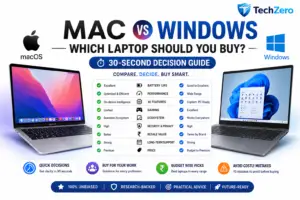
📦 The 30-Second Decision Guide
Do you already use Apple devices every day?
↓
Yes
↓
A MacBook will usually provide the most seamless experience.
No
↓
Do you depend on Windows-only software or PC gaming?
↓
Yes
↓
Choose a Windows laptop.
No
↓
Compare:
Battery life
Display quality
Keyboard
Weight
Software support
Long-term ownership value
Then choose the laptop that best fits your workflow.
TechZero Graphic
Graphic 1 — The Ultimate Laptop Decision Tree
Start with:
“What do you mainly use your laptop for?”
↓
Study
↓
Office
↓
Programming
↓
Creative Work
↓
Engineering
↓
Gaming
↓
Business
↓
Travel
↓
Recommended Platform
Graphic 2 — The Six-Year Ownership Journey
Illustrate the complete decision process:
Understand
↓
Evaluate
↓
Avoid Mistakes
↓
Future-Proof
↓
Buy
↓
Own
↓
Upgrade
This visually reinforces the journey readers have taken through both volumes.
TechZero Table
If You Value…
Choose…
Battery Life
Mac
Apple Ecosystem
Mac
Gaming
Windows
Engineering Software
Windows
Hardware Flexibility
Windows
Broad Software Compatibility
Windows
Long Software Support
Mac
Premium Mobility
Mac
Mixed-Brand Ecosystem
Windows
Everyday Productivity
Either
⚠️ Reality Check
The perfect laptop doesn’t exist.
Every model makes trade-offs.
The smartest buyers don’t search for perfection.
They choose the trade-offs that best match their priorities.
💡 TechZero Insight
People often ask:
“Which laptop is the best?”
The better question is:
“Which laptop will still make me happy six years from now?”
That single question changes how you evaluate every laptop.
🛒 Smart Buy
Before placing your order, pause for five minutes and review:
Your workflow.
Your software.
Your ecosystem.
Your ownership goals.
Your future needs.
That short review can save years of frustration.
💰 Ownership Insight
A laptop isn’t simply another gadget.
It’s where you’ll study, build your career, create memories, write ideas, attend meetings, solve problems, and perhaps even earn your living.
Few technology purchases have a greater impact on daily life.
Choose accordingly.
🏆 The TechZero Verdict
After evaluating every major aspect of modern computing, our conclusion is simple:
Buy a Mac if you value battery life, software longevity, privacy, and deep integration with the Apple ecosystem.
Buy a Windows laptop if you value flexibility, gaming, engineering software, hardware choice, and broad compatibility.
Buy either if your workload doesn’t strongly favor one platform.
Most importantly:
Don’t buy based on marketing.
Don’t buy based on benchmarks.
Don’t buy based on someone else’s workflow.
Buy the laptop that best supports your work, your budget, and your future.
Because the best laptop isn’t the one with the fastest processor.
It’s the one you’ll still enjoy using six years from today.
❤️ Thank You
Thank you for reading The TechZero Laptop Buying Bible (2026).
We hope this guide has helped you look beyond specifications and make a smarter, more confident buying decision.
If it has, consider sharing it with someone who is planning to buy a new laptop.
A better buying decision today can save years of regret tomorrow.
📚 Related Learning
If you want to dive deeper before making your purchase, explore our complete flagship guides: