
Creating high-quality videos in 2026 is no longer just about having a good camera. Modern content creation involves shooting, audio recording, lighting, editing, storage, and publishing. The right gadgets can dramatically improve both content quality and workflow efficiency.
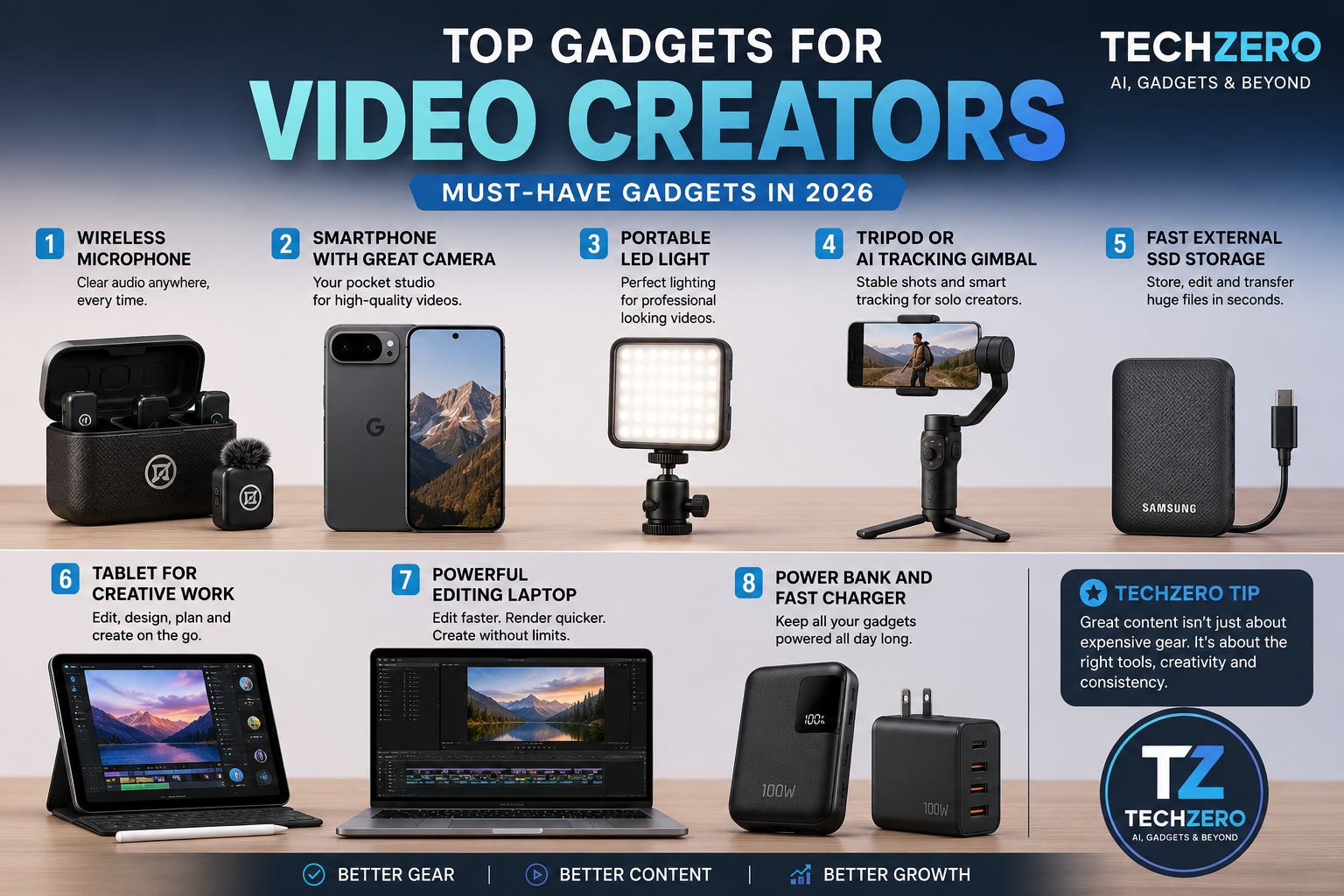
1. Wireless Microphone
Poor audio can ruin even the best-looking video. A wireless microphone is one of the first upgrades every creator should make.
Recommended Options:
- DJI Mic Mini
- Hollyland Lark M2
- BOYA BY-V20
These microphones offer clear voice recording, noise reduction, and freedom of movement, making them ideal for YouTube videos, interviews, vlogging, and educational content.
Why It Matters: Viewers are more likely to tolerate average video quality than poor audio quality.
2. Smartphone with a Great Camera
Modern smartphones can rival dedicated cameras for many types of content.
Top Creator-Friendly Phones:
- Pixel 9 Series, 10 series
- iPhone 17 Series or 16 Series
- Samsung Galaxy S26 Ultra or 25 Ultra
Features such as 4K video recording, image stabilization, cinematic modes, and AI-powered editing make smartphones an excellent all-in-one production tool.
Why It Matters: The best camera is often the one you already have in your pocket.
3. Portable LED Lighting
Good lighting instantly makes videos look more professional.
Popular Choices:
- Ulanzi VL Series
- SmallRig Portable LEDs
- Godox Mini Lights
A compact LED light can dramatically improve indoor recordings, product reviews, and talking-head videos.
Why It Matters: Lighting often improves video quality more than upgrading your camera.
4. Camera Tripod or AI Tracking Gimbal
Stable footage is essential for professional-looking content.
Recommended Options:
- DJI Osmo Mobile Series
- Insta360 Flow Series
- Ulanzi Tripods
AI tracking gimbals can automatically follow creators while recording, making solo content production significantly easier.
Why It Matters: Eliminates shaky footage and reduces the need for a camera operator.
5. Fast External SSD Storage
Video files consume enormous amounts of storage space.
Recommended SSDs:
- Samsung T7
- SanDisk Extreme Portable SSD
- Crucial X9 Pro
Fast SSDs help creators transfer footage quickly and maintain organized backups.
Why It Matters: Losing footage can mean losing hours of work.
6. Tablet for Creative Work
A powerful tablet can function as a portable editing, design, and note-taking workstation.
Recommended Devices:
- iPad Pro M5
- Samsung Galaxy Tab S10 Ultra
Creators can edit videos, design thumbnails, annotate scripts, and manage projects from virtually anywhere.
Why It Matters: Improves mobility and allows content production without carrying a full laptop.
7. Powerful Editing Laptop
Every serious creator eventually needs a reliable editing machine.
Recommended Options:
- MacBook Pro M4 Pro
- MacBook Air M5
- ASUS ProArt Series
These systems handle video editing, graphic design, AI tools, and multitasking with ease.
Why It Matters: Faster rendering means more time creating and less time waiting.
8. Power Bank and Fast Charger
Creators often work while traveling, attending events, or shooting outdoors.
A high-capacity power bank ensures cameras, microphones, phones, and lights remain powered throughout the day.
Why It Matters: Running out of battery can ruin an otherwise successful shoot.
TechZero Creator’s Recommendation
If you’re starting your content creation journey today, prioritize your budget in this order:
- Wireless Microphone
- Good Smartphone
- Lighting
- Tripod or Gimbal
- SSD Storage
- Editing Device
Many successful creators begin with just a smartphone, microphone, and basic lighting setup. Consistency and content quality matter far more than owning the most expensive gear. Invest gradually, upgrade strategically, and focus on creating valuable content rather than chasing every new gadget.
Pro-Tip – Don’t buy everything at once. Start by identifying the biggest bottleneck in your current videos. If your footage is shaky, get a gimbal. If your voice is hard to hear, get a wireless mic. Fix the friction points first, and your content quality will naturally rise.